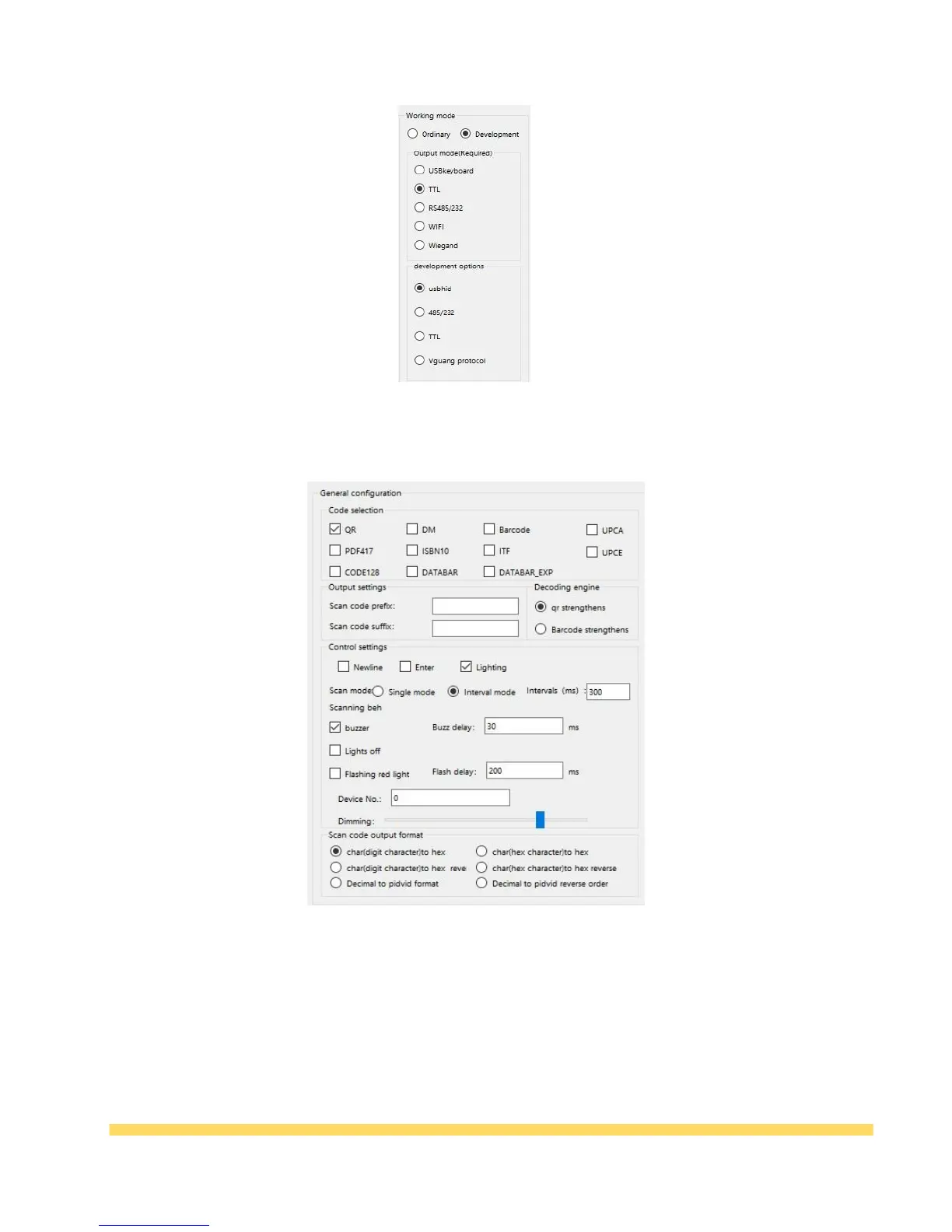
Table 3-4 Development mode
(2)General configuration:
Table 3-5 General configuration options
* Configuration password: The default is 1234567887654321. If you do not enter a password, you
cannot configure it.
* Code selection: Changing the code system is available, the QR code (QR code) is checked by
default. The rest of the code system can be selected according to your needs.
* Output settings: Scan code prefix and suffix can be set;
* Decoding Engine: Choosing to QR strengthens or bar code strengthens , choose according to
your needs.



 To Next Page