* Control settings: You can set the end of the scan code information with a line break or carriage
return, you can also control the lighting switch;
* Scan code mode: It can be adjusted to single mode or interval mode. The same two-dimensional
code will not be recognized continuously under single mode. The scan interval time can be set
under interval mode. The default is 300 milliseconds.
* Scanning behavior: the scanning feedback can be configured as buzzer, turn off the light, and
flash red light. You can also configure the buzzer delay and the flash delay time;
* Device number and brightness adjustment: You can configure the device number and adjust the
brightness of the light;
* Scan code output format settings: Can be set to char type turn hex (forward and reverse order),
char (hexadecimal characters) to hex (forward and reverse order), decimal system to pvid (reverse
sequence) and direct output of seven kinds , The default is direct output.
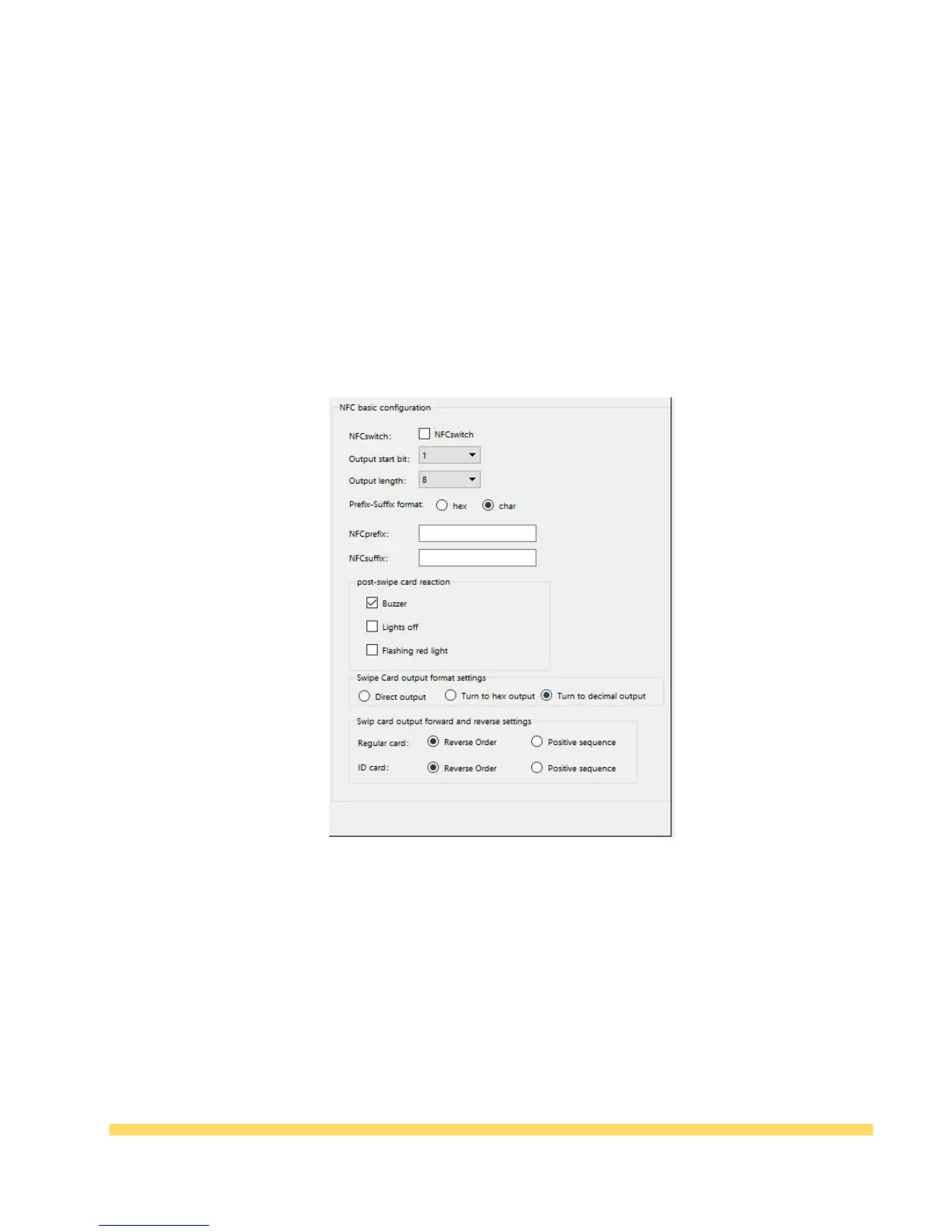
(3)NFC Options:
Table 3-6 NFC configuration
* NFC switch: Control whether to turn on the NFC function, check it and turn it on;
* Output start bit and output length: You can set the length of the output start bit and output data
when reading the card.
* NFC prefix-suffix settings: You can set the card prefix and suffix to char or hex, you can also set
the content of the prefix and suffix;
* Post-swipe card reaction: Can set the post-swipe card feedback as buzzer, lights off, flashing red
or green light;
* Swipe card output format settings: Can be configured for direct output, data transfer to
hexadecimal output or data to decimal output;
* Swipe card output forward and reverse settings: You can set the normal and reverse order of
regular card and ID card.



 To Next Page