26
SECTION 4
MAINTENANCE
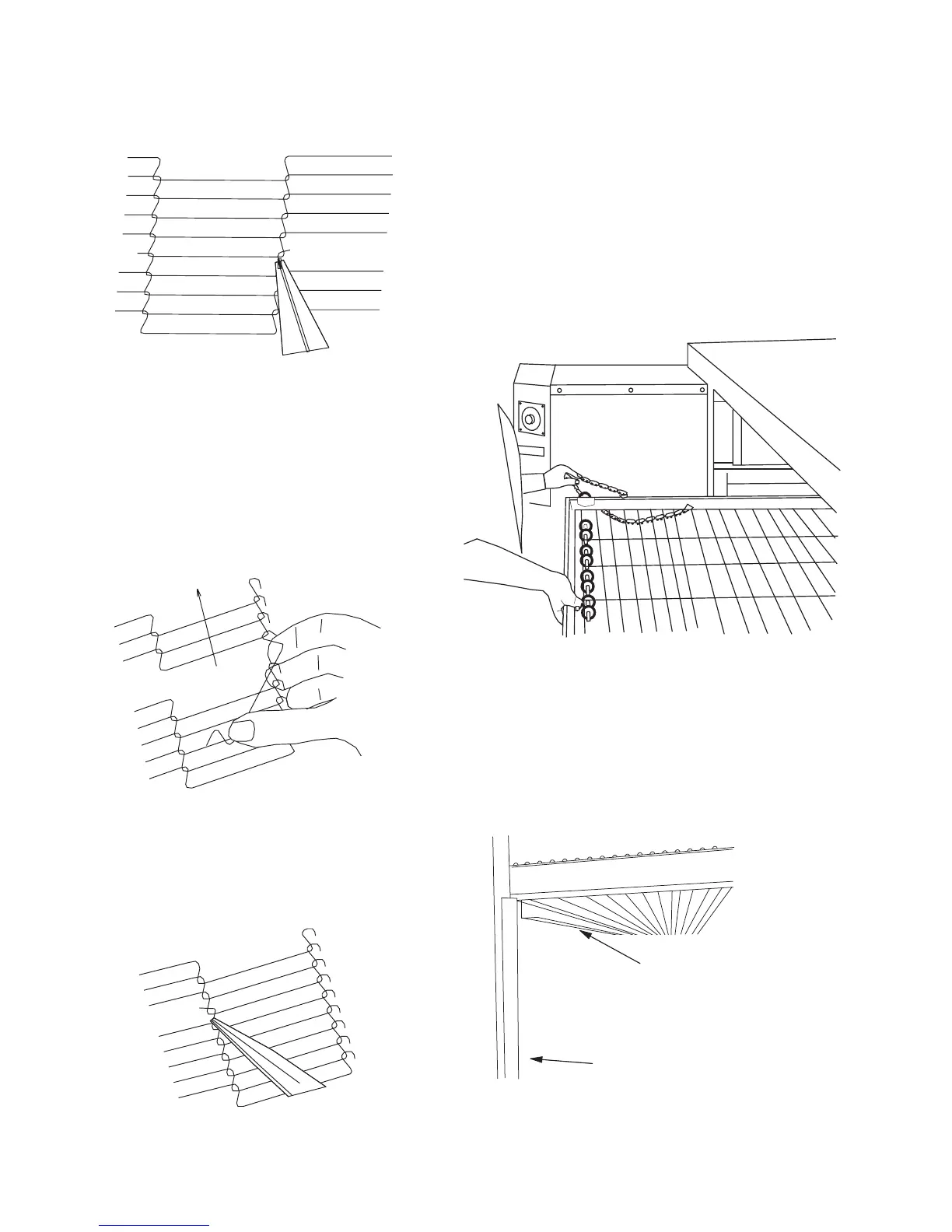
6. Reconnecting the inside master links (Figure 4-29)
NOTE: The outside master links have right and left
sides to them. The right edge master link has an open
hook facing you as shown in Figure 4-30. This will
match up with the outer edges of the conveyor belt.
Remember this hook travels backwards on the
conveyor.
7. Reconnect the outside master links.
8. Replace all parts removed from the oven.
Figure 4-29
H. Attaching Drive Chain
1. If drive sprocket assembly was removed,
reassemble it onto the conveyor drive shaft. Be sure
flat on end of drive shaft aligns with set screw in
conveyor shaft collar. Once in place tighten 3/32” set
screw.
2. Lift conveyor and install drive chain to conveyor
drive sprocket and motor sprocket.
3. The angle plate located on the underside of the
conveyor must be against the lower end plug. This is
true on both sides of the oven.
Figure 4-30
Figure 4-31
Figure 4-32
Figure 4-33
Crumb Pan
Mounting Bracket
Lower End Plug




 To Next Page