MCAC-ATSM-2014-09 Aqua tempo power series tropical air-cooled scroll chiller 50Hz
129
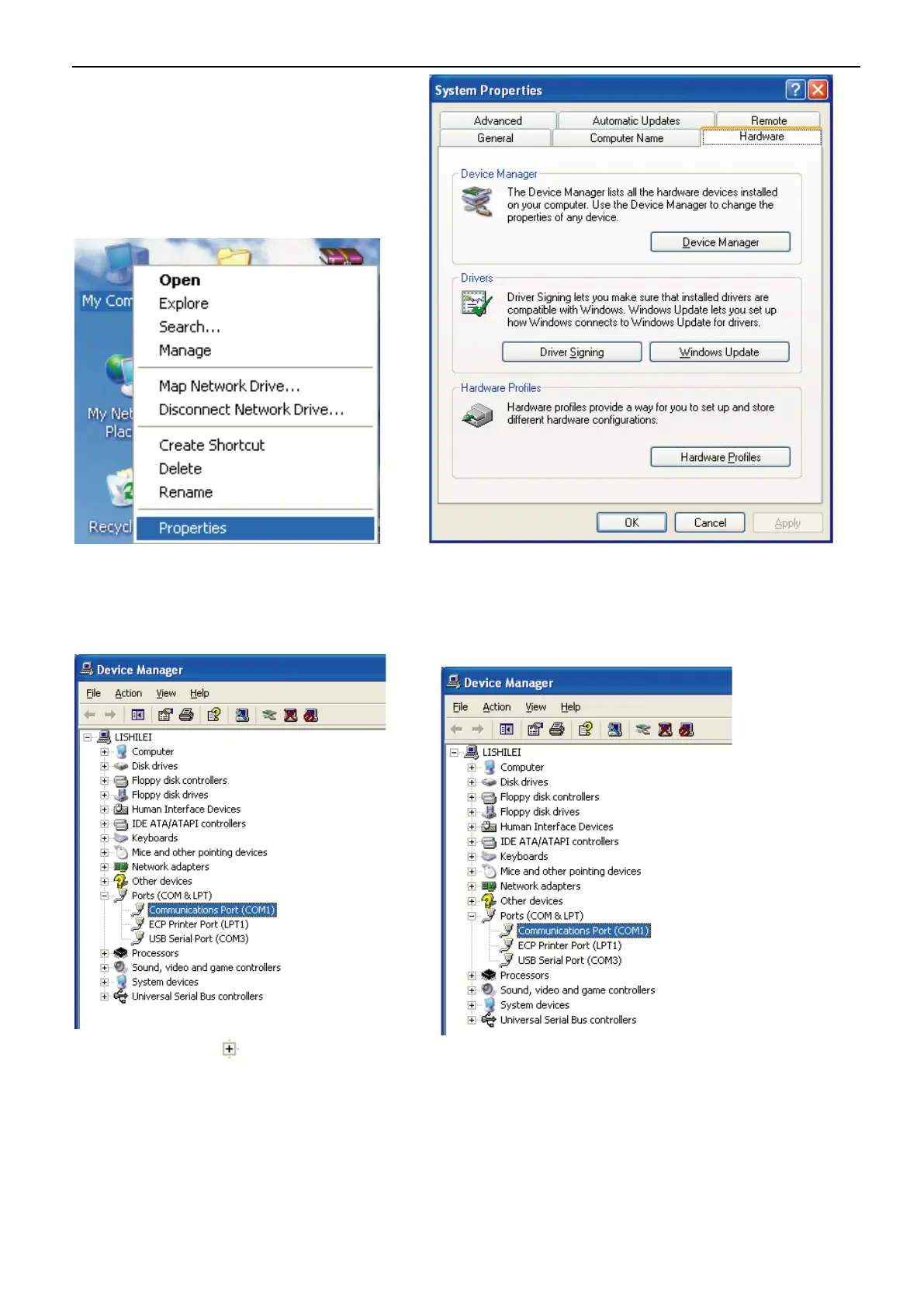
2、The window “System Properties” will be popped-up after selecting the “Properties”, and then select
the “Device Manager” in the “Hardware” as Fig. 4-98
3、The window “Device Manager” will be showed up after clicking the “Device Manager, as Fig. 4-99.
4、Click the icon “ ” in front of the “Ports(COM&LPT)” , then can view the port names by the format
as “COM”+number, these names are the usable serial port names for the computer (Note: the computer may
has more serial ports or no ports), as Fig. 4-100.



 To Next Page
 Loading...