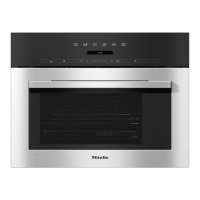
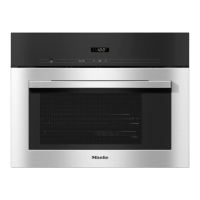
Controls
17
Display
The display is used to show information about temperatures, cooking durations,
automatic programmes and settings.
Sensor controls
The sensors react to touch. Each touch is confirmed with a keypad tone. This
keypad tone can be switched off (see “Settings”).
Symbols
The following symbols and indicators may appear in the display during operation:
Symbol/indicator Meaning
Steam cooking
(flashes) Insufficient water or water container not present
steam cooking
Auto + number(s) Automatic programme
Numbers + °C Temperature
Numbers + h Cooking duration
+ number(s) The steam oven needs to be descaled (see
“Cleaning and care – Descaling the steam
oven”)


 To Next Page