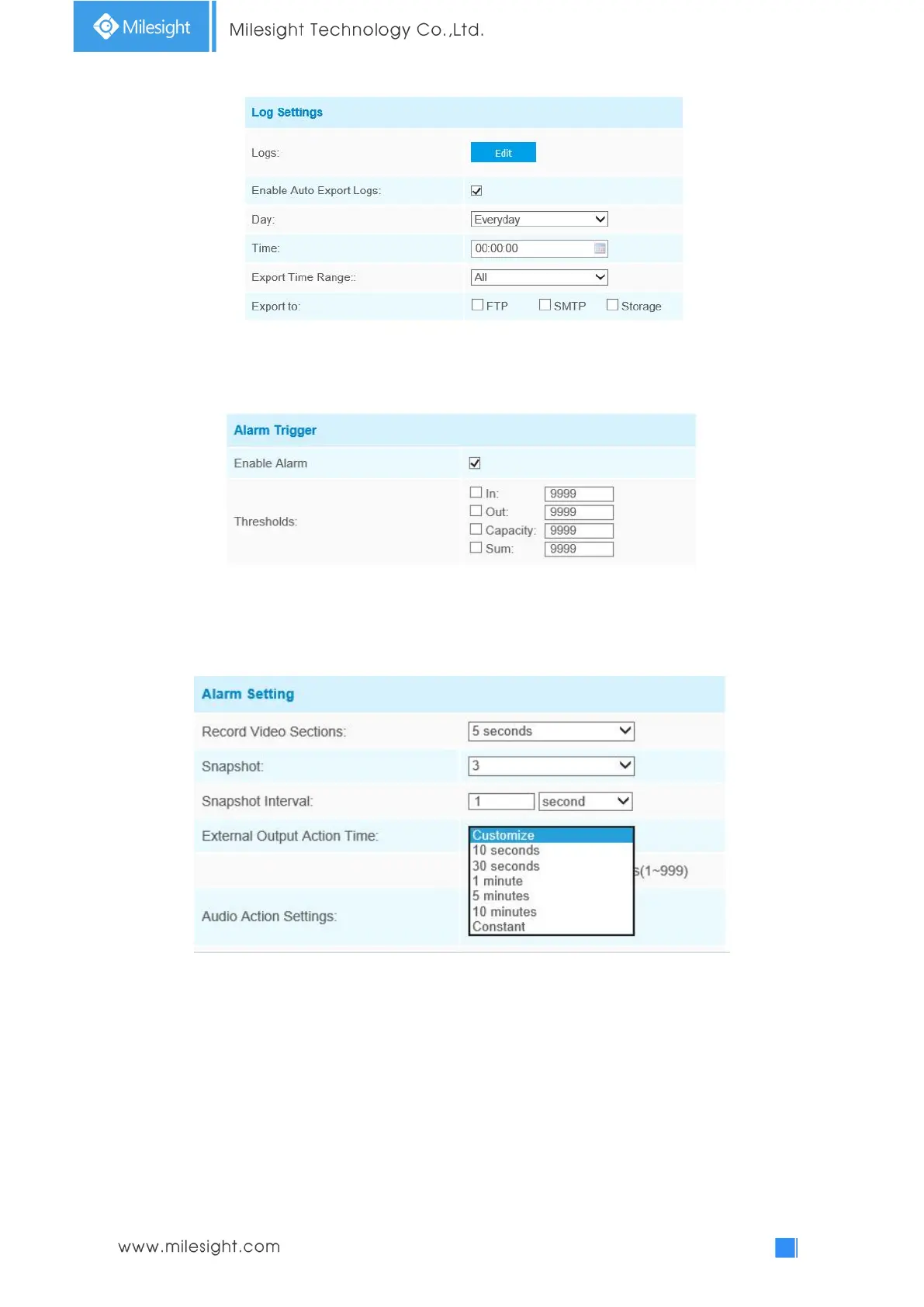
Step5: Set alarm trigger. Alarm will be triggered when the thresholds reaches to a certain value
from 1 to 9999.
Step6: Set alarm action;
Step7: Set alarm settings. If you enable External Output and choose Constant External Output
Action Time, when the thresholds reach to a certain value you set, External Output Action alarm
time will be always constant till the alarm is released.
Note:
Crossing along the direction of the arrow will record as “In”, opposite is “Out”;
Object Left/Removed
Object Left can detect and prompt an alarm if an object is left in a pre-defined region. Object
Removed can detect and prompt an alarm if an object is removed from a pre-defined region.











 To Next Page