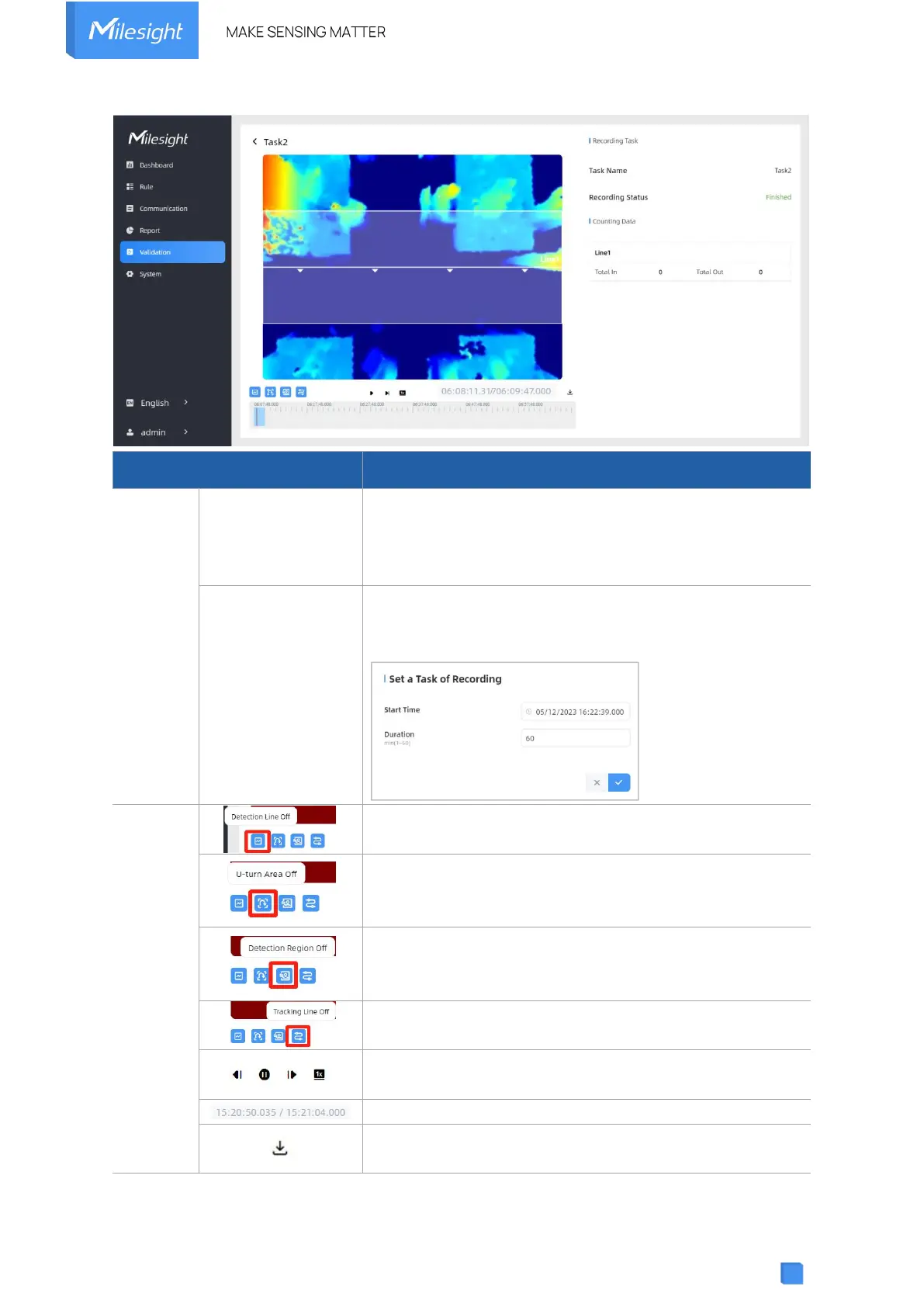
Clicking Start Recording to initiate the recording task. You
can manually click Stop Recording to end the recording, or
it will automatically stop when the recording time reaches
60 minutes.
Configure the start time and duration of the recording. The
duration can be set from 1 to 60 minutes. Clicking Cancel
Task manually will cancel the recording schedule.
Enable/Disable detection lines in the recording footage.
Enable/Disable u-turn area in the recording footage.
Enable/Disable detection region in the recording footage.
Enable/Disable tracking line in the recording footage.
Rewind/Pause/Play/Forward(supports switching between
0.5x, 1x, 2x, and 4x playback speed).
Start time and end time of the recording.
Download video stream footage.



 To Next Page