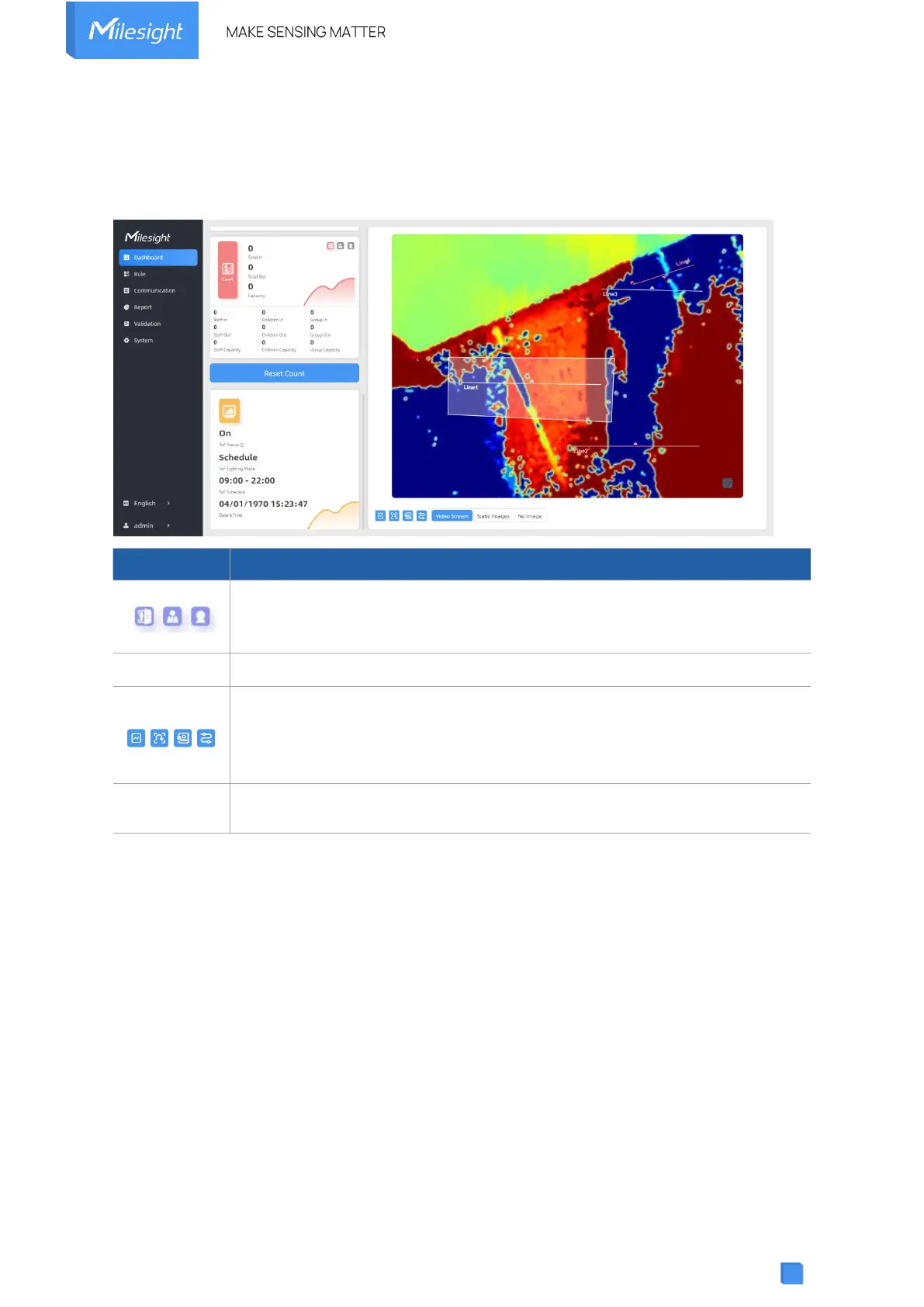
5.1 Dashboard
After logging on to the device web GUI successfully, user is allowed to view live video as
follows.
Hide Capacity: Hide the total count data capacity;
Staff Excluded: Exclude staff data from statistical data;
Children Excluded: Exclude children data from statistical data.
Clear all accumulated entrance and exit people counting values.
Click to show detection lines, U-turn areas, detection regions, tracking lines as
needed.
Note: These functions will not be shown here when they are disabled in Rule
Configuration.
Select video stream preview, static image preview or no image preview as
needed.
5.2 Rule



 To Next Page