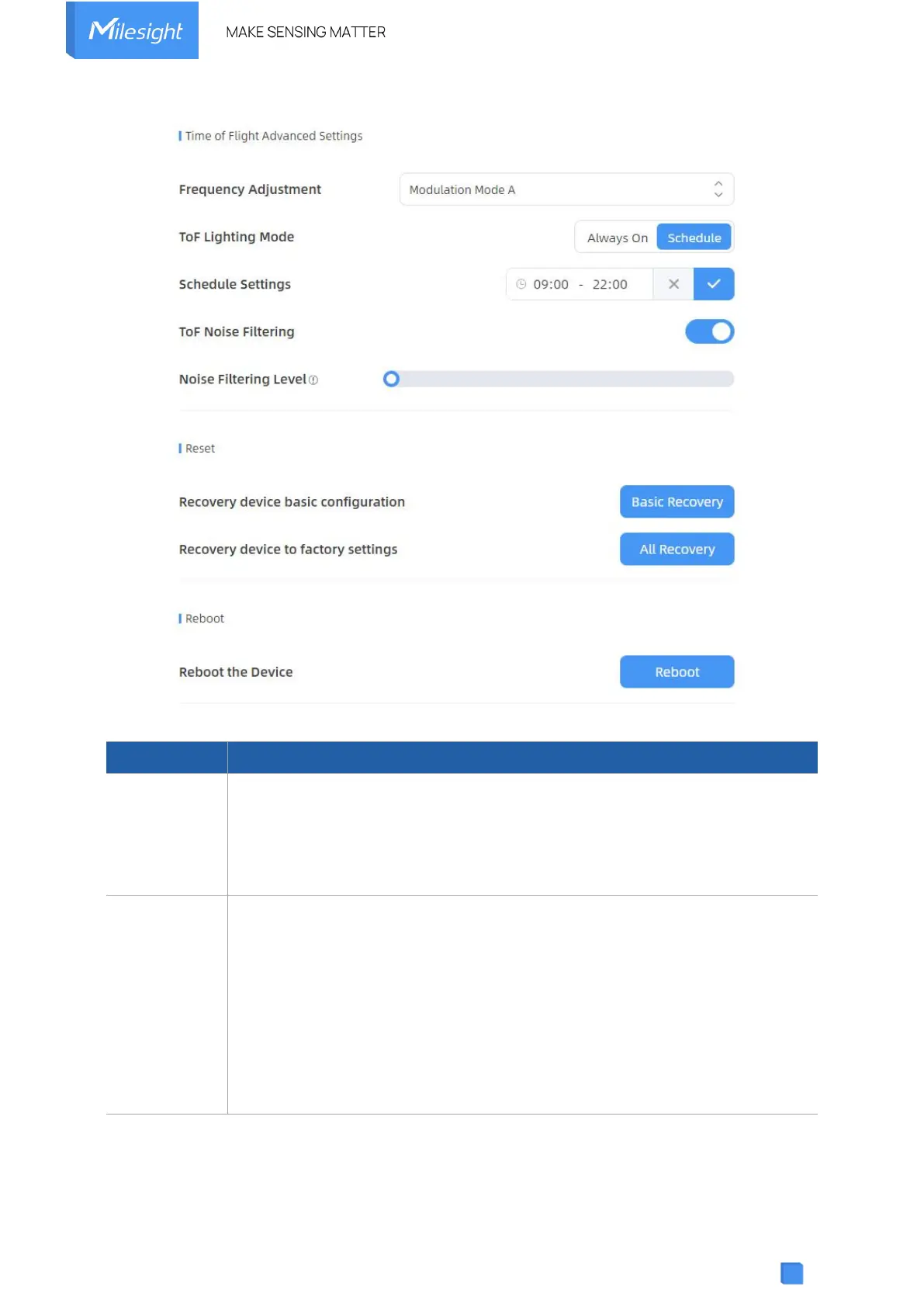
Adjust the ToF frequency modulation mode to avoid the interference of
surrounding IR devices. Please avoid using the same mode if there are multiple
VS133 devices around.
Note: if there is only one option, please contact Milesight IoT support:
iot.support@milesight.com
Adjust the ToF light mode as Always On or Schedule. When using Schedule
mode, the device will only turn on the ToF light during scheduled time range to
save power.
Note:
1) ToF light off will not affect the periodic report.
2) During validation, the ToF lighting will be fixed as On irregardless of its
lighting mode configuration.
3) When using ToF Lighting Mode, the Dashboard will display relevant
information.



 To Next Page