3) Select OTAA mode if you use Milesight IoT Cloud to manage devices.
4) Only OTAA mode supports rejoin mode.
3.3 General Settings
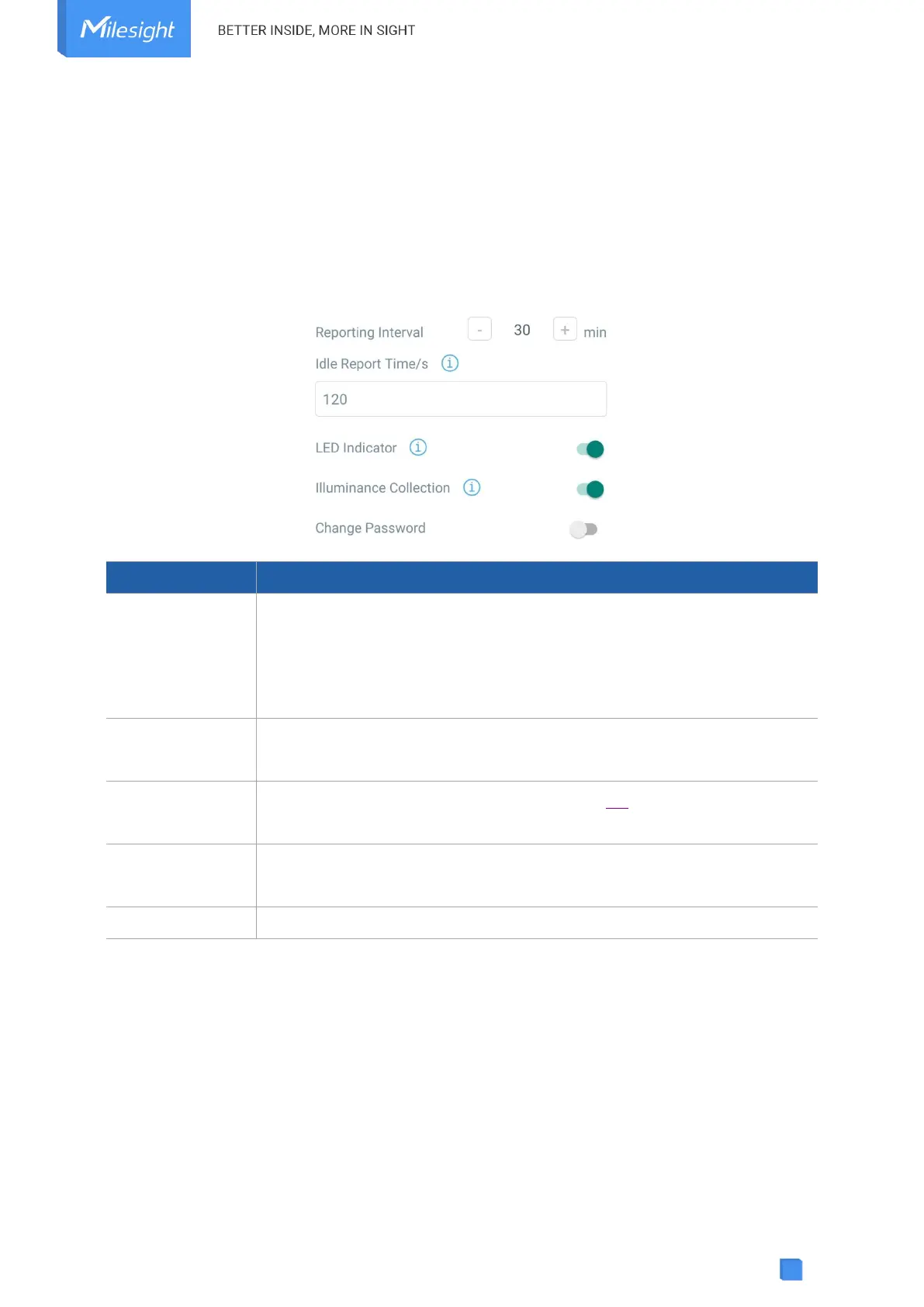
Go to Device > Setting > General Settings of ToolBox App to change the reporting interval, etc.
The interval of reporting PIR, light status and battery level to network
server. Default: 30 mins, Range: 1 - 1080 mins
Note: WS202 will also report “Occupied” status immediately when it
detects motions.
When the PIR sensor does not detect motion for a period of Idle Time,
device will report “Vacant” status. Default: 120 s
Enable or disable the light indicating in chapter 2.4.
Note: The indicator of reset button is not allowed to disable.
Enable or disable illuminance collection. When this is disabled, reporting
interval will be changed to 1080 mins automatically.
Change the password for ToolBox App to write this device.
3.4 Threshold Settings
When illuminance collection is enabled, users can define the Bright or Dark state via detection
data of light sensor in threshold settings. Besides, when the PIR sensor is triggered and light
status meets the threshold, WS202 will send alarms immediately. Otherwise, it will not send data
right away.



 To Next Page