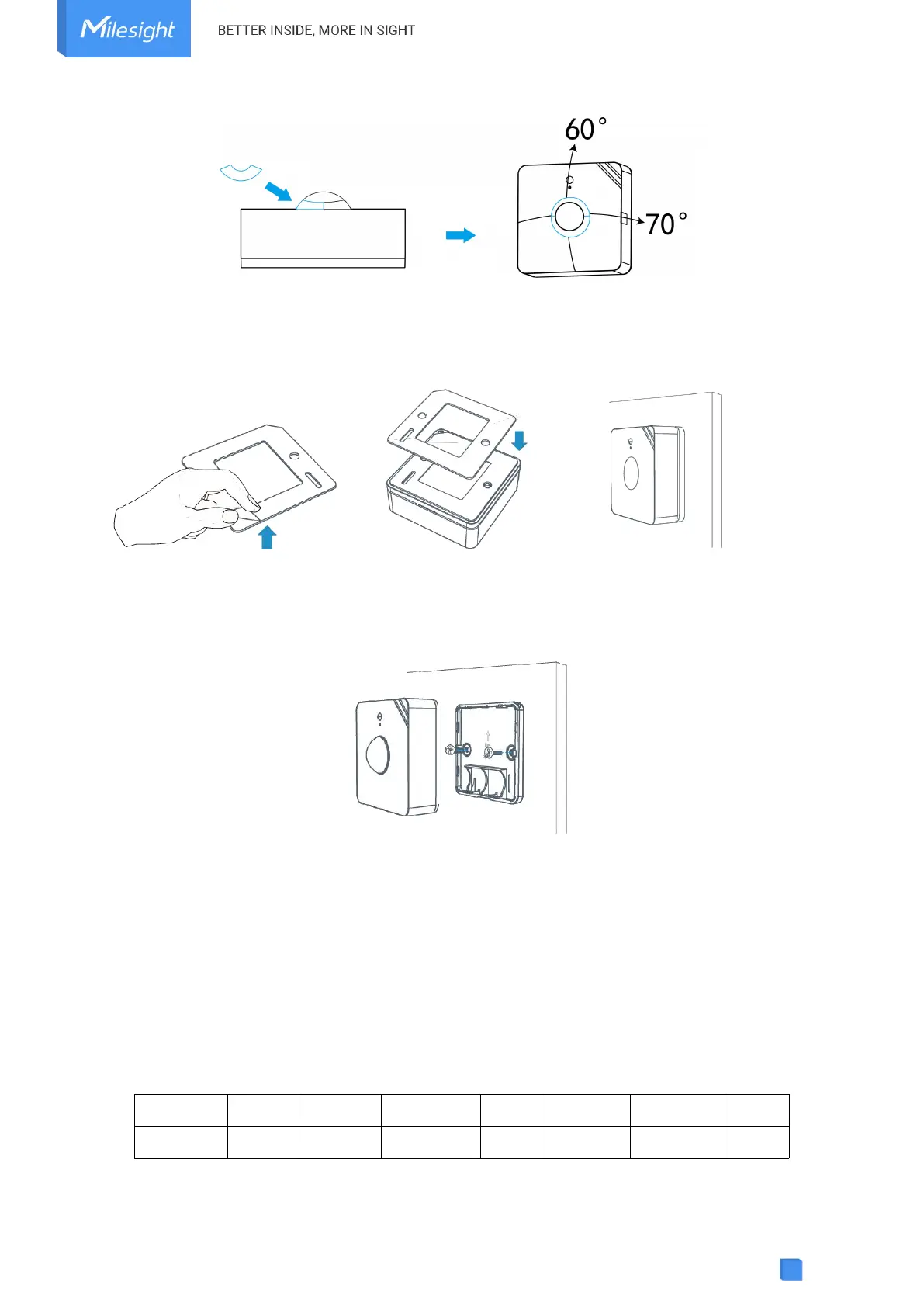
3M Tapes Fix:
Paste 3M tape to the back of the device, then tear the other side and place it on a flat surface.
Screw Fix:
Remove the back cover of the device, screw the wall plugs into the wall and fix the cover with scr
ews on it, then install back the device.
Note:
1. Adjust the installation direction according to detection area requirement.
2. WS202 can be mounted on a wall or ceiling. It’s recommended to install at 1.5~2.5m from the
floor.
3. Ensure the detection area does not have moving objects like waving trees and fans.
4. Ensure the detection area is not blocked by curtains or barriers.
5. Device Payload
All data are based on the following format (HEX), the Data field should follow little-endian:



 To Next Page