18
3. OPERATE WITH PrestoCHILL
3.1. Set Date and Time
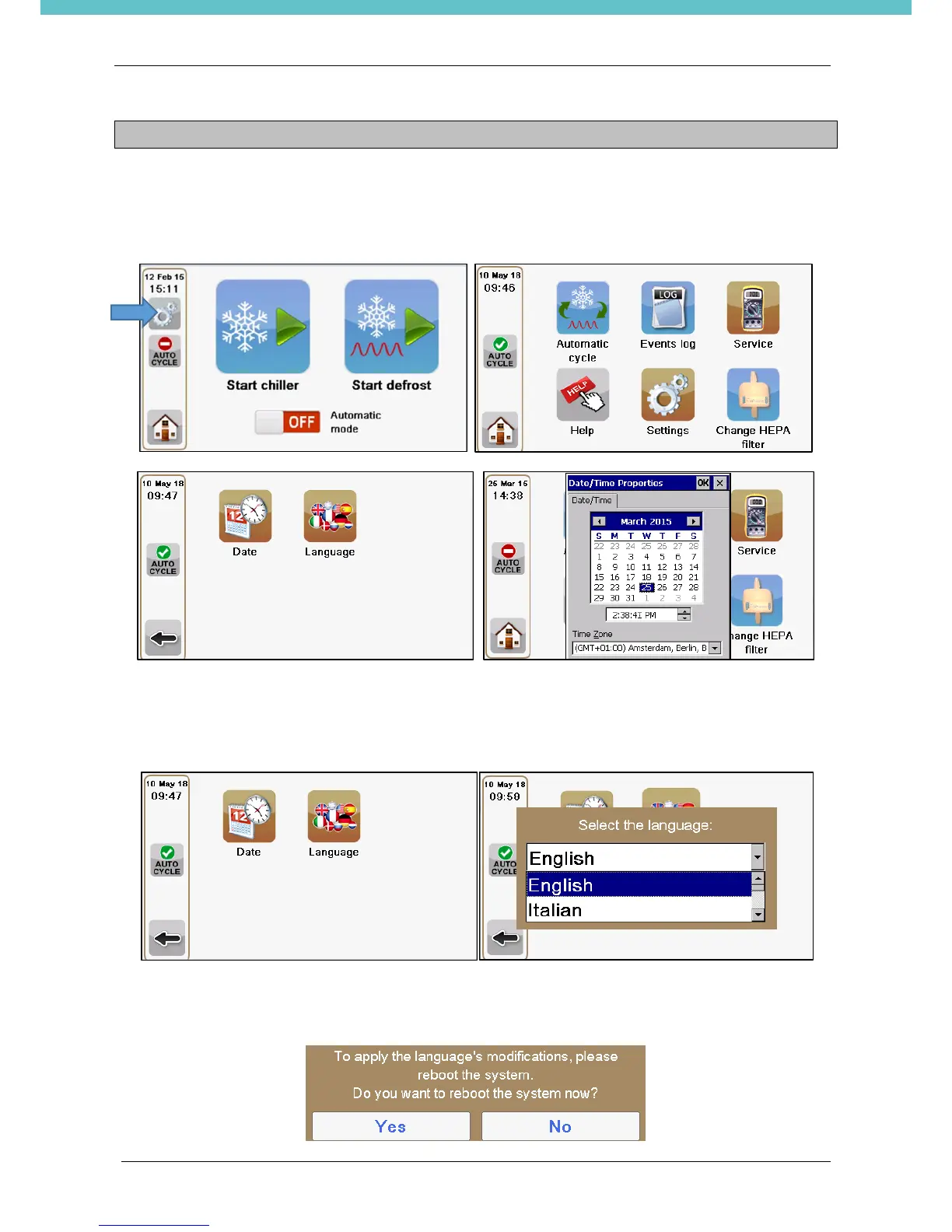
Press the “Settings” icon from the status bar. Then select “Date” and set.
3.2. Change the language
Press the “Settings” icon from the status bar. Then select “Language” and set.
Select the language and press OK.
The software needs the reboot to make the language change effective. Do it immediately, pressing “Yes” to
the below question, otherwise the language change will be operative starting from the first turn on of the unit.


 To Next Page