MM138-003 – Operator Manual
8
1.4.1. Touch control terminal
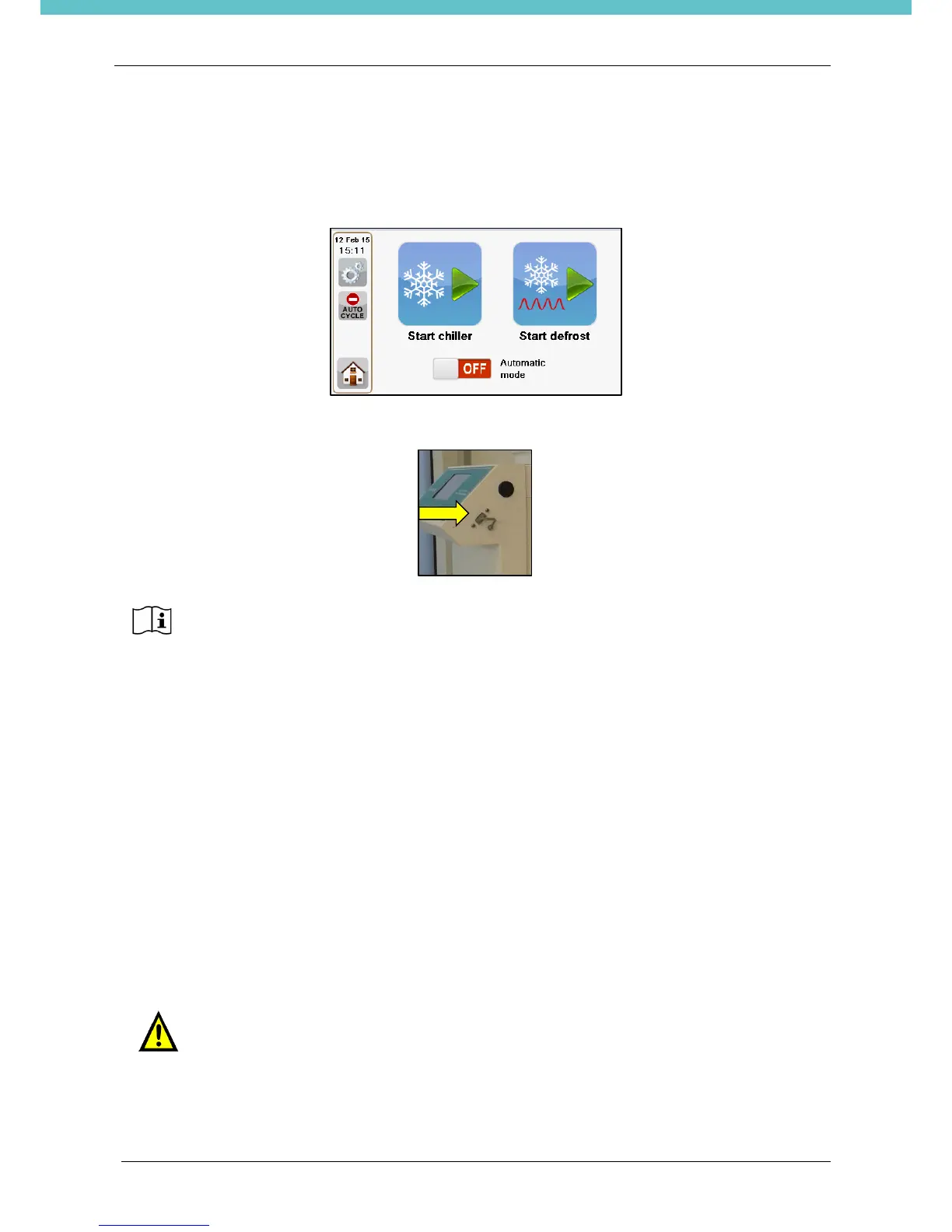
The following picture shows the Touch Control TERMINAL of the PrestoCHILL unit. It is possible to operate
the unit by simply touching the icons on the screen.
One USB PORT is located on the lateral sides of the Touch Control Terminal.
When not in use, it’s required to leave the USB protection inserted into the slot, as
shown in the picture above.
Characteristics: TFT-LCD 4.3” widescreen color display
Resolution 480X272,
Resistive Touchscreen
Mass storage 512MByte
1CPU 700MHz
Windows™ Compact Embedded 6
Programs: Customizable time and temperature
I/O-Interface: 1x USB port 2.0
The manufacturer reserves the right to change and/or improve specifications without notice and without
incurring any obligation.
1.5. Transportation and storage conditions
Temperature: –20°C up to +60°C (-4°F up to 140°F)
Humidity: up to 80% (up to 50% at 40°C – 104°F) non–condensing
Before turning PrestoCHILL on (when coming from a storage room), let the unit reach
working environmental conditions (at least half an hour).
It is very important to ship and move the PrestoCHILL system in a vertical position to
avoid that the cooling plate could be damaged and unscrewed from its support.


 To Next Page