22
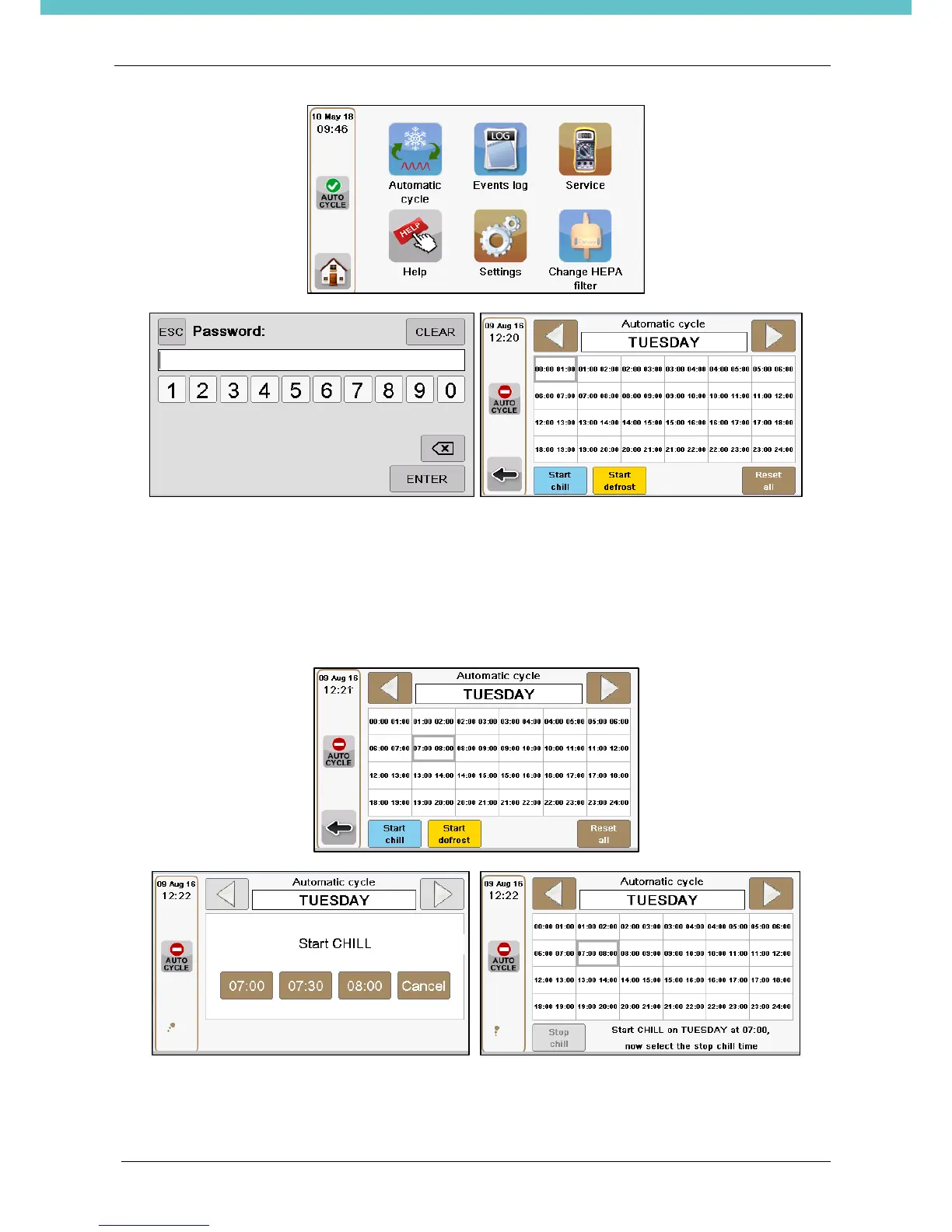
Edit the parameters on the base of laboratory needs:
Set Chiller time:
Select the day to set up.
Select the start chiller hour, by touching on it: the hour box will have a grey border. Press on the “Start chill”
button, and select the precise starting time: at beginning, half or end of the selected hour. The selected hour
will flash.
Now select the chilling stop time, touching on it: it will become highlighted. Press the “Stop chill” button to
confirm the chiller ending time and choose the precise starting time: at beginning, half or end of the selected
hour. The period in which chiller is on will be underlined with a blue line.


 To Next Page