EasyManua.ls Logo

Miller OM-257 675D - User Manual

Miller OM-257 675D
164 pages
Print Icon
To Next Page IconTo Next Page
Loading...
OM-257 675D 201403
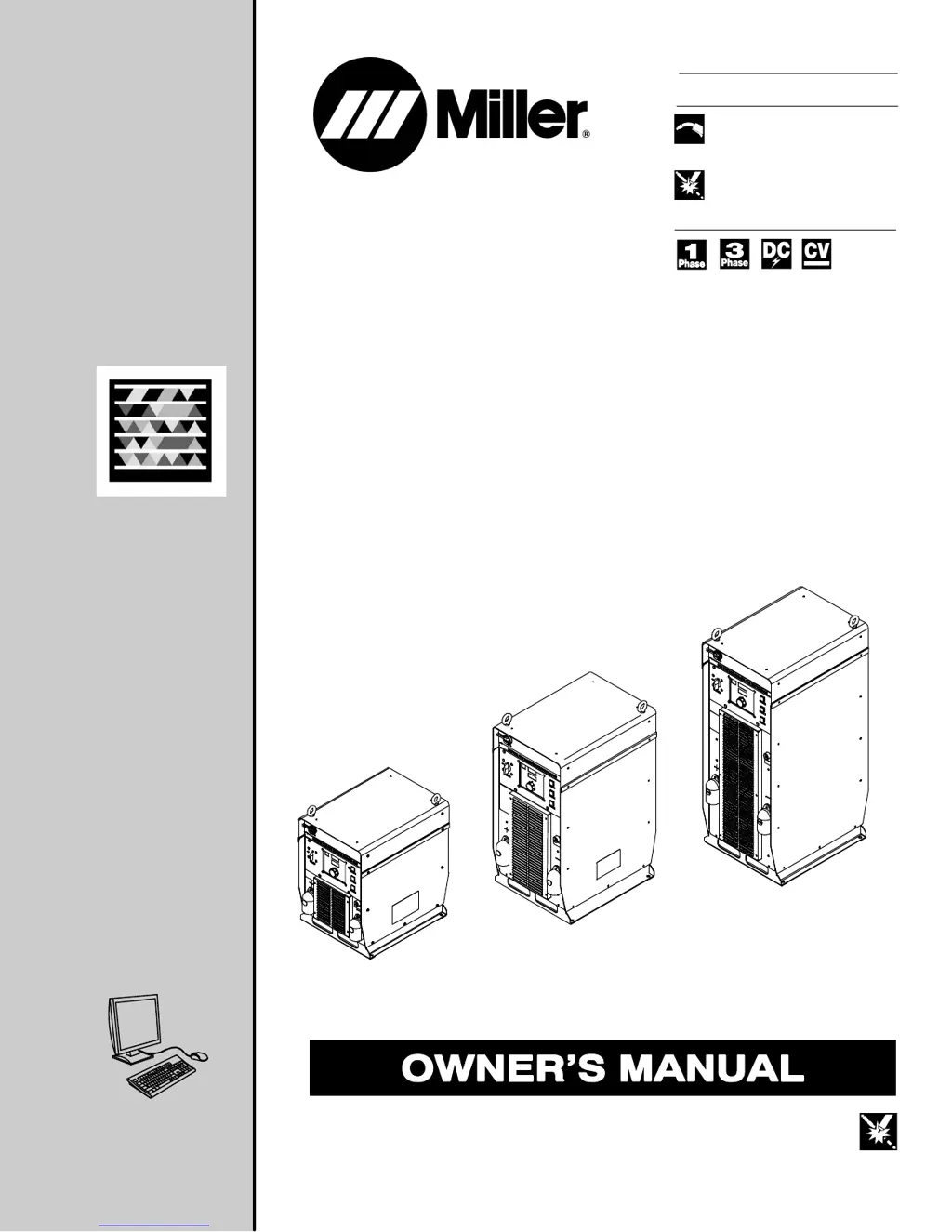
Auto-Axcess E Digital
Welding Power
Sources
Processes
Description
MIG (GMAW) Welding
Pulsed MIG (GMAW-P)
Flux Cored (FCAW) Welding
Automatic Welding
Automatic Welding Interface And
Arc Welding Power Source
File: Advanced Manufacturing Systems
Visit our website at
www.MillerWelds.com/ams
Scan this tag with your mobile device
to learn more about this product.
Individual carrier rates may apply.
Start by downloading the free
mobile app at http://gettag.mobi

Table of Contents

Questions and Answers

  • S
    Susan HutchinsonAug 19, 2025
    What to do if my Miller Welding System has no weld output?
    • J
      jacquelinebarreraAug 19, 2025
      If your Miller Welding System has no weld output and is completely inoperative, first ensure that the line disconnect switch and the power source switch are in the On position. If the issue persists, check the primary power fuse or circuit breaker; replace the fuse or reset the circuit breaker and verify the input voltage.
  • M
    Monique GilesAug 22, 2025
    Why welding wire burns back to contact tip during welding with Miller Welding System?
    • D
      dorothy84Aug 22, 2025
      If the welding wire burns back to the contact tip during welding with your Miller Welding System, it may be due to a restriction in the wire feed system (check the inlet cable, gun liner, and wire guides), worn drive rolls (replace them), or using the wrong size drive rolls (replace with proper size). Other potential causes include too much or too little drive roll pressure (adjust drive roll pressure), a worn contact tip (replace it), using the wrong size or type of contact tip (replace with the proper size and type), or not enough cast in the welding wire (add a wire straightener).
  • K
    Kimberly CrawfordAug 25, 2025
    Why does the welding wire burn back to the contact tip at the start of a Miller OM-257 675D weld?
    • P
      pkingAug 26, 2025
      If the welding wire burns back to the contact tip at the start of a weld with your Miller Welding System, it could be due to a restriction in the wire feed system. Check the inlet cable, gun liner, and wire guides. Other possible causes include worn drive rolls (replace them), the wrong size drive rolls (replace with the proper size), improper start parameters (adjust them), a worn contact tip (replace it), the wrong size or type of contact tip (replace with the proper size and type), or not enough cast in the welding wire (add a wire straightener to put cast in wire).
  • B
    Bethany JonesSep 6, 2025
    How to fix welding wire burning back to contact tip at the end of a Miller weld?
    • T
      Toni BriggsSep 6, 2025
      If the welding wire burns back to the contact tip at the end of a weld with your Miller Welding System, it could be because the welding power source output is not shutting off. Ensure all switches are in the correct position and repair the power source if necessary. Alternatively, the burnback setting may be too high or too long; adjust the burnback setting or turn it off completely.
  • D
    Daniel HamiltonSep 9, 2025
    What causes shutdown at arc initiation using robot controller in Miller OM-257 675D?
    • C
      Cindy BuchananSep 9, 2025
      If the Miller Welding System shuts down at arc initiation using a robot controller, it could be due to several reasons. Check for an arc detect signal coming from the interface if no arc is detected. If the robot times out before the arc is detected, add more time for the robot arc detect input, verify the weld parameters, and check the weld circuit. Ensure the robot command scaling is set properly. Adjust the welding cycle time if the time between welds is too short. Make sure the power source energizes and the welding wire starts feeding simultaneously to avoid welding sequence problems. Set the wire feed speed and voltage if there is no wire feed speed or voltage command.
  • C
    Cody HoffmanSep 12, 2025
    Why does my Miller OM-257 675D Welding System shutdown at arc initiation due to weld circuit condition?
    • M
      Molly BakerSep 12, 2025
      If the Miller Welding System shuts down at arc initiation due to a weld circuit condition, it could be due to poor part fit-up at the weld joint, where the wire isn't making contact with the workpiece. Check the part consistency for fit-up and/or position the gun so the wire always contacts the part. Another reason could be a poor connection in the weld circuit, so check the welding gun, torch, contact tip adapter, contact tip, weld cable connections, and any rotary or brush-type connections. Improper gas flow can also cause start and timeout issues, so check for the correct shielding gas and flow adjustment.
  • T
    Tiffany GonzalezNov 15, 2025
    How to reduce excessive spatter with my Miller OM-257 675D?
    • J
      jason21Nov 15, 2025
      Excessive spatter with your Miller Welding System can be caused by several factors. First, check your voltage setting; if it's too high, reduce it. Also, ensure you are using the correct shielding gas for the wire type and transfer mode. Other causes include an incorrect gun or torch angle (set the proper angle), too much or too little gas flow (adjust for proper gas flow), using the wrong electrode wire type or size (use the proper electrode wire), or an incorrect inductance setting (adjust the inductance). Make sure the electrode wire isn't dirty or old (replace it with new wire) and that the base metal is clean from oil or dirt (clean it by brushing, grinding, or using a chemical cleanser). Adjust the wire stick-out or reduce the nozzle-to-work distance if they're too great, and select ...
  • M
    Martin LiNov 27, 2025
    What causes a shutdown at arc initiation using power source and feeder or interface in my Miller Welding System?
    • L
      Leonard BergNov 27, 2025
      If the Miller Welding System shuts down at arc initiation using the power source and feeder or interface, this could be due to several reasons. There might be no voltage feedback signal, which means you should check for a broken or disconnected voltage feedback lead, ensure there's open circuit voltage, and inspect the power source. Alternatively, there could be no current feedback signal, indicating poor parameters, an open in the weld circuit, or a faulty hall device, so check the power source. Another possibility is no tachometer sensing, suggesting no wire speed command from the robot, material jammed in drive gears, or a faulty tachometer in the drive motor, wire feed drive circuit board, or motor cable; therefore, check the wire feed system. Poor parameters preventing arc stability c...
  • E
    Erik CoxDec 1, 2025
    Why does my Miller OM-257 675D Welding System have a wandering, hunting, or erratic arc?
    • J
      Joseph BoltonDec 1, 2025
      If your Miller Welding System exhibits a wandering, hunting, or erratic arc, it could stem from several issues. Check for restrictions in the unspooler or drum adapter and replace the unspooler or repair any restrictions. Inspect the gun liner or inlet cable for dirt or wear; remove and clean or replace them if necessary. Straighten any sharp bends or kinks in the gun cable or liner, replacing the liner if needed. Ensure the contact tip is tight and not worn; tighten or replace it. Replace the contact tip if it's the wrong size or type. If the gun is overheating, use one with a proper amperage rating. Tighten, repair, or replace any loose power cables or electrical connections, and check all rotary or brush-type connections. Set the proper gun angle and adjust the gas flow to the correct l...

Summary

Section 1: Safety Precautions - Read Before Using

Arc Welding Hazards

Details hazards like electric shock, hot parts, and general safety precautions.

General Welding Safety

General Welding Safety

Covers hazards from fumes, gases, arc rays, fire, explosion, and flying metal/dirt.

Electromagnetic Interference Hazards

California Proposition 65 Warnings and EMF Information

Section 2: Safety Precautions - Read Before Use

Hazards Related to Arc Welding

Covers hazards like electric shock, hot parts, fumes, gases, and fire/explosion risks.

Specific Hazard Warnings

Specific Hazard Warnings

Covers eye injury, gas accumulation, EMF, and noise hazards, plus cylinder safety.

Additional Hazards for Installation, Operation, and Maintenance

Additional Hazards for Installation, Operation, and Maintenance

Covers additional hazards like fire, explosion, falling equipment, and overheating.

Equipment Handling Hazards

Equipment Handling Hazards

Covers ESD, moving parts, wire hazards, and battery explosion risks.

Section 2: Safety Precautions - Read Before Use

Section 4: Specifications for Auto-Axcess E 300 Digital

Duty Cycle and Overheating

Duty Cycle and Overheating

Explains duty cycle percentage and overheating protection measures.

Electrical and Environmental Specifications

Electrical Service Guide

Provides recommendations for electrical service, fuse ratings, and conductor sizes.

Section 5: Specifications for Auto-Axcess E 450 Digital

Section 6: Specifications for Auto-Axcess E 675 Digital

Unit Specifications

Lists detailed specifications including input power, output, voltage, and wire feed ranges.

Section 8: General Installation

Connection Diagrams and Receptacles

Connection Diagram

Illustrates the typical connections between the welding power source, robot, and other components.

Rear Panel Receptacles and Functions

Peripheral and Touch Sensor Operations

Motor Control Receptacle and Capacitor Voltage Measurement

Input Capacitor Voltage Measurement

Measuring Input Capacitor Voltage

Provides a procedure for safely measuring input capacitor voltage.

Connecting 3-Phase Input Power

Connecting 3-Phase Input Power

Illustrates the connection procedure for 3-phase input power to the unit.

Connecting 3-Phase Input Power (Continued)

Continues the explanation of 3-phase input power connection, including safety and conductor selection.

Section 9: Recommended Setup Procedures

Connecting To Weld Terminals

Details the correct procedure for connecting cables to the weld output terminals.

Cable Selection and Process Considerations

Selecting Weld Cable Sizes*

Provides a chart and guidelines for selecting appropriate weld cable sizes based on length and amperage.

Welding Circuit and Cable Arrangement

Welding Circuit

Explains welding circuit loop minimization and voltage sensing lead connection.

Arranging Welding Cables To Reduce Welding Circuit Inductance

Demonstrates methods for arranging cables to minimize inductance.

Multiple Power Sources and Arc Blow

Voltage Sensing Lead and Work Cable Connections

Voltage Sensing Lead and Work Cable Connections for Multiple Welding Arcs (Bad Setup)

Illustrates bad setups for voltage sensing and work cable connections.

Earth Grounding and MIG Welding Mechanics

Earth Grounding

Explains the importance of earth grounding and how to check resistance.

Robot Signals and ADAM-6050 Setup

ADAM-6050 Program Loading and Configuration

ADAM-6050 Configuration and Robot Control

Weld Cycle Timing, Touch Sensor, Stick Check, and Arc Blow

Touch Sensor Operation

Explains how the touch sensor feature works for locating weldments.

Basic Welding Troubleshooting

Basic Welding Troubleshooting

Continues troubleshooting startup issues, communication errors, and gas flow problems.

Electrical Functions of Automated Welding Systems

Section 10: Operation

Operational Terms and Pulse Welding

Front Panel Controls

Front Panel Controls (See Section 10-4)

Identifies and describes the controls and indicators on the front panel of the welding unit.

Front Panel Controls and Switches

Front Panel Controls - Continued (See Section 10-3)

Continues the description of front panel controls, including Arc Control and displays.

Robot Abbreviations and Front Panel Switches

Front Panel Display and User Interface Menu

System Reset and Software Revision

System Reset Mode

Explains how to perform a system reset to reload factory program settings.

Voltage Feedback, Load Bank, and Wire Reset

Cable Compensation and Secondary Compensation

Cable Compensation

Guides on determining secondary resistance and inductance compensation for weld cables.

Secondary Resistance and Inductance Compensation

Cable Compensation Illustration and Connection Manager

Secondary Resistance and Inductance Compensation

Illustrates cable compensation connections and formulas.

Ethernet;IP Object Model

Ethernet;IP Object Model Details

Configuring a Robot to Work with Auto Axcess E EtherNet;IP

Robot Configuration and System Settings

System Settings and Ethernet Configuration

Configuring a Robot to Work with Auto Axcess E EtherNet;IP

Details system settings, Ethernet settings, and IP address configuration for robot integration.

Using a Robot to Control Centerpoint

Section 11: Maintenance

Section 12: Safety Precautions for Servicing

Servicing Hazards

Details hazards encountered during servicing, like electric shock, hot parts, and moving parts.

Servicing Safety Warnings

EMF Information

Provides information on EMF fields and procedures to minimize exposure during servicing.

Section 13: Troubleshooting

Set Value Mode

Explains how to use the Set Value mode for manually overriding robot command values.

Error Code Explanations

Error Code Explanations and Module LEDs

Error Code Troubleshooting Tables

Continues explaining error codes for software issues and web check errors.

Diagnostic LEDs on E Module Board Stack

General Purpose and Status LEDs

Diagnostic LEDs on E Module Board Stack

Explains General Purpose LEDs and their diagnostic meanings.

Troubleshooting Common Issues

Troubleshooting

Provides a troubleshooting table for common issues like no weld output or erratic feed.

Web Message Display and Ethernet Troubleshooting

Web Site For Auto-Axcess E Information

Software Errors and Ethernet Connection Troubleshooting

Software Error Message Display

Explains the "ERR S W" message indicating software compatibility issues.

Ethernet Connection Troubleshooting

Troubleshooting Ethernet Connection Issues

Continues Ethernet troubleshooting, covering IP address configuration and network settings.

Section 15: Electrical Diagrams

Circuit Diagram for Auto-Axcess E 300 Digital Welding Power Source

Circuit Diagram for Auto-Axcess E 450 Digital Welding Power Source

Circuit Diagram for Auto-Axcess E 675 Digital Welding Power Source

Axcess E Digital Module Circuit Diagram

Motor and Digital I;O Interface Circuit Diagram

Auto-Axcess E 300 Digital Main Assembly Parts

E-module w;Ethernet and USB Assembly for E 300

E-module w;Ethernet and USB Assembly Parts for E 300

Auto-Axcess E 450 Digital Main Assembly Parts

E-module w;Ethernet and USB Assembly for E 450

E-module w;Ethernet and USB Assembly Parts for E 450

Auto-Axcess E 675 Digital Main Assembly Parts

E-module w;Ethernet and USB Assembly for E 675

True Blue Warranty

Owners Record and Service Information

Miller OM-257 675D Specifications

General IconGeneral
BrandMiller
ModelOM-257 675D
CategoryWelding System
LanguageEnglish

Related product manuals