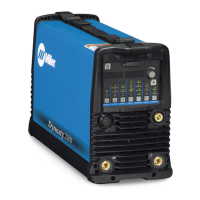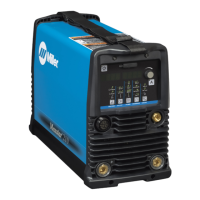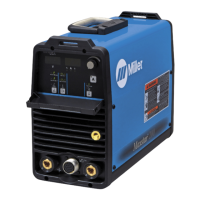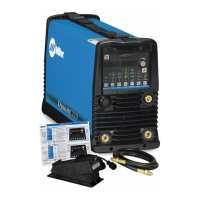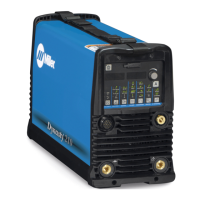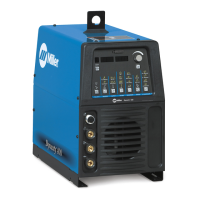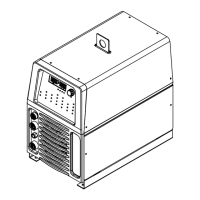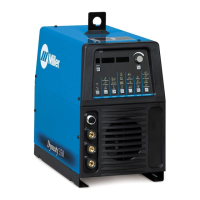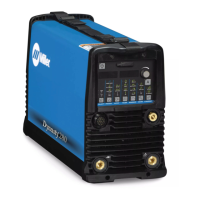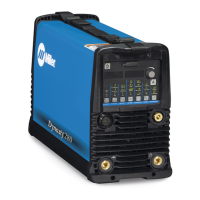
How to maintain coolant level in Miller Dynasty 280 Welding System?
- RrosarioalyssaJul 27, 2025
To maintain the coolant level in your Miller Welding System, regularly check it and top it off with distilled or deionized water as needed.
How to maintain coolant level in Miller Dynasty 280 Welding System?
To maintain the coolant level in your Miller Welding System, regularly check it and top it off with distilled or deionized water as needed.
How to maintain heat exchanger fins on Miller Dynasty 280?
To maintain the heat exchanger fins of your Miller Welding System, blow them out regularly.
What to do if coolant strainer requires cleaning during heavy service of Miller Dynasty 280 Welding System?
During heavy service of your Miller Welding System, clean the coolant strainer more frequently.
What to do if the coolant level is low in my Miller Welding System?
If the coolant level is low, check it and top it off with distilled or deionized water.
How to clean heat exchanger fins on a Miller Dynasty 280 Welding System?
Blow out the heat exchanger fins.
Explains symbols used to indicate hazards.
Details potential hazards associated with arc welding.
Provides additional safety symbols for installation and operation.
Identifies and explains the controls on the Maxstar 280 front panel.
Identifies and explains the controls on the Maxstar 280 DX front panel.
Guides on accessing the technical menu for advanced settings.
Explains symbols used to indicate hazards.
Details potential hazards associated with arc welding.
Provides additional safety symbols for installation and operation.
Discusses hazards associated with welding fumes and gases and necessary precautions.
Explains the dangers of arc rays and the required eye and skin protection.
Details fire and explosion hazards associated with welding and necessary preventative measures.
Warns about the dangers of handling compressed gas cylinders and provides safety measures.
Provides additional safety symbols for installation and operation.
Highlights fire and explosion risks during installation and operation.
Explains how high-frequency radiation can interfere with electronic equipment.
Discusses electromagnetic interference from arc welding and mitigation strategies.
States California Proposition 65 warnings related to chemical exposure.
Defines additional safety symbols and their meanings.
Explains various miscellaneous symbols used in the manual.
Describes the location of serial number and rating label for identification.
Provides detailed specifications for the Dynasty welding power source.
Guides on choosing a suitable location for installing the welding unit.
Provides guidance on selecting appropriate weld cable sizes based on current and length.
Identifies and describes the weld output terminals on the front panels.
Illustrates and describes the various connections for the welding unit.
Details the connections for the optional cooler unit.
Provides electrical service recommendations for three-phase and single-phase operation.
Provides electrical service recommendations for Maxstar models.
Guides on connecting three-phase input power to the welding unit.
Guides on connecting single-phase input power to the welding unit.
Details the socket information for the Remote 14 receptacle.
Illustrates a simple automation application circuit diagram.
Explains reasons, requirements, and how to perform software updates.
Identifies and explains the controls on the Dynasty 280 front panel.
Guides on accessing and navigating the control panel menu for AC TIG welding.
Guides on accessing and navigating the control panel menu for DC TIG welding.
Guides on accessing control panel menus for AC and DC Stick welding.
Guides on accessing the user setup menu for AC and DC TIG welding parameters.
Guides on accessing the user setup menu for AC and DC Stick welding parameters.
Identifies and explains the controls on the Dynasty 280 DX front panel.
Guides on accessing and navigating the control panel menu for various processes.
Guides on accessing and navigating the user setup menu for various parameters.
Details AC independent amperage and waveshape settings for enhanced control.
Identifies and explains the controls on the Maxstar 280 front panel.
Guides on accessing control panel menu for DC TIG HF and Lift Arc.
Guides on accessing control panel menu for DC Stick welding.
Guides on accessing user setup menu for DC TIG HF and Lift-Arc.
Guides on accessing user setup menu for DC Stick welding.
Identifies and explains the controls on the Maxstar 280 DX front panel.
Guides on accessing and navigating the control panel menu for various processes.
Guides on accessing and navigating the user setup menu for various parameters.
Guides on accessing the technical menu for advanced settings.
Guides on accessing the technical menu for Dynasty/Maxstar 280 DX models.
Explains the sequencer and weld timer functions for DX models.
Details output control and trigger functions for DX models.
Explains how to use lockout functions to limit parameter adjustments.
Defines the degree of adjustability associated with each lockout level.
Outlines regular maintenance tasks for the welding power source and optional cooler.
Explains various messages displayed on the voltmeter/ammeter during operation.
Provides a table to help diagnose and resolve common operational problems.
Details the procedure for cleaning the inside of the unit with air.
Outlines procedures for maintaining the coolant system, including filter and fluid.
Lists recommended spare parts for the equipment, including part numbers.
Explains welding processes that utilize high frequency for arc starting.
Illustrates common sources of high-frequency interference during installation.
Guides on selecting the correct tungsten electrode based on diameter and composition.
Details methods for starting TIG arcs using Lift-Arc or High Frequency.
Explains how to use the pulser control for heat input and bead cosmetics.
Details programmable TIG starting parameters for DX models.
Provides a chart for selecting stick electrodes and corresponding amperage.
Explains symbols used to indicate hazards.
Details potential hazards associated with arc welding.
Provides additional safety symbols for installation and operation.
Identifies and explains the controls on the Maxstar 280 front panel.
Identifies and explains the controls on the Maxstar 280 DX front panel.
Guides on accessing the technical menu for advanced settings.
Explains symbols used to indicate hazards.
Details potential hazards associated with arc welding.
Provides additional safety symbols for installation and operation.
Discusses hazards associated with welding fumes and gases and necessary precautions.
Explains the dangers of arc rays and the required eye and skin protection.
Details fire and explosion hazards associated with welding and necessary preventative measures.
Warns about the dangers of handling compressed gas cylinders and provides safety measures.
Provides additional safety symbols for installation and operation.
Highlights fire and explosion risks during installation and operation.
Explains how high-frequency radiation can interfere with electronic equipment.
Discusses electromagnetic interference from arc welding and mitigation strategies.
States California Proposition 65 warnings related to chemical exposure.
Defines additional safety symbols and their meanings.
Explains various miscellaneous symbols used in the manual.
Describes the location of serial number and rating label for identification.
Provides detailed specifications for the Dynasty welding power source.
Guides on choosing a suitable location for installing the welding unit.
Provides guidance on selecting appropriate weld cable sizes based on current and length.
Identifies and describes the weld output terminals on the front panels.
Illustrates and describes the various connections for the welding unit.
Details the connections for the optional cooler unit.
Provides electrical service recommendations for three-phase and single-phase operation.
Provides electrical service recommendations for Maxstar models.
Guides on connecting three-phase input power to the welding unit.
Guides on connecting single-phase input power to the welding unit.
Details the socket information for the Remote 14 receptacle.
Illustrates a simple automation application circuit diagram.
Explains reasons, requirements, and how to perform software updates.
Identifies and explains the controls on the Dynasty 280 front panel.
Guides on accessing and navigating the control panel menu for AC TIG welding.
Guides on accessing and navigating the control panel menu for DC TIG welding.
Guides on accessing control panel menus for AC and DC Stick welding.
Guides on accessing the user setup menu for AC and DC TIG welding parameters.
Guides on accessing the user setup menu for AC and DC Stick welding parameters.
Identifies and explains the controls on the Dynasty 280 DX front panel.
Guides on accessing and navigating the control panel menu for various processes.
Guides on accessing and navigating the user setup menu for various parameters.
Details AC independent amperage and waveshape settings for enhanced control.
Identifies and explains the controls on the Maxstar 280 front panel.
Guides on accessing control panel menu for DC TIG HF and Lift Arc.
Guides on accessing control panel menu for DC Stick welding.
Guides on accessing user setup menu for DC TIG HF and Lift-Arc.
Guides on accessing user setup menu for DC Stick welding.
Identifies and explains the controls on the Maxstar 280 DX front panel.
Guides on accessing and navigating the control panel menu for various processes.
Guides on accessing and navigating the user setup menu for various parameters.
Guides on accessing the technical menu for advanced settings.
Guides on accessing the technical menu for Dynasty/Maxstar 280 DX models.
Explains the sequencer and weld timer functions for DX models.
Details output control and trigger functions for DX models.
Explains how to use lockout functions to limit parameter adjustments.
Defines the degree of adjustability associated with each lockout level.
Outlines regular maintenance tasks for the welding power source and optional cooler.
Explains various messages displayed on the voltmeter/ammeter during operation.
Provides a table to help diagnose and resolve common operational problems.
Details the procedure for cleaning the inside of the unit with air.
Outlines procedures for maintaining the coolant system, including filter and fluid.
Lists recommended spare parts for the equipment, including part numbers.
Explains welding processes that utilize high frequency for arc starting.
Illustrates common sources of high-frequency interference during installation.
Guides on selecting the correct tungsten electrode based on diameter and composition.
Details methods for starting TIG arcs using Lift-Arc or High Frequency.
Explains how to use the pulser control for heat input and bead cosmetics.
Details programmable TIG starting parameters for DX models.
Provides a chart for selecting stick electrodes and corresponding amperage.
| Input Frequency | 50/60 Hz |
|---|---|
| AC Frequency Range | 20-400 Hz |
| Input Phase | 1/3 |
| Amperage Range | 280 A |
| Rated Output | 60% duty cycle |
| Duty Cycle | 60% |
| Weldable Materials | Steel, Stainless Steel, Aluminum |
| Processes | TIG (GTAW), Stick (SMAW) |


Loading...