EasyManua.ls Logo

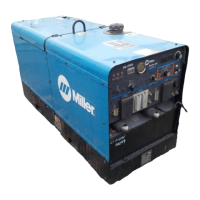
Miller PipeWorx 400 - User Manual

Miller PipeWorx 400
116 pages
Print Icon
To Next Page IconTo Next Page
Loading...
OM-253 906D 201208
Processes
MIG (GMAW) and Pulsed MIG
(GMAW-P) Welding
Multiprocess Welding
Description
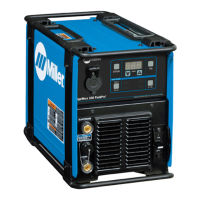
PipeWorx 400
Welding System
(380-400 Volt Model)
CE
File: MIG (GMAW)
Visit our website at
www.MillerWelds.com
TIG (GTAW) Welding
Flux Cored (FCAW) Welding
Stick (SMAW) Welding
Arc Welding Power Source
Wire Feeder

Table of Contents

Questions and Answers

  • J
    James PrinceAug 19, 2025
    What to do if wire doesn't feed from the wire feeder to the end of the Miller Welding System gun?
    • C
      Christina HaasAug 19, 2025
      If the wire isn't feeding correctly, start by checking if the wire diameter matches the groove size of the drive rolls. Also, ensure the tension on the drive rolls isn't too loose or too tight. Verify the gun liner is the correct size for the wire and that the contact tip is the correct size for the wire, ensuring it's not plugged. Finally, check that the gun end is fully inserted into the wire drive housing at the feeder and that the knob is tightened to secure it.
  • G
    goldenzacharyAug 21, 2025
    How to troubleshoot trouble feeding wire when welding with a Miller Welding System?
    • S
      sharon84Aug 21, 2025
      To troubleshoot wire feeding issues, first check that the drive rolls and wire guides match the wire style and size. Adjust the drive roll tension if needed. Make sure the gun end is fully inserted into the wire drive housing and the knob is tightened. Check the hub tension at the wire spool and readjust if necessary. Ensure the welding gun cable is as straight as possible from the wire feeder to the workpiece. Verify the contact tip is the correct size for the wire and not plugged. Also, check if the gun liner is the correct size for the wire and that it is not dirty or damaged; clean or replace it if necessary.
  • L
    Lauren LarsonAug 23, 2025
    What to do if weld is not consistent from one welding application to another using Miller PipeWorx 400 Welding System?
    • J
      Jessica LiAug 25, 2025
      To ensure weld consistency, make sure the work clamp is connected to a clean, paint-free area of the pipe; grind the area if necessary to make a good connection. Keep the work clamp as close as possible to the joint being welded. Check if the volt sensing lead is connected to the welding power source and that the work connection is secure, looking for frayed wires. Be sure the volt sense lead is separated from weld cables. Maintain a gun angle straight in to 15 degrees back at the joint during welding. Follow the recommended settings in the Operation section of the manual to select a starting point for welding. The recommended joint preparation and fit-up is 1/32-1/16 in (0.8-1.6 mm) land and a 1/8 in (3.2 mm) root opening.
  • S
    Scott ChambersAug 26, 2025
    What to do if weld terminals are dirty on Miller Welding System?
    • R
      Roberto ShortAug 26, 2025
      To resolve issues with weld terminals on your Miller Welding System, cleaning the terminals is the suggested solution.
  • W
    William PearsonAug 27, 2025
    What to do if torch body is cracked on Miller PipeWorx 400?
    • T
      Tammy JohnsonAug 27, 2025
      If the torch body on your Miller Welding System is cracked, it is recommended to replace it.
  • C
    Connie JonesAug 30, 2025
    Why is there porosity in my Miller PipeWorx 400 weld bead?
    • Q
      qhawkinsAug 30, 2025
      Porosity in the weld bead can occur due to several factors. You should check the shielding gas supply to ensure there is enough gas and that the supply is turned on. Also, verify the shielding gas flow rate at the regulator and make sure the gas pressure to the wire feeder does not exceed 90 psi (621 kPa). Check all shielding gas fittings and tighten if necessary. Inspect the O-rings on the gun end and replace any worn or missing ones. Tighten the power pin end of the gun with a wrench. Ensure the gun end is fully inserted into the wire drive housing and the knob is tightened. Clean the shielding gas nozzle on the gun and shield the joint from wind.
  • A
    Ann HaynesSep 1, 2025
    What to do if my Miller PipeWorx 400 Welding System has no weld output and the meter display is on?
    • F
      franklinmonicaSep 1, 2025
      If there's no weld output but the meter display is on, check, repair, or replace the remote control. The unit may have overheated; allow it to cool with the fan on. You can also check the voltmeter/ammeter Help displays.
  • R
    Regina ColeSep 3, 2025
    What to do if my Miller PipeWorx 400 Welding System has erratic or improper weld output?
    • M
      Michael JonesSep 3, 2025
      If you're experiencing erratic or improper weld output, ensure you are using the proper size and type of weld cable. Clean and tighten all weld connections. Also, check the volt sense lead and straighten any coiled cables.
  • E
    Emily FowlerSep 5, 2025
    What to do if my Miller PipeWorx 400 Welding System welding power source is plugged in and there is no power after turning on unit?
    • E
      Eric SmithSep 5, 2025
      If the unit is directly connected to a line disconnect box or plugged into a receptacle from a line disconnect box, be sure that the line disconnect switch or main breaker is in the ON position.
  • J
    johnsonabigailSep 7, 2025
    What to do if there is no 115 volts AC output at the single receptacle on my Miller PipeWorx 400?
    • V
      Veronica SteinSep 7, 2025
      Reset supplementary protector CB1.

Summary

Safety Precautions

Arc Welding Hazards

Details hazards like electric shock, fumes, arc rays, fire, explosion, and noise during welding.

Additional Safety Symbols

Covers hazards like fire, falling equipment, overheating, sparks, static discharge, moving parts, and HF interference.

Safety Guidelines

Symbol Usage

Explains safety symbols and their associated hazards in French.

Welding Hazards

Details hazards related to arc welding, including electric shock, hot parts, and fumes in French.

Installation, Operation, Maintenance Safety

Covers additional safety points for installation, operation, and maintenance in French.

Specifications

CE Product Information

Information regarding CE products, including EMF and EMC compliance.

General Specifications

Details on power source, dimensions, weight, and wire feeder.

Duty Cycle and Overheating

Explains duty cycle percentages and overheating management for MIG and Stick/TIG processes.

Installation

Electrical Service Guide

Provides recommendations for electrical service connections and protection.

Connecting 3-Phase Input Power

Step-by-step instructions for connecting the 3-phase input power supply.

MIG Equipment Connection Diagram (Power Source)

Illustrates the typical connection for MIG equipment with a feeder on the power source.

Operation

Power Source Controls

Details the controls and functions of the welding power source.

Wire Feeder Controls

Details the controls and functions of the wire feeder.

Basic Parameters

Provides basic welding parameters for the PipeWorx 400 machine.

Lift-Arc and HF TIG Start Procedures

Explains the procedures for starting arcs using Lift-Arc and HF TIG methods.

Maintenance and Troubleshooting

Power Source Calibration

Procedure for calibrating the power source voltage and amperage settings.

Diagnostic Help Codes

List of diagnostic codes and their descriptions for troubleshooting.

Troubleshooting Power Source;Wire Feeder Issues

Common issues and solutions for power source and wire feeder operation.

Power Source Troubleshooting

Troubleshooting steps for common power source operational problems.

Wire Feeder Troubleshooting

Troubleshooting guide for common wire feeder operational issues.

Electrical Diagram

Power Source Circuit Diagram

Schematic diagram illustrating the electrical circuits of the welding power source.

Parts List

Main Assembly

Exploded view and parts list for the main assembly of the welding system.

Single Wire Feeder

Exploded view and parts list for the single wire feeder.

Dual Wire Feeder

Exploded view and parts list for the dual wire feeder.

Miller PipeWorx 400 Specifications

General IconGeneral
Amperage Range5 - 400 A
Duty Cycle60% at 400 A
ProcessesMIG, Flux-Cored, Stick, DC TIG, Pulsed MIG
Output Voltage Range10 - 44 V
Wire Feed Speed50 - 780 IPM

Related product manuals