EasyManua.ls Logo

Millipore Elix 20 - User Manual

Millipore Elix 20
71 pages
Print Icon
To Next Page IconTo Next Page
Loading...
User Manual
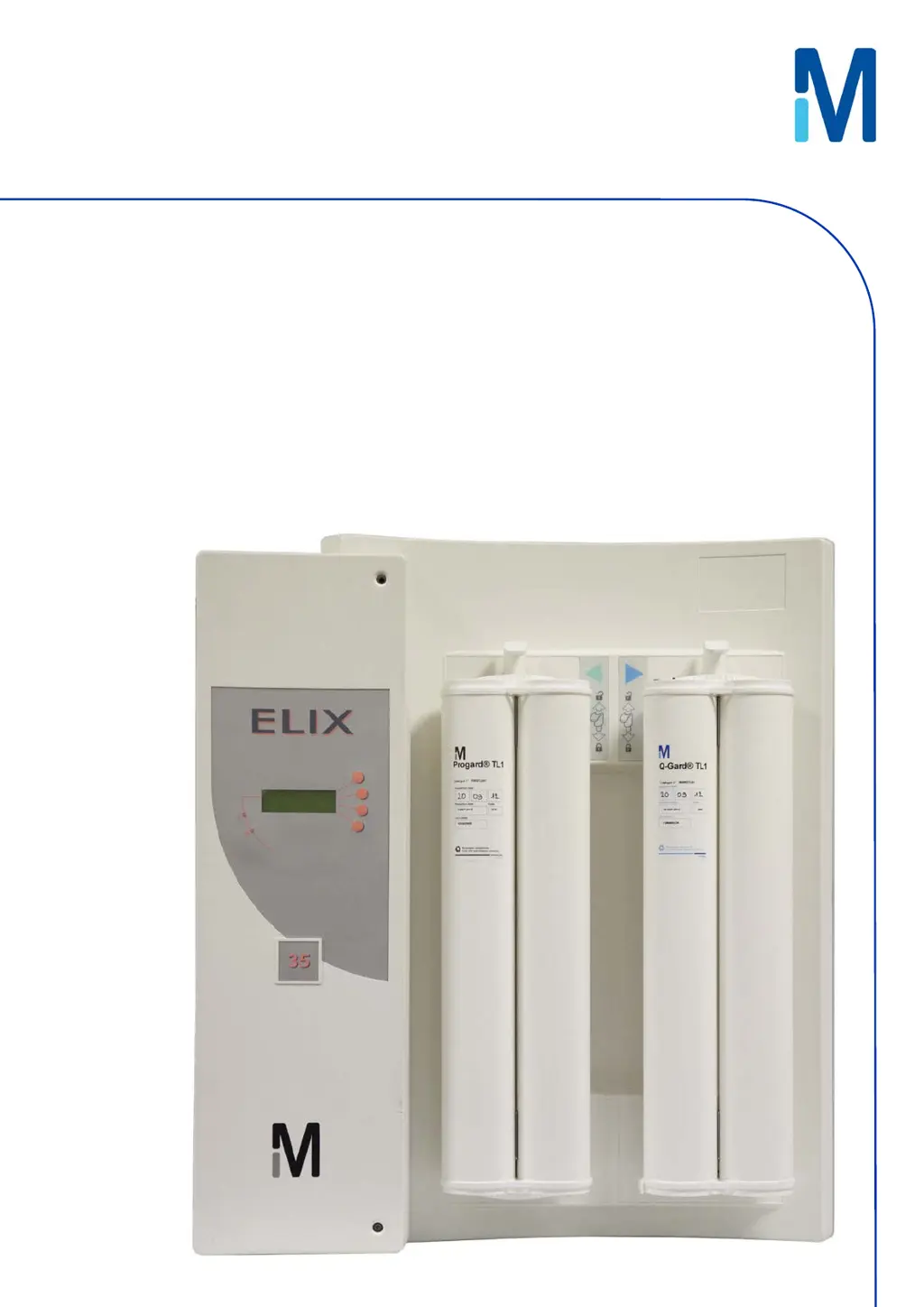
Elix® 20, 35, 70 and 100

Table of Contents

Questions and Answers

  • D
    dpottsSep 7, 2025
    How to resolve low pump pressure on Millipore Elix 20 Water Filtration Systems?
    • B
      Bradley GomezSep 7, 2025
      If your Millipore Water Filtration System is showing 'LOW PUMP PRESSURE', try increasing the pump pressure. If the issue continues, contact Millipore SAS for assistance.
  • W
    William FletcherAug 22, 2025
    How to clear EXCH. ASM UV lamp in XX days message on Millipore Elix 20?
    • H
      hesterpamelaAug 22, 2025
      The message 'EXCH. ASM UV LAMP IN XX DAYS' on your Millipore Water Filtration System will disappear after you install a new ASM UV Lamp and reset its software timer.
  • K
    Kimberly ParkerSep 5, 2025
    How to fix QGard TL polisher not in place error on Millipore Elix 20 Water Filtration Systems?
    • D
      David AndrewsSep 5, 2025
      To resolve the 'QGARD TL POLISHER NOT IN PLACE' error on your Millipore Water Filtration System, verify that the QGard TL Polisher is installed with its “TAG” Sensor at the top.
  • L
    Laura WoodSep 3, 2025
    How to fix Progard TL pack not in place error on Millipore Water Filtration Systems?
    • N
      nmaciasSep 3, 2025
      To resolve the 'PROGARD TL PACK NOT IN PLACE' error on your Millipore Water Filtration System, make sure the Progard TL is installed with its “TAG” at the bottom.
  • W
    wacevedoSep 2, 2025
    What to do if product conductivity is less than mini on Millipore Water Filtration Systems?
    • H
      hwalkerSep 2, 2025
      If the Millipore Water Filtration System displays 'PRODUCT CONDUCTIVITY < MINI', allow the Elix System to remain in PRODUCTION mode for a few minutes. This will help remove any trapped air in the Resistivity Sensor. For further assistance, contact Millipore SAS.
  • W
    William CaseAug 31, 2025
    How to clear EXCH. Progard TL in XX days message on Millipore Elix 20 Water Filtration Systems?
    • H
      haley28Sep 1, 2025
      The 'EXCH. PROGARD TL IN XX DAYS' message on your Millipore Water Filtration System will disappear once you install a new Progard TL Pack.
  • D
    danielgardnerAug 30, 2025
    What to do if Millipore Elix 20 Water Filtration Systems says Progard TL pack exhausted?
    • N
      Nicholas McgeeAug 30, 2025
      If your Millipore Water Filtration System displays 'PROGARD TL PACK EXHAUSTED', you should replace the Progard TL pack. Alternatively, you can accept the used-up Progard until a new one becomes available.
  • H
    Holly JohnstonAug 29, 2025
    How to fix % rejection < setpoint on Millipore Elix 20?
    • J
      Jack LeeAug 29, 2025
      If the Millipore Water Filtration System is showing '% REJECTION < SETPOINT', verify that the RO % Rejection Setpoint is at 92%. Allow the Elix System to run for a few minutes, as this may increase the measured RO % Rejection.
  • B
    Bradley OchoaAug 27, 2025
    What to do if the Millipore Water Filtration Systems shows a low feed pressure?
    • M
      micheal10Aug 27, 2025
      If the Millipore Water Filtration System displays 'LOW FEED PRESSURE', first ensure the feedwater supply is turned on. Next, check if the Progard TL Pack is clogged by observing the RO reject water in FLUSH mode. If the water pressure issue is resolved during FLUSH mode, the alarm will automatically reset.
  • D
    Danielle PenaAug 27, 2025
    What to do if distilled water conductivity is less than mini on Millipore Water Filtration Systems?
    • R
      Robert DeleonAug 27, 2025
      If the Millipore Water Filtration System displays 'DIST WATER CONDUCTIVITY < MINI', keep the loop operating for a few minutes to remove any air that could be trapped in the Resistivity Sensor. If problems persist, contact Millipore SAS for assistance.

Summary

Introduction

Safety Information

Important safety statements, warnings, and symbols for system operation.

Product Information

Using the Elix System

Maintenance

Scheduled Maintenance Table

Summary of typical maintenance tasks, frequency, and procedures.

How to Replace the Progard TL

Step-by-step guide for replacing the Progard TL pretreatment pack.

How to Replace the UV Lamp Inside the Elix System

Instructions for replacing the UV lamp within the Elix system.

How to Sanitise the RO Cartridge(s)

Methods for sanitizing the RO cartridges, both automatic and manual.

How to Clean the RO Cartridge(s)

Procedures for cleaning RO cartridges using specific cleaners.

How to Replace the QGard TL1 Polisher Pack

Step-by-step guide for replacing the QGard TL1 Polisher Pack.

How to Clean the A10 TOC Monitor

Procedures for cleaning the A10 TOC Monitoring Device.

Troubleshooting

Maintenance, Alarm, Alarm Stop and Custom Messages

Classification and explanation of different system messages and indicators.

An Alarm Message or Maintenance Message is Displayed

Detailed list of LCD messages, their meanings, and recommended actions.

Millipore Elix 20 Specifications

General IconGeneral
TypeWater Purification System
ModelElix 20
Output Flow Rate20 L/h
Power Supply100-240 V, 50/60 Hz
Feed Water RequirementsPotable water

Related product manuals