EasyManua.ls Logo

Millipore Elix 70 - User Manual

Millipore Elix 70
71 pages
Print Icon
To Next Page IconTo Next Page
Loading...
User Manual
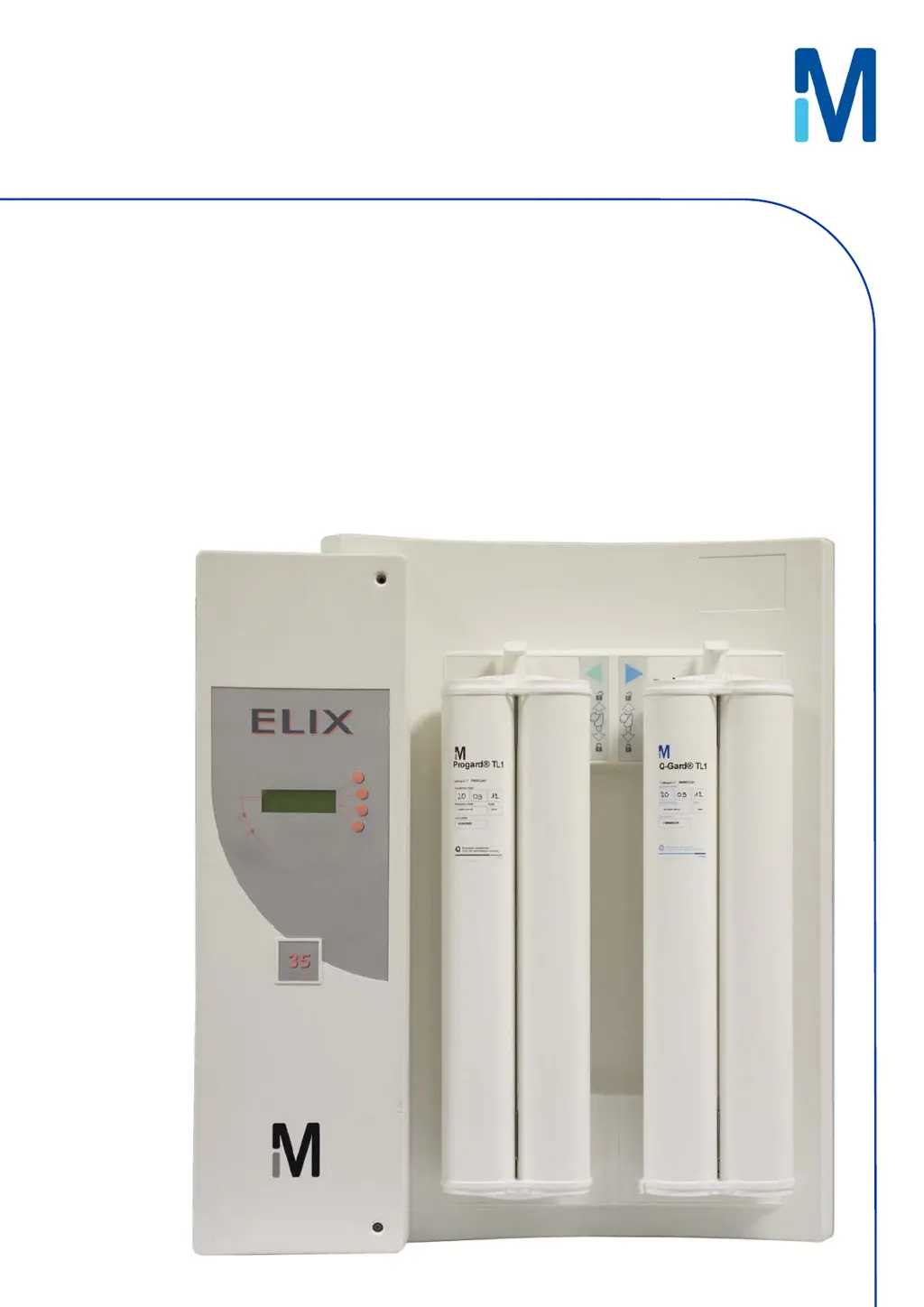
Elix® 20, 35, 70 and 100

Table of Contents

Questions and Answers

  • M
    mark23Sep 23, 2025
    What to do if Millipore Elix 70 Water Filtration Systems says bad Progard type?
    • D
      Dennis WileySep 23, 2025
      If your Millipore Water Filtration System displays 'BAD PROGARD TYPE', check the type of pack being installed. For further assistance, contact Millipore SAS.
  • S
    Shannon NixonAug 23, 2025
    How to clear ASM UV lamp exchange overdue message on Millipore Elix 70 Water Filtration Systems?
    • P
      Philip MorganAug 23, 2025
      The 'ASM UV LAMP EXCH. OVERDUE: XX DAYS' message on your Millipore Water Filtration System will disappear once a new ASM UV Lamp is installed and its software timer is reset.
  • N
    Natalie WilliamsonAug 25, 2025
    How to clear EXCH. UV lamp in XX days message on Millipore Elix 70 Water Filtration Systems?
    • C
      Cassandra SpearsAug 26, 2025
      The message 'EXCH. UV LAMP IN XX DAYS' on your Millipore Water Filtration System will disappear when you install a new UV Lamp and reset the software timer.
  • A
    Anna PetersenAug 27, 2025
    What to do if distilled water conductivity is less than mini on Millipore Elix 70 Water Filtration Systems?
    • C
      candice42Aug 27, 2025
      If the Millipore Water Filtration System displays 'DIST WATER CONDUCTIVITY < MINI', keep the loop operating for a few minutes to remove any air that could be trapped in the Resistivity Sensor. If problems persist, contact Millipore SAS for assistance.
  • R
    Rachel JonesAug 27, 2025
    What to do if the Millipore Elix 70 Water Filtration Systems shows a low feed pressure?
    • S
      smithjamesAug 28, 2025
      If the Millipore Water Filtration System displays 'LOW FEED PRESSURE', first ensure the feedwater supply is turned on. Next, check if the Progard TL Pack is clogged by observing the RO reject water in FLUSH mode. If the water pressure issue is resolved during FLUSH mode, the alarm will automatically reset.
  • P
    Peter AndrewsSep 18, 2025
    What to do if Progard TL pack type error appears on Millipore Elix 70?
    • S
      Sean HendersonSep 18, 2025
      If your Millipore Water Filtration System displays 'PROGARD TL PACK TYPE ERROR', check the catalogue number of the Progard TL using its label and replace it if necessary.
  • J
    Jennifer HallSep 14, 2025
    How to fix TOC meter error 2 on Millipore Elix 70 Water Filtration Systems?
    • J
      Joseph SmithSep 14, 2025
      If you encounter a 'TOC METER ERROR 2' on your Millipore Elix System, try turning the system off and then on again. Then, dispense water for several minutes. If the error persists, contact Millipore SAS for further assistance.
  • K
    klyonsSep 15, 2025
    How to fix TOC meter error 3 on Millipore Elix 70 Water Filtration Systems?
    • R
      Rebecca GaySep 16, 2025
      If you encounter a 'TOC METER ERROR 3' on your Millipore Elix System, try turning the system off and then on again. Then, dispense water for several minutes. If the error persists, contact Millipore SAS for further assistance.
  • M
    Michael MillerSep 6, 2025
    What to do for high pump pressure on Millipore Water Filtration Systems?
    • D
      David GallowaySep 6, 2025
      To address a 'HIGH PUMP PRESSURE' issue on your Millipore Water Filtration System, try setting the RO Pump Pressure lower. If the problem persists, contact Millipore SAS for additional assistance.
  • J
    jeffrey65Sep 3, 2025
    How to fix Progard TL pack not in place error on Millipore Elix 70?
    • T
      Timothy MorrisSep 3, 2025
      To resolve the 'PROGARD TL PACK NOT IN PLACE' error on your Millipore Water Filtration System, make sure the Progard TL is installed with its “TAG” at the bottom.

Summary

Chapter 1 Introduction

1-3 Safety Information

Details important safety statements, warnings, and symbols for operating the system.

Chapter 3 Using the Elix System

Chapter 4 Maintenance

4-1 Scheduled Maintenance Table

Provides a table outlining typical maintenance tasks, their frequency, and how to perform them.

4-2 How to Replace the Progard TL

Step-by-step instructions for removing the old and installing a new Progard TL pretreatment pack.

4-3 How to Replace the UV Lamp

Instructions for replacing the UV lamp, noting it is often recommended to be done by a service representative.

4-5 How to Sanitize the RO Cartridge(s)

Explains both automatic and manual methods for sanitizing the RO cartridges.

4-6 How to Clean the RO Cartridge(s)

Details the process for cleaning RO cartridges, including necessary kits and cleaners.

4-7 How to Replace the QGard TL1 Polisher Pack

Step-by-step instructions for replacing the QGard TL1 Polisher Pack.

Chapter 5 Troubleshooting

5-1 Maintenance, Alarm, Alarm Stop, and Custom Messages

Classifies and explains the different types of messages displayed by the Elix system.

5-2 An Alarm or Maintenance Message Is Displayed

Lists specific LCD messages, their meanings, and recommended actions for alarms and maintenance.

Millipore Elix 70 Specifications

General IconGeneral
Product Water TOC< 30 ppb
Feed Water TypePotable water
Purification TechnologyReverse Osmosis, Electrodeionization
Output Water TypeType 2 Water
Bacteria<1 CFU/mL
Bacteria Retention>99.9%
Particle Retention>99.9%
Power Supply50/60 Hz
DisplayLCD
TypeLaboratory Water Purification System

Related product manuals