11
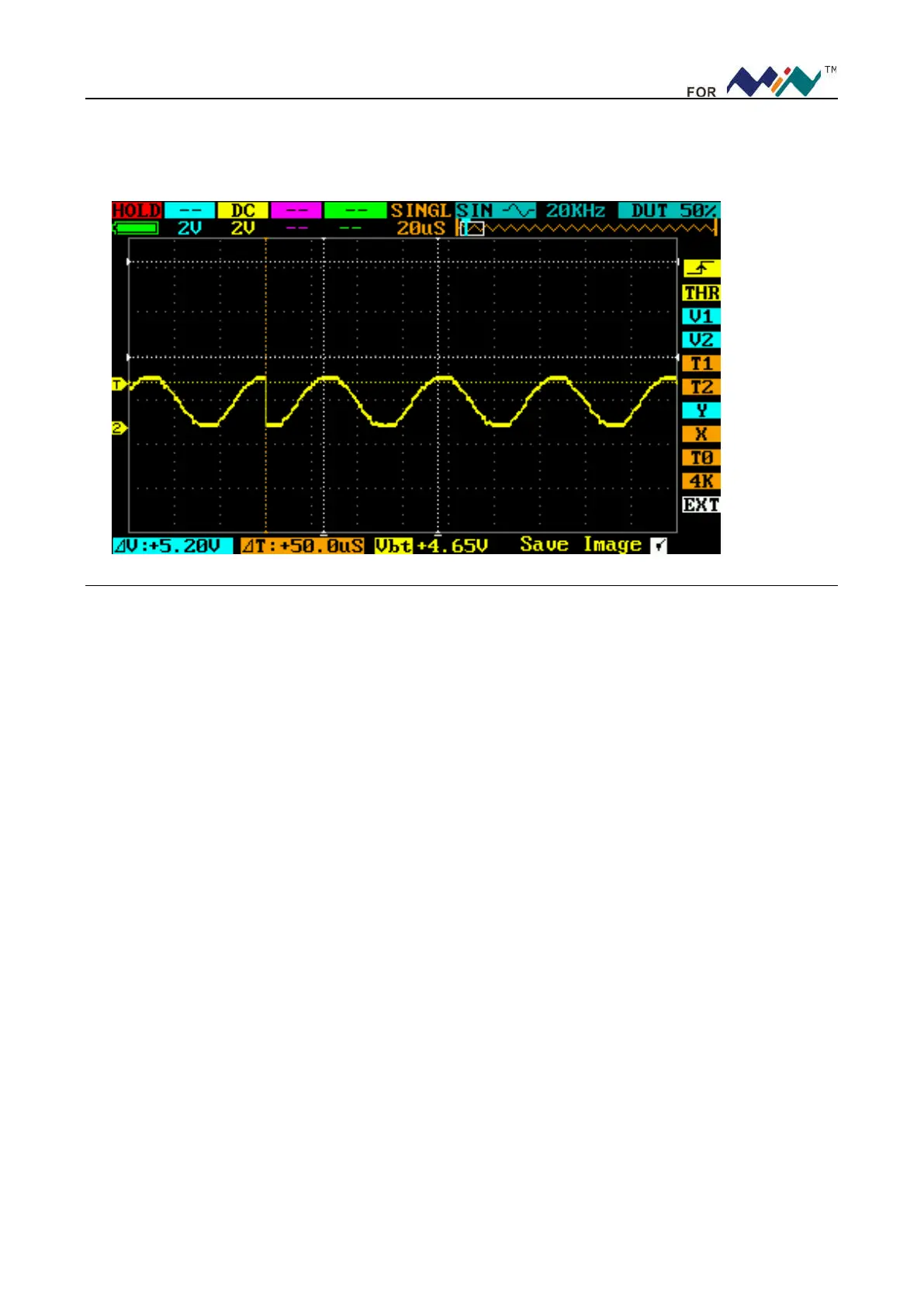
This function can catch occasional incidents very easily; e.g. a sudden sentus of high amplitude. Set the trig
level a little higher than normal signal level, press (||), and when the sentus occurs, the device will automatically
trig & store the waveforms before & after the trig. It’s depicted as the figure below to better observe the changes
of waveforms before & after the trig.
3. Example Three: Cursor measurements
A cursor can be used to measure the time and voltage of the waveform very quickly.
(1)Measure the cycle of the 3
rd
waveform from the signal source.
Please operate according to the following steps:
Move cursor to N(T1)。
Scroll (―…+), put cursor T1 to the 3
rd
peak value of the signal.
Move cursor to N position (T2).
Scroll (―…+), put cursor T2 to the 4
th
peak value of the signal.
Then you’ll get:
△
T=14.0uS, i.e. cycle of the 3
rd
wave crest.
(2) Measure the peak-to-peak value of the signal source
Please operate according to the following steps:
Move the cursor to L position (V1)
Scroll (―…+), put cursor V1 to wave crest of the signal.
Move cursor to M position (V2)
Scroll (―…+), put cursor V2 to wave trough of the signal.
Then you’ll get:
△
V=168mV, i.e. peak-to-peak value of the signal
As shown in the following figure


 To Next Page