E CH_(D)/(A+B)/(A-B)/(C&D)/(C|D)/
REC_A/ REC_B/ REC_C/ REC_D
thru CH_D: Input(A+B), waveforms of CH_A & CH_B sync
(A-B): get subtraction of waveforms of CH_A & CHA_B
(C&D): get and operation of CH_C & CH_D
(C|D): get or operation of CH_C & CH_D
REC_A: reload the last waveform saved in CH_A
Same for REC_B, REC_C & REC_D
F
(Trigger M)Auto/Norm/Sgl/slow scan/instant scan
(
)
G
Squ/Sin/Tri/Saw(≈2.8Vpp)
(Waveform output)squ/sin/tri/sawtooth
H (Squ)10Hz—8MHz
﹤1MHz, stepping in 1-2-5mode
﹥1MHz, stepping in 2-4-6-8mode
(Sin/Tri/Saw) 10Hz—20KHz
I
(Squ)50%—90%(±10%)
adjust duty factor
---------------------------------------------------------------------------------------------------------------------
2.3、Functions of Detection Area
The table below shows detailed illustrations of functions of menus in detection area:
Menu
Item Function Operating Instruction
J
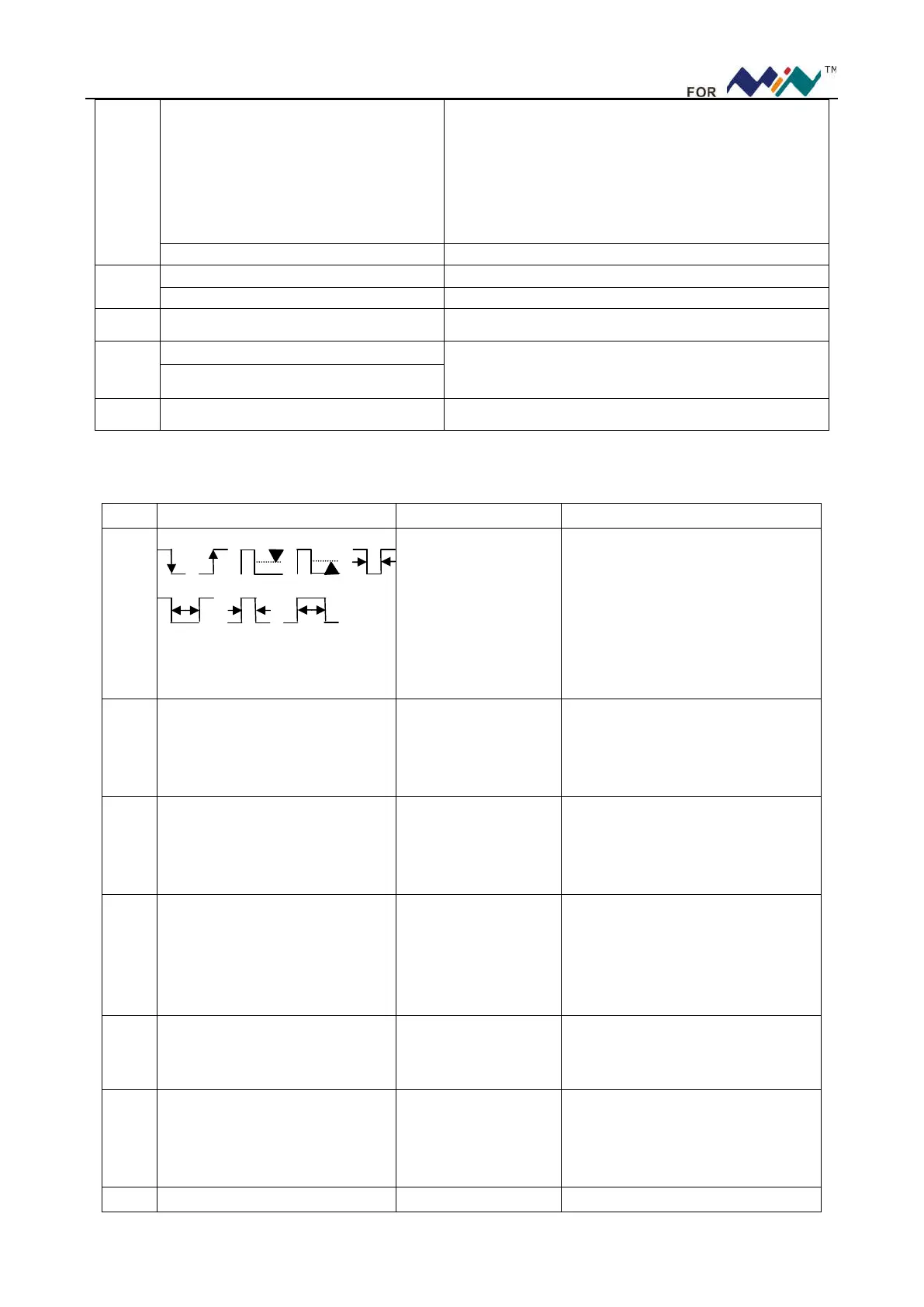
Trigger mode: falling
edge trigger, rising
edge trigger, (>, <)
trigger, (<, >) negative
pulse
width,(<, >)positive
pulse width
Scroll(―… + ) to choose trigger
mode, press (―… + ) to choose
channel (different colors)
K THR Trigger level
Scroll (―…+ ) to adjust trigger
level (U position shows trigger
level), press (―…+ ) to choose
channel (CH_A/CH_B/hide)
L V1 Cursor V1: top limit
of visible trigger level
Scroll (―…+) to select top limit of
trigger level, and press (―…+) to
choose channel(CH_A/CH_B/
CH_C/CH_D/hide)
M V2 Cursor V2: bottom
limit of visible trigger
level
Scroll (―… + ) to adjust bottom
limit of trigger level(in X position,
shows △V=V1-V2), press (―…+)
to choose channel (CH_A/CH_B/
CH_C/CH_D/hide)
N T1 Time Maker T1
Scroll (―…+) to adjust time maker
T1, and press (―…+) to hide time
marker
O T2 Time Marker T2
Scroll (―…+) to adjust time maker
T2 (in W position shows
T=T1-T2), press (―…+) to hide
time marker T2.
P Y Horizontal Level of
Scroll(―…+ )to adjust horizontal


 To Next Page