12
2-6 Operation of Embedded Scanner
The following cases demonstrate how a host operates an embedded scanner quickly and easily.
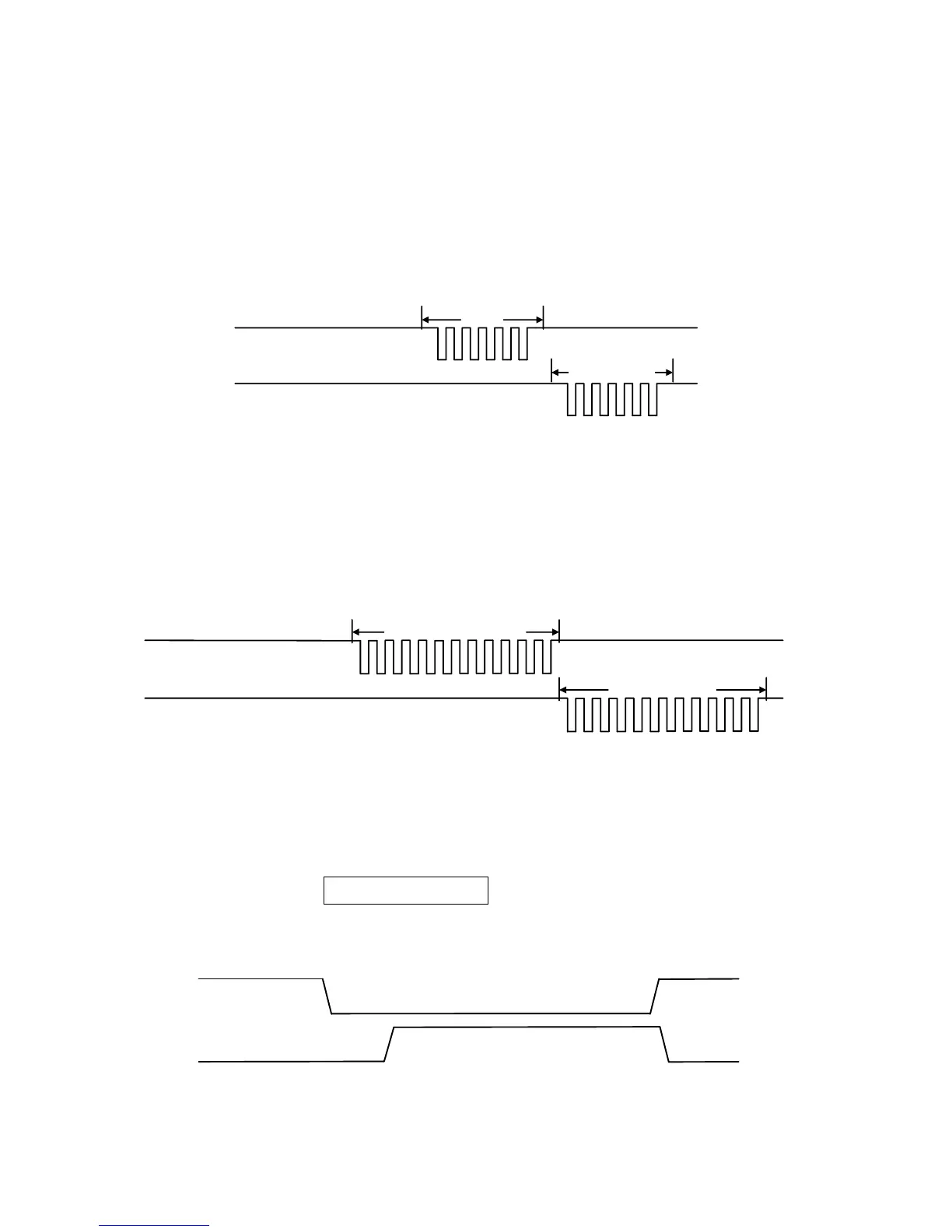
2-6-1 Beep
1) Host sends a <BEL> (0x07) character.
2) After receiving <BEL> character, Embedded Scanner returns a <BEL> character and an <ACK>
(0x06) character, and then Embedded Scanner beeps.
RXD
(Host TXD)
TXD
(Host RxD)
<BEL>
<BEL><ACK>
Figure 2-8 Beep timing
2-6-2 Request revision
1) Host sends a Firmware Version list command (0x16, 0x4D, 0x0D, 0x25, 0x25, 0x25, 0x56,
0x45, 0x52, 0x2E).
2) After receiving the command, Embedded Scanner responds with firmware version.
RXD
(Host TXD)
TXD
(Host RXD)
REQUEST_REVISION
Firmware version
Figure 2-9 Request revision timing
2-6-3 Decode by pulling down pin TRIG
1) Host pulls down pin TRIG.
2) Then Embedded Scanner turns on LED illumination and starts decode. The LED illumination will
be turned off if either Scan standby duration expires or Embedded Scanner succeeds in
decoding.
Figure 2-10 Pull down pin TRIG and start decode timing



 To Next Page