35
3-10 DPM, Structured append symbols, and Mobile screen read
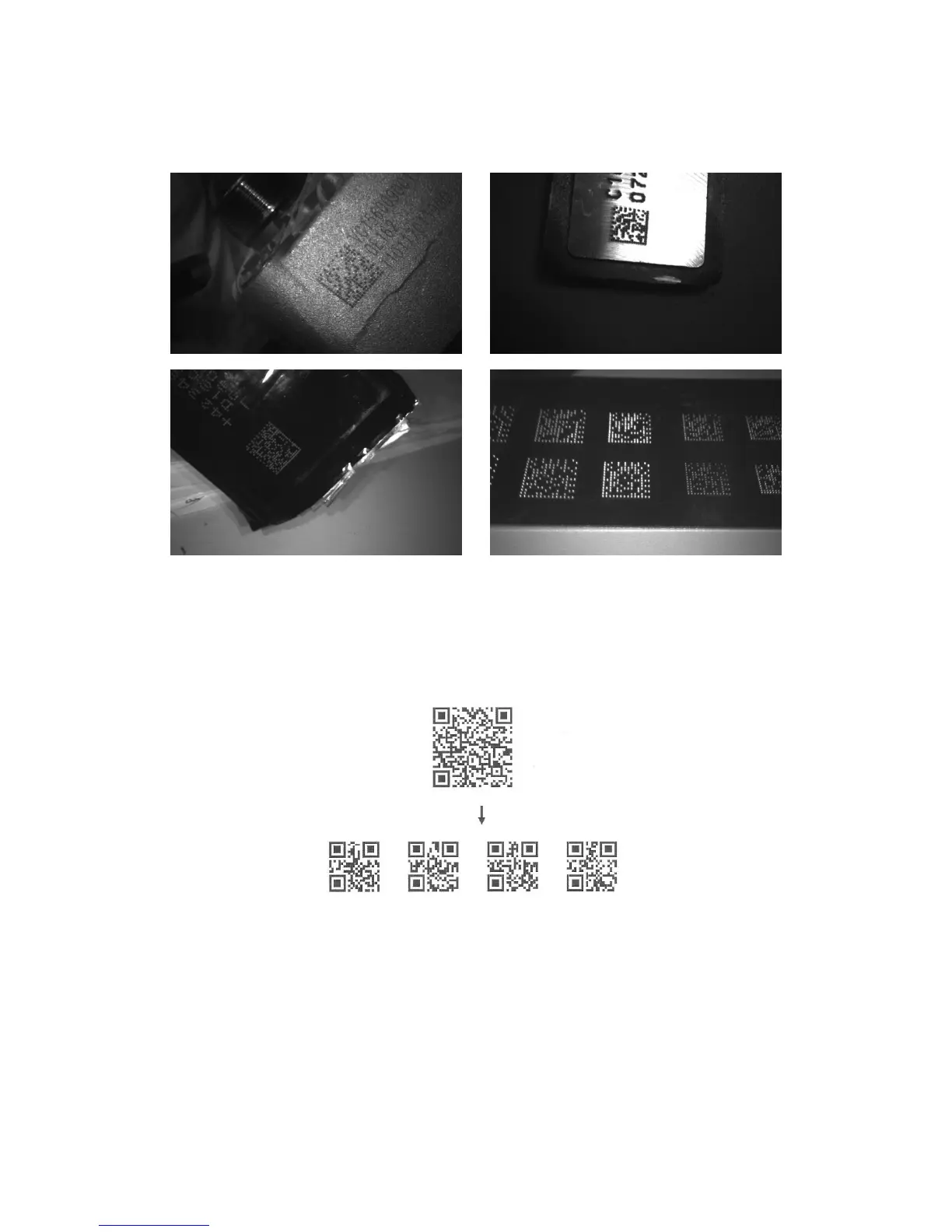
DPM format read: By setting Enable, the embedded scanner can read 2D symbols in DPM (Direct Park
Marking) format. Some barcodes in DPM format are shown below.
Structured append symbols read: By setting Enable, the embedded scanner will output data only when
all Structured Append symbols have been decoded. The symbol types which support Structured Append
include QR code, Aztec code, PDF417 and DataMatrix. The lower part of below figure shows an
example of four Structured Append symbols, with the same data as that in the upper QR code symbol.
Single symbol (above) and Structured Append series of symbols (below) encoding
“ABCDEFGHIJKMNOPQRSTUVWXYZ0123456789ABCDEFGHIJKLMNOPQRSTUVWXYZ”
Mobile screen read: By setting enable, the embedded scanner can read barcodes on a mobile screen
better. However, this will slow the reading speed of normal barcodes a little bit.



 To Next Page