Structure and Assembly/Disassembly 7-29
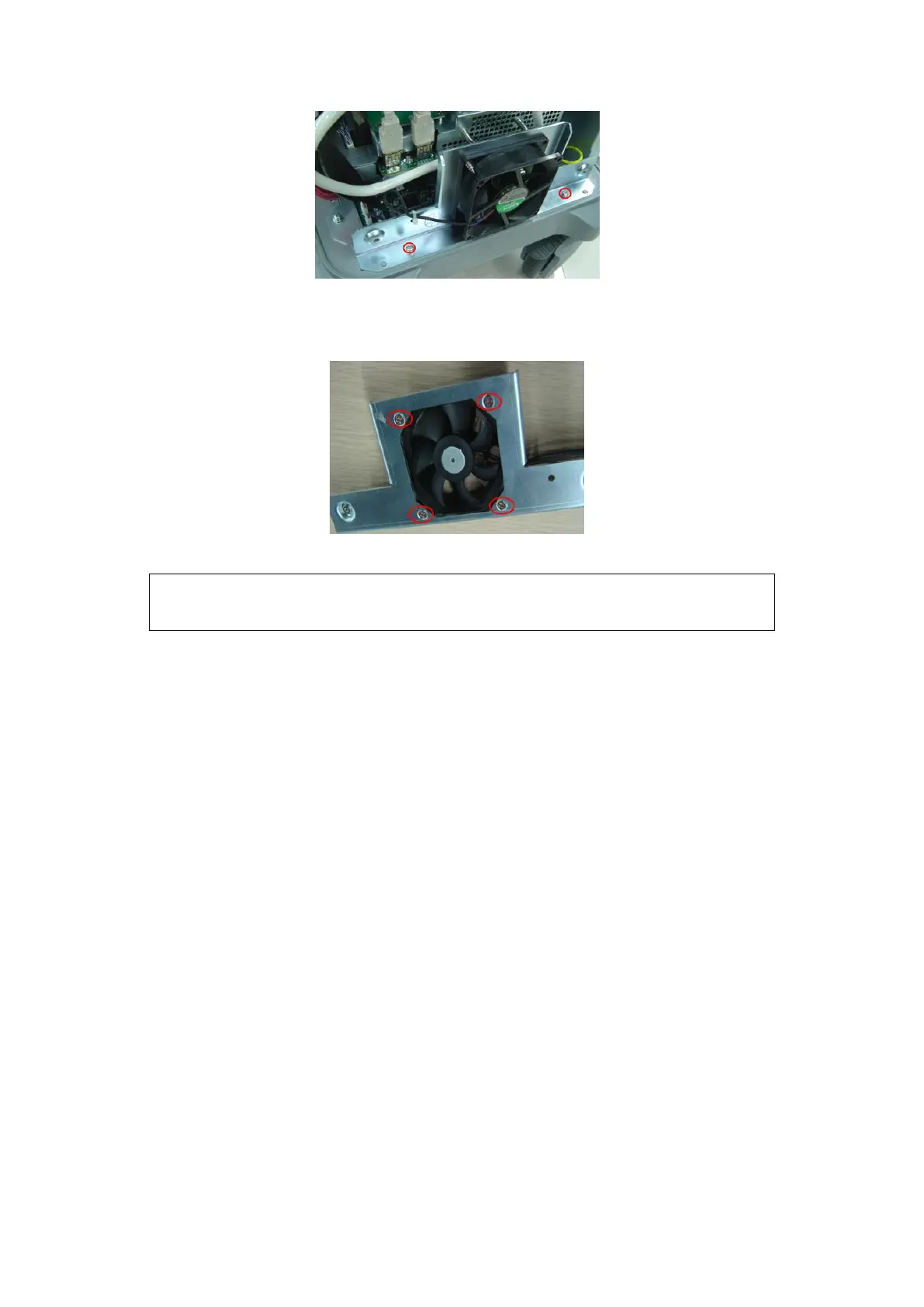
Fig 7-13 Disassemble the main unit fan assembly
4. Remove the fixing M4X8 flat head screws (2 pcs); cut the fan cable ties to remove
the fan.
Fig 7-14 Disassemble the main unit fan
7.4.4 Power Input Assembly
1. Remove the IO board assembly and the rear cover(refer to Chapter 1.3.2 and 1.3.3)
2. Remove the screws M4 X 8 (3pcs) of power input assembly and remove the screw
M4X8 (2pcs) for fixing the grounding cable terminal. Unplug the cable to take down
the assembly upwards.
During installation, pay attention to the main unit fan label, which should
be facing outwards.


 To Next Page