EasyManua.ls Logo

Mindray DC-N3S - User Manual

Mindray DC-N3S
277 pages
Print Icon
To Next Page IconTo Next Page
Loading...
DC-N3S/DC-N3
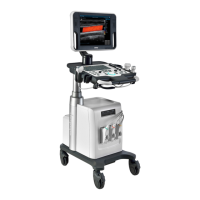
Diagnostic Ultrasound System
Operators Manual
[Basic Volume]

Table of Contents

Questions and Answers

  • J
    janet32Aug 11, 2025
    What to do if my Mindray DC-N3S monitor displays characters and menus but no images?
    • J
      Joseph MerrittAug 12, 2025
      If the Mindray Medical Equipment monitor displays characters and menus but no images, first, adjust the transmission power, gain, or TGC control. Ensure the probe is properly and fully connected. Finally, check if the system is in a frozen status and unfreeze the image.
  • C
    Christopher CopelandAug 22, 2025
    What to do if the power indicator of my Mindray DC-N3S is on, but the screen is blank?
    • M
      markbennettAug 22, 2025
      If the power indicator of your Mindray Medical Equipment monitor is on, but the image is blank, try the following: Turn off the system and wait at least one minute before restarting it, as the interval between turning off and restarting the system may be too short. If that doesn't work, adjust the monitor brightness and contrast to the factory defaults.
  • D
    Diana BrowningSep 1, 2025
    Why won't the power indicator light up on my Mindray DC-N3S Medical Equipment?
    • L
      Lynn CarterSep 1, 2025
      If the power indicator of your Mindray Medical Equipment does not light up after turning on the power supply, it might be due to an abnormal power system or incorrect connection of the power cord. Check if the system is properly plugged in, ensure the circuit breaker is in the Up position, and verify that the plug is securely connected to the back of the system.

Mindray DC-N3S Specifications

General IconGeneral
Storage CapacityUp to 500 GB
Spatial Compounding ImagingYes
Hard Drive500 GB
TypeUltrasound System
Display15-inch LED
Imaging ModesDoppler
ApplicationsAbdominal, Obstetrics, Gynecology, Cardiology, Urology, Vascular, Small Parts, Musculoskeletal, Pediatrics
ConnectivityUSB, Ethernet
Transducer Ports2 ports

Related product manuals