EasyManua.ls Logo

Mindray DC-28 - User Manual

Mindray DC-28
213 pages
Print Icon
To Next Page IconTo Next Page
Loading...
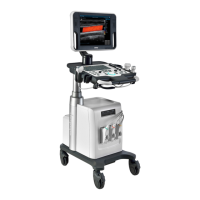
DC-32/DC-30/DC-28/DC-26/DC-25
Digital Ultrasound System
Service Manual
Revision 11.0

Table of Contents

Questions and Answers

  • J
    Jessica MatthewsAug 8, 2025
    Why does my Mindray DC-28 Medical Equipment fail to start on battery but works with AC power?
    • J
      Jeremy LopezAug 8, 2025
      If your Mindray Medical Equipment fails to start on battery power but works with AC power, and a battery alarm appears after startup, it's likely the internal battery has failed. In this case, the suggested solution is to replace the battery.
  • G
    gbeanAug 22, 2025
    What to do if Mindray Medical Equipment won't start without AC input and battery indicator flashes?
    • R
      Rachel JohnsonAug 22, 2025
      If your Mindray Medical Equipment has no AC input and fails to start on battery power, with the power indicator flashing before turning off, and the battery indicator flashing, it means the battery is likely out of power. To resolve this, charge up the battery.

Summary

Preface and Safety Information

Safety Precautions

Covers essential electric, mechanical, personnel, and general safety precautions for system use.

System Specifications

System Installation Procedures

Installation Preparations

Covers electrical requirements, installation conditions, space, network, and pre-installation confirmations.

System Configuration

Hardware Principle

Function Checking and Testing

Performance Testing

Explains test processes and content for resolution, depth, accuracy, and blackout area.

Software Installation and Maintenance

Maintenance Window and Installment Setup

Guides on entering the maintenance window and setting system installment parameters.

Structure, Assembly, and Disassembly

Component Assembly and Disassembly

Provides detailed procedures for assembling and disassembling various system components and modules.

Options Installation

System Diagnosis and Support

Alarms and Abnormal Information

Details troubleshooting for configuration file errors, voltage, temperature, fan, battery, and PHV alarms.

Care and Maintenance

Maintenance Checks

Covers system function checks, peripheral/option checks, electrical, and mechanical safety maintenance.

Troubleshooting of Regular Malfunctions

Power-On and Startup Issues

Diagnoses and resolves problems related to system power-on failures and incomplete startup processes.

Image, Probe, IO, and Control Panel Issues

Addresses troubleshooting for image faults, probe socket malfunctions, IO interface errors, and control panel problems.

Electrical Safety Inspection

Electrical Safety Tests

Details tests for protective earth resistance, earth leakage, patient leakage, and mains on applied part leakage.

Electrical Safety Inspection Form

A form for recording results of scheduled inspections, repairs, and various electrical safety tests.

Requirements of Performance Indices

Mindray DC-28 Specifications

General IconGeneral
Hard Drive500 GB
Display15-inch LED
Power SupplyAC 100-240V, 50/60Hz
Imaging ModesColor Doppler
Operating SystemWindows-based
Storage Temperature-20°C to +55°C
Operating Temperature10°C to 40°C
Relative Humidity30%

Related product manuals