SMARTBOX OPERATING MANUAL—JUNE 2009
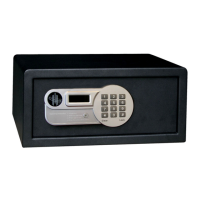
4) HOW TO MODIFY MASTER CODE ON SAFE (IF USED)
To change master code, safe must be open (i.e., the bolts retracted)
a) Press the “*” button twice. The word “PROG” will appear on the screen.
b) Enter old master code (pre-selected 0-0-0-0-0-0). Display shows “NEW”
c) Enter a new 6 digit master code. The display will show “AGAIN”
d) Re-enter the new master code. The display will show “DONE” to indicate new master
code has bee changed successfully.
5) HOW TO SET SAFE PARAMETERS
a) Leave the door open
b) Press “*” twice quickly, the display will show “PROG”
c) Enter programming code “810018” and the screen will be ready for setting program
codes of the safe. Three displays for program code setting are available, as explained
below:
A) First screen
Default number is 172331
(1) Code display position:
Tap 0 – do not show each personal code entered
Tap 1 – show each personal code entered
Tap 2 – show each personal code entered, the code won’t show when closed
(2) Setting number of digits for code
Tap 3— set the 3-digit code
Tap 4— set the 4-digit code
Tap 5— set the 5-digit code
Tap 6— set the 6-digit code
Tap 7— set the 3–6 digit code
5. Programming Instructions (cont.)
(1) (2) (3) (4) (5) (6)
1 7 2 3 3 1


 To Next Page