SMARTBOX OPERATING MANUAL—JUNE 2009
3. Override Procedures (cont.)
3) TO OPEN THE SAFE WITH THE HANDHELD UNIT
There are two Emergency Codes:
1) Manager Code
2) Opening Code
In case you forget the MANAGER CODE or OPENING CODE, please call your
Minibar Systems office to reset your Handheld Unit.
To open the safe with emergency unit, please follow the following instructions:
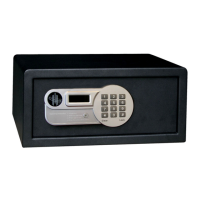
a) Connect handheld unit to the safe
b) Emergency unit position: On
c) Input the Manager Code: (pre-selected 5555), the screen will show: 5 5 5 5 - -, then press
“#” (ENTER).
d) The word “GOOD” will appear on the screen. Now the Handheld Unit is programmed and
ready for entering the second code.
e) Input the opening code (pre-selected 6666), the screen will show: 6 6 6 6 - -, then press
“#” (ENTER).
f) The LED display on the Handheld Unit and on the safe will show “OPEN” and then
“OPENED”, the safe door will be opened.


 To Next Page