SMARTBOX OPERATING MANUAL—JUNE 2009
4. Audit Functions (cont.)
3) HOW TO TRANSFER DATA FROM HANDHELD UNIT TO COMPUTER
Before you proceed:
Make sure the audit software has been properly installed. For
installation details refer to instructions supplied with Software CD.
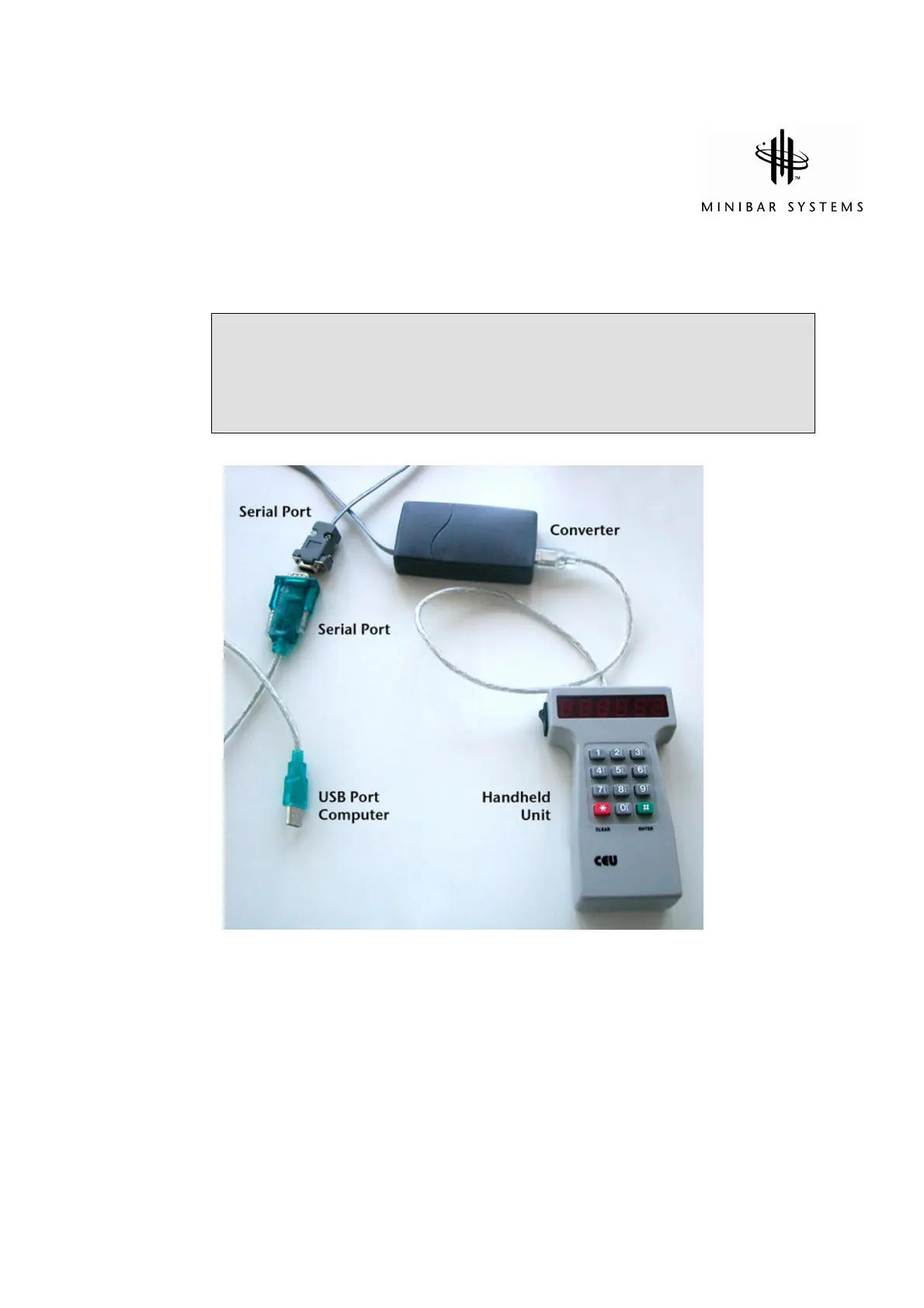
a) If you HAVE a serial port on your computer: Connect Handheld Unit to the
converter and plug into serial port on your computer.
If you DO NOT HAVE a serial port on your computer: Connect Handheld Unit to
the Converter and the Converter to the Serial/USB adapter (not supplied) in blue).
Connect to any USB port on your computer.


 To Next Page