SMARTBOX OPERATING MANUAL—JUNE 2009
2. How to Set Room Number to Safe
1) TO SET ROOM NUMBER TO THE SAFE
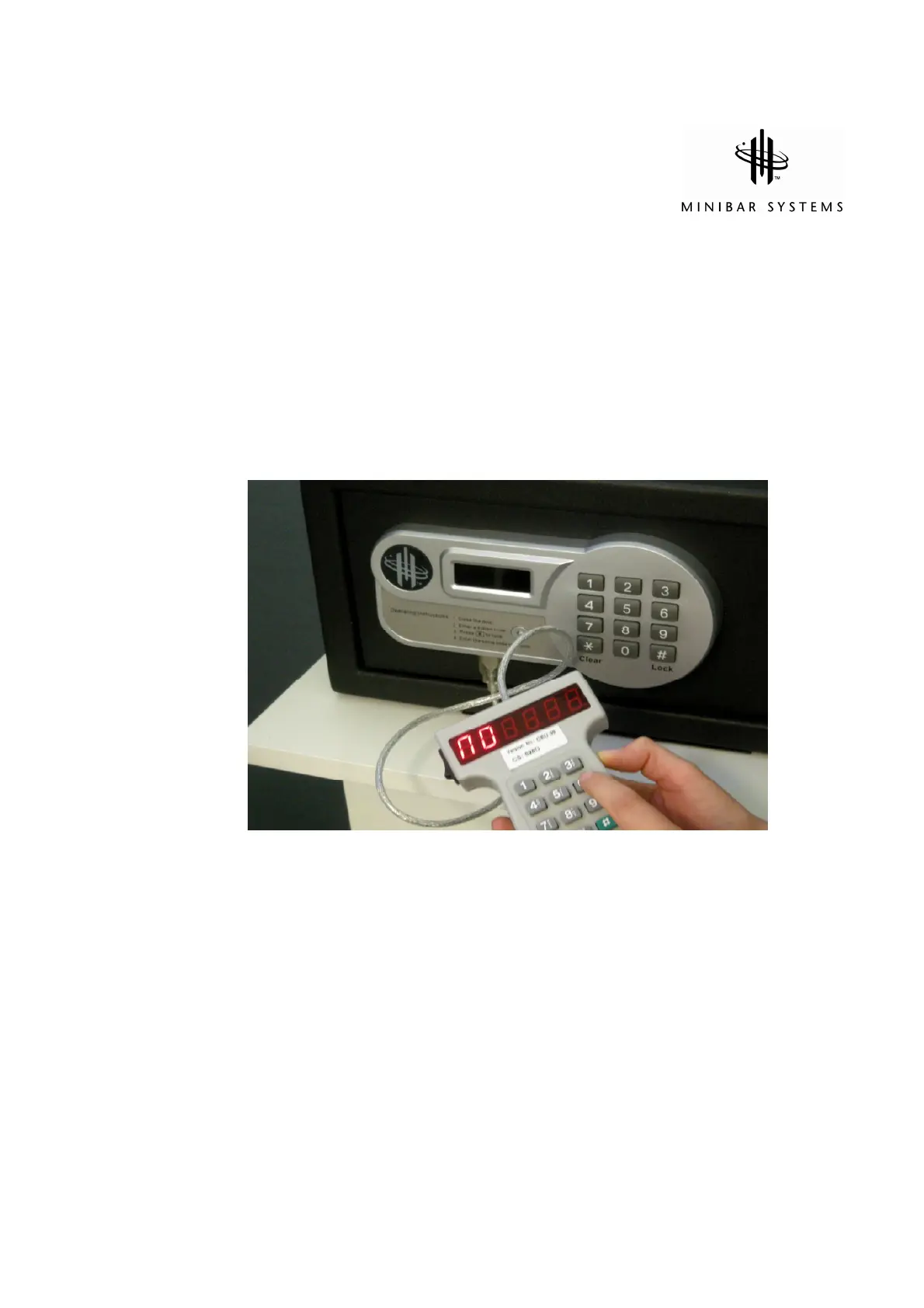
a) Connect the Handheld Unit to the safe
b) Press “*” button twice, and the LED display will show “PROG”
c) Enter “8100”, and then press “*” button and “6” before it disappears
d) The LED display will show “NO”
e) Enter a 4 digit room number (ex. “0301”), then press “#” to confirm
Switch off the Handheld Unit to preserve battery power


 To Next Page