SMARTBOX OPERATING MANUAL—JUNE 2009
3. Override Procedures
For the purpose of security, please change the factory master codes prior
to use. Please keep the emergency key in a safe place.
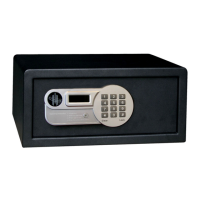
1) TO OPEN THE SAFE WITH MASTER CODE USING SAFE KEYPAD
a) Enter the master code in use (pre-selected 0-0-0-0-0-0)
b) the door will open automatically, display will show “OPENED”
To Set a New Master Code (it must be 6 digits)
To change the master code, the safe must be opened (i.e. the bolts are retracted).
a) Press key “*” twice, the display shows “PROG”
b) enter old master code (pre-selected 0-0-0-0-0-0).
c) When display shows “NEW”, enter a new master code of 6 digits.
d) The display will show “AGAIN”. Re-enter the new master code, the display will show
“DONE” to indicate that new master code has been changed successfully.
Note: Do not use Master Code if override procedure is done with Handheld Unit
(see Chapter 3.3 To Open the Safe with Handheld Unit)


 To Next Page