SMARTBOX OPERATING MANUAL—JUNE 2009
1. How to Lock and Open Safe
For the purpose of security, please change the factory master codes prior to use.
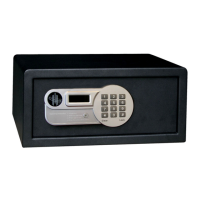
1) TO LOCK THE SAFE WITH A PERSONAL CODE
a) Close the safe door.
b) Enter a personal code (4 digits) and press “#” key. The door will be locked automatically,
and the display will show “CLOSED”.
Note: If the door is not shut properly, the display will show “ERROR2” and the bolts are
retracted automatically. Remove the barrier and try again.
c) In case of an incorrectly entered digit, you can delete it by pressing “*”.
2) TO OPEN THE SAFE WITH A PERSONAL CODE
a) Enter the same code.
b) The door will open automatically, and the display will show “OPENED”.
Note: The display will show “ERROR” if incorrect code is entered.


 To Next Page