miniDSP Ltd, Hong Kong / www.minidsp.com / Features and specifications subject to change without prior notice 59
10.2 FIRMWARE UPGRADE
miniDSP may occasionally provide an upgrade to the DDRC-24 MCU firmware to enable new features. To
upgrade the MCU firmware, first download and install the latest version of the DDRC-24 plugin from the User
Downloads section of the miniDSP website.
DO NOT DISCONNECT THE USB CABLE OR POWER FROM THE DDRC-24 WHILE FIRMWARE UPGRADE IS
IN PROGRESS. DOING SO MAY “BRICK” YOUR DDRC-24.
10.2.1 Windows
1. Connect the DDRC-24 to your computer via USB (if not already connected) and power it on.
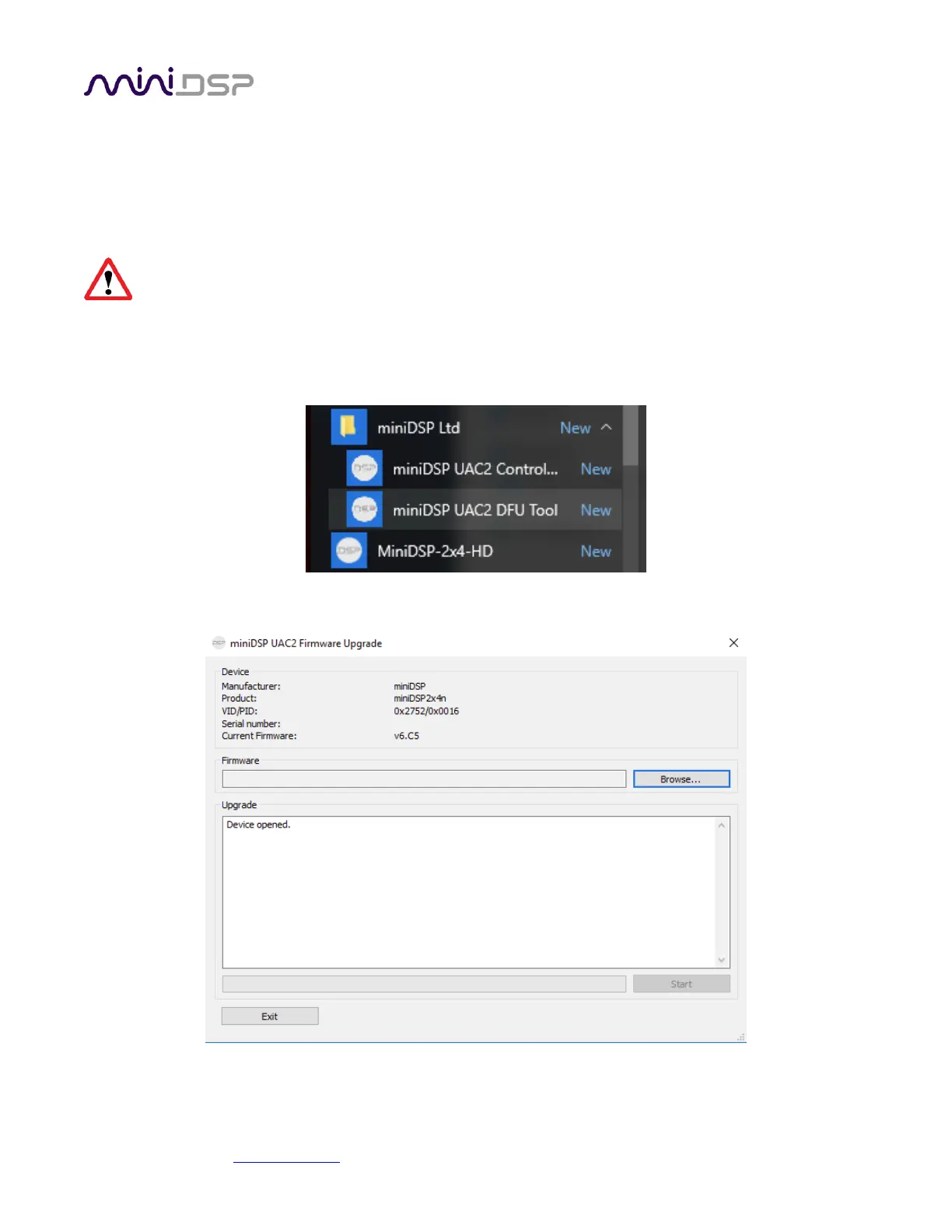
2. Start the miniDSP UAC2 DFU Tool.
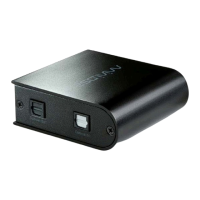
3. The upgrade program will start:


 To Next Page