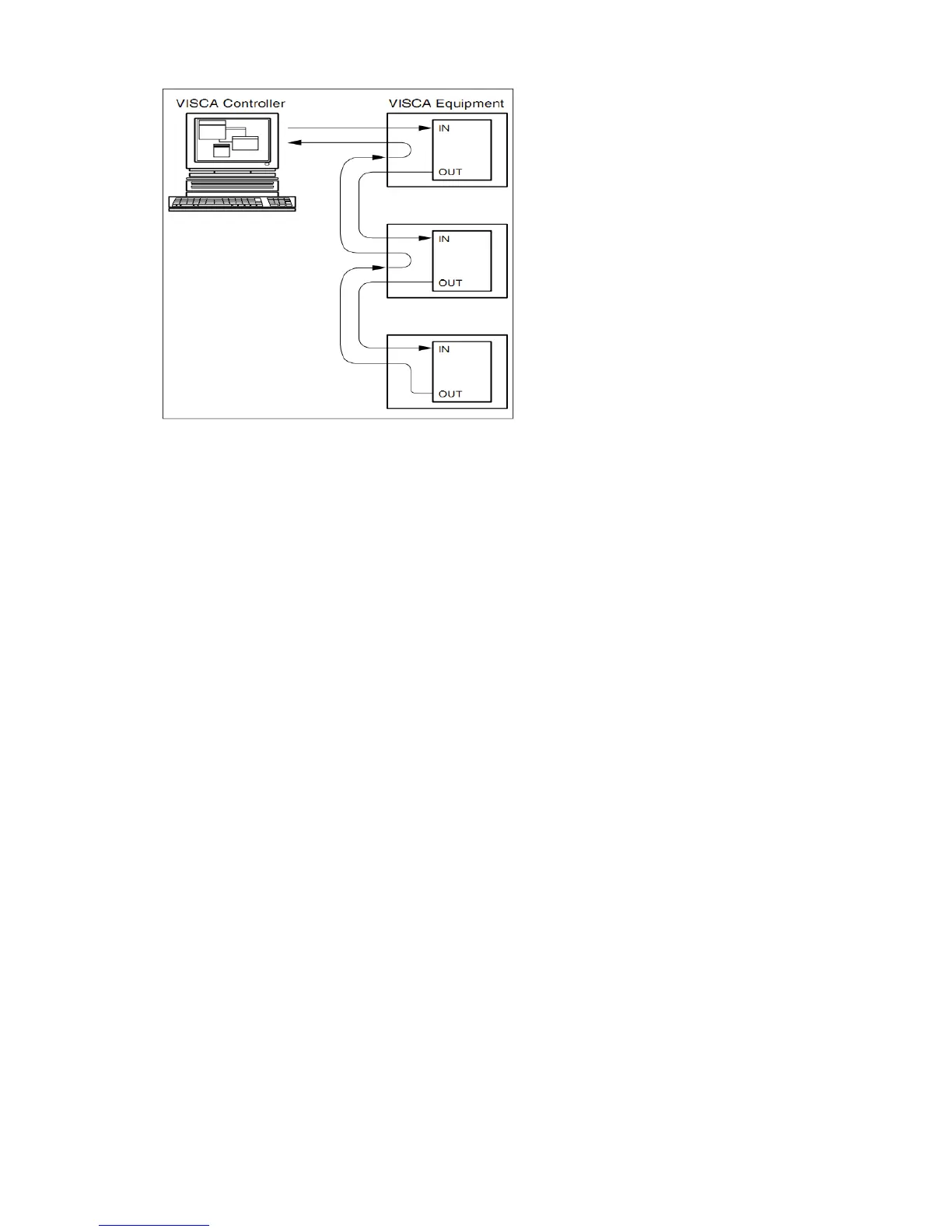
VISCA OUT Function
COM control
In the normal working condition, the camera can be controlled via the RS-232C/RS485 command (VISCA IN) .
The parameter of the RS232C COM is as follows :
Baud Rate :2400/4800/9600/115200 Bit/S
Start bit:1bit ;
Data bit: 8bit ;
Stop bit : 1bit;
Code: None
Powering on, the camera runs to the down left, then back to the middle with the farthest zoom rate in the auto
focus and the auto exposure mode. Finishing the initiazation, the camera moves to the preset no.0 or no.1(1
or 2) if it’s saved. Now, the camera can be controlled by the serial command.


 To Next Page