Major options: Local configure, Audio configure, Video configure, Network configure, Pan Tilt configure, Platform access
configure and System configure. The detailed description refer to below sheet.
Including video encoding, video parameters, character-overlapping,character size, video output setting
etc.
Including equipment property, system time, user management, version update, Reset, Reboot device
settings etc.
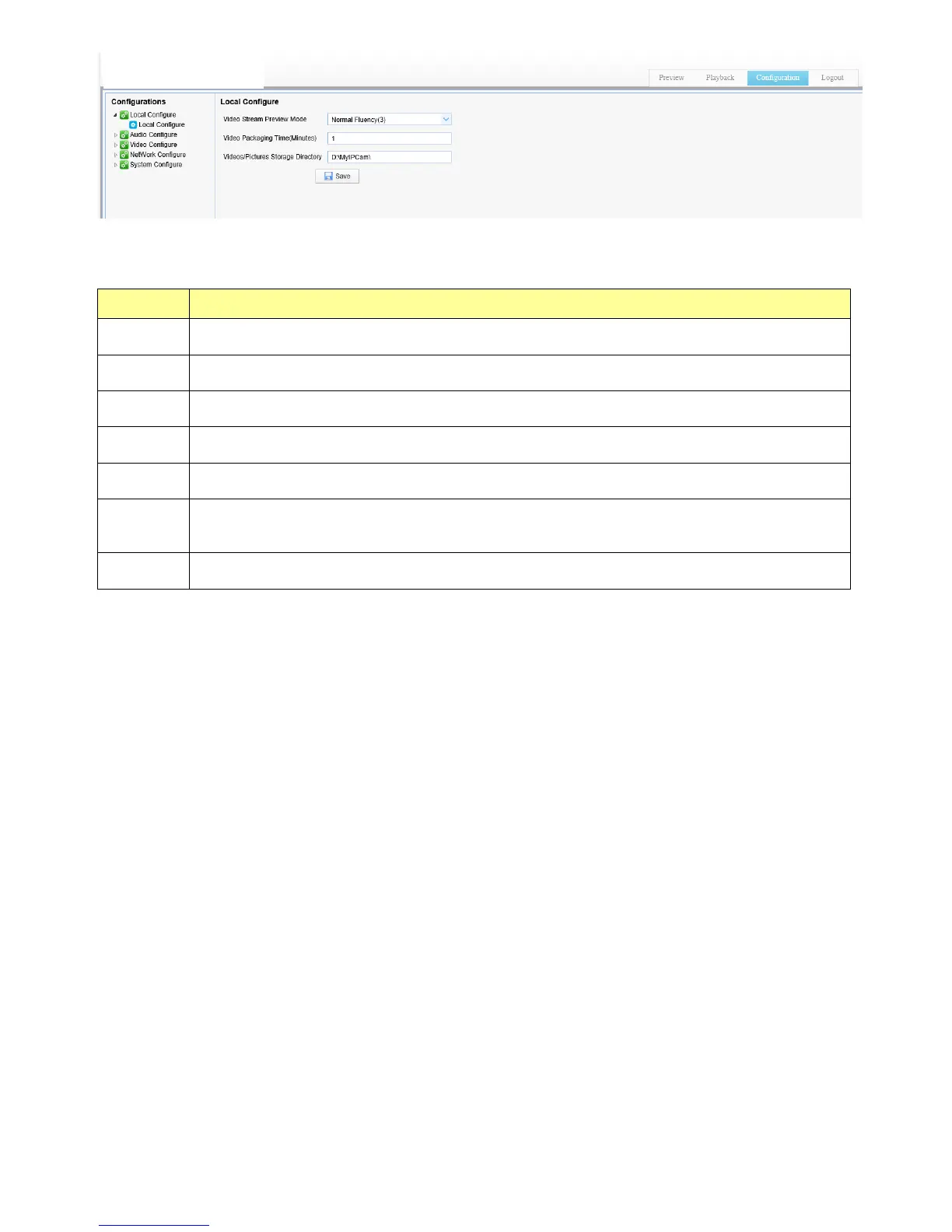
4.1 Local configure
Video Preview Mode: user can choose real-time priority or fluency priority: The delay will be small when under real
time priority mode and fluency will be good when under fluency priority mode. Setting based on the user need (Default
value: real time normal (2), real time best (1), fluency normal (3), fluency good (4) and fluency best (5))
Recording video packing time(minute): Set recording video packing time (default is 10, range from 1~120 minutes)
Recording/Snapshot file storage route: Set local recording video/snapshot file storage route.
Click the Save button to make settings effective.
4.2 Audio Configuration
Switch: Choose to enable the audio or not.
Compressing format: Set audio compressing format and the device will reboot automatically after change (default
MP3,PCM(PCM、AAC) optional)
Sampling frequency: Set sampling frequency and the device will reboot automatically after change (default 44K,
16K、32K(16K、32K、48K optional)
Sampling precision: Set sampling precision (default 16bits)
Compressing code rate: Set audio compressing code rate (default 64bits)
Click “Save” button and the settings become effective when noting “Saved successfully”
4.3 Video Configuration
4.3.1 Video encoding
Code stream: It will call different code stream when setting different video output format.
Compressing format: Set video compressing format and the device will reboot automatically (Main/Second code
stream default H.264 (Default H.264, H.265 optional))


 To Next Page