21
20
English
IF THE UPS REQUIRES SERVICE
1. Use the TROUBLESHOOTING section to eliminate obvious causes.
2. Verify there are no circuit breakers tripped. A tripped circuit breaker is the
most common problem.
3. Call your dealer for assistance. If you cannot reach your dealer, or if they
cannot resolve the problem call or fax the Technical Support department at
the following numbers; Voice phone (972) 446-7363, FAX line (972) 446-9011
or contact Minuteman UPS at mmsupport@minutemanups.com.
Please have the following information available BEFORE calling the Techni-
cal Support Department.
A. Your name and address.
B. Where and when the unit was purchased.
C. All of the model information about your UPS.
D. Any information on the failure, including LEDs that may be illuminated.
E. A description of the protected equipment, including model numbers if
possible.
F. A technician will ask you for the above information and, if possible, help
solve your problem over the phone. In the event that the unit requires
factory service, the technician will issue you a Return Material Authoriza-
tion Number (RMA #).
G. If the UPS is under warranty, the repairs will be done at no charge. If not,
there will be a charge for repair.
4. Pack the UPS in its original packaging. If the original packaging is no longer
available, ask the Technical Support Technician about obtaining a new set.
It is important to pack the UPS properly in order to avoid damage in transit.
Never use Styrofoam beads for a packing material.
A. Include a letter with your name, address, day time phone number, RMA
number, a copy of your original sales receipt, and a brief description of the
problem.
5. Mark the RMA # on the outside of all packages. The factory cannot accept
any package without the RMA # marked on the outside.
6. Return the UPS by insured, prepaid carrier to:
Para Systems Inc.
MINUTEMAN UPS
1455 LeMay Drive
Carrollton, TX 75007
ATTN: RMA # _______
English
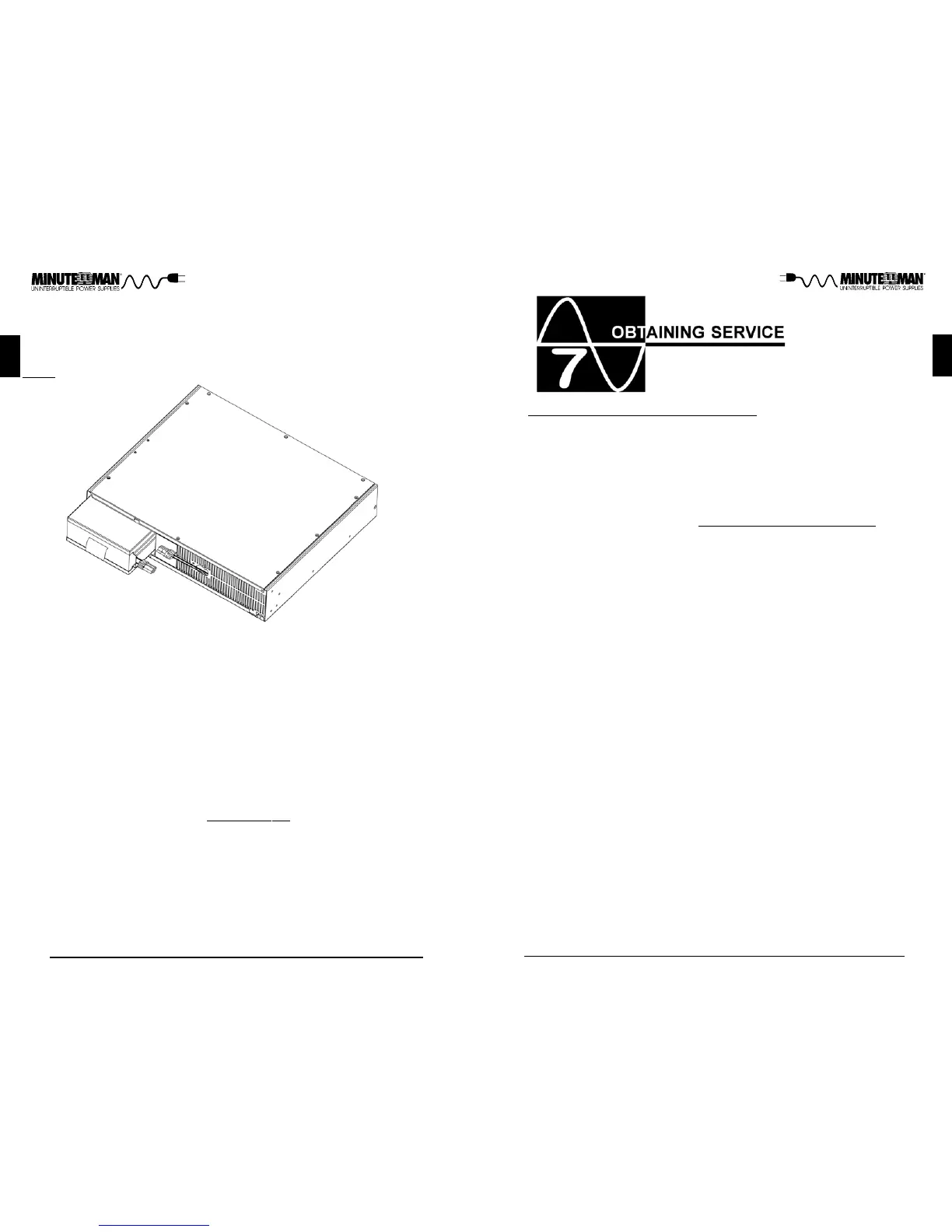
FIG. 4
10. Disconnect the Battery connectors (red and black). (FIG. 4)
11. Grasp the battery pull tab and gently pull the battery module out of the UPS
and set aside.
NOTE: Use Caution, the battery module is heavy.
12. Slide the new battery module into the UPS.
13. Re-install the battery retaining bracket.
14. Re-install the two retaining screws for the battery retaining bracket.
15. Verify proper polarity. Reconnect the battery connectors (red and black).
NOTE: Some sparking might occur, this is normal.
16. Re-install the front panel on the UPS.
17. Re-install the front panel retaining screws.
18. Properly dispose of the old batteries at an appropriate recycling facility or
return them to the supplier in the packing material for the new batteries.
19. The UPS is now ready for the normal operation.
NOTE: If the UPS has a Weak/Bad Battery Alarm after replacing the battery
module, the user must initiate a self-test to clear the Weak/Bad Battery Alarm.
To initiate a self-test see section 4 "TEST BUTTON".



 To Next Page