15
14
English
POWER MONITORING SOFTWARE
The UPS comes with power monitoring software. See the software CD for the
installation of the power monitoring software.
USB COMMUNICATIONS PORT
This UPS series supports USB communications. Use the interface cable that comes
with the UPS. The USB communications protocol is HID. The HID USB driver
comes standard in the Windows OS. Simply plug the USB cable into the UPS and
the computer then follow the prompts on the screen.
ACCESSORY SLOT
The Accessory slot on the rear panel of the UPS is for an SNMP Card or a Dry Contact
Relay card. Contact your local dealer for the available option cards.
English
SELF-TEST
The self-test feature is useful to verify the correct operation of the UPS and the
condition of the batteries. The length of the test that is automatically performed every
two weeks is longer than the start-up or user invoked test. This every two week test
will run for approximately fifteen-seconds to measure the battery’s capability to sup-
port the output load. The start-up and user invoked test will run for approximately
ten-seconds. If the UPS fails one of these tests, one of the icons or the information
displayed on the LCD will remain illuminated indicating the type of problem. NOTE:
The UPS will automatically perform a self-test on start-up and every two weeks.
LCD SCREEN
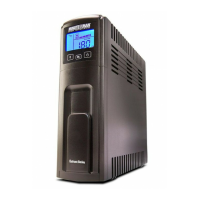
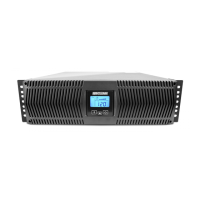
The LCD provides the user with a variety of useful information. The LCD has a real-
time meter to display, in numeric fashion, the following data:
Input Voltage and Frequency
Output Voltage and Frequency
Connected Load Capacity
Battery Capacity
Estimated runtime in the AC and DC mode
The LCD will include dedicated icons for the following information:
AC Normal
On Battery
AVR Mode (Boost and Buck) – The AC Normal icon will flash
Overload
Weak/Bad Battery (Battery Capacity Bar Graph will flash)
Site Wiring Fault (S.L.F. will be displayed)
UPS Fault (FAL will be displayed)
The LCD does have a backlight that will turn on when the UPS is turned on. After
approximately 20-seconds the backlight will turn off to conserve energy. When an
event (alarm) occurs, such as going to the battery mode, the backlight will turn on for
approximately 20-seconds to alert the user that an event has occurred and then the
backlight will turn off. While the Scroll button is in use the backlight will remain on.
Approximately 20-seconds after the Scroll button has stopped being used the back-
light will turn off to conserve energy.
ALARMS
ON BATTERY
When the UPS is operating on the batteries, the AC normal icon will extinguish, the
On-Battery icon will illuminate and the alarm will sound one beep every five sec-
onds. Once the UPS returns to the normal AC mode, the alarm will stop, the On-
Battery icon will extinguish and the AC normal icon will illuminate.
WEAK/BAD BATTERY
The UPS automatically tests the battery’s condition. If the battery is weak, bad or
disconnected, the Battery Capacity Bar Graph will flash and the alarm will sound
three beeps every five minutes until the battery is either reconnected or replaced.
This alarm will be repeated until the batteries pass a self-test. It is recommended
that the UPS be allowed to charge overnight before performing a battery test to
confirm a Weak/Bad Battery condition.
OVERLOAD
When the amount of load attached to the UPS exceeds its power rating, the Overload
icon will illuminate and the alarm will sound continuously (AC and Battery modes).
This alarm will remain on until the excess load is removed or the UPS’s self protec-
tion circuit shuts the UPS down. To clear the overload alarm when the UPS has
shutdown requires that the UPS perform a battery test. First remove part of the load,
then turn the UPS on, the Overload icon and the alarm will be on. Second either use
the Test Button or unplug the input power cord to perfom the battery test.
LOW BATTERY WARNING
When the batteries reach the predetermined level, the alarm will sound two beeps
every five seconds and the Battery Bar Graph will display the remaining battery
capacity. This condition will continue until either AC returns or the UPS’s self protec-
tion circuit shuts the UPS down to protect the battery from over discharging.
UPS FAULT
When the UPS detects an internal fault, "FAL" will be displayed on the LCD screen,
the alarm will sound continuously and the output will be turned off. The fault condi-
tion, in some instances, may be reset by turning the UPS off and then on. If the fault
condition does not clear the UPS must be sent in for service.
BATTERY OVER CHARGE PROTECTION
If the charger is providing too much voltage to the battery the UPS will turn off the
charger to protect the battery. When the charger voltage exceeds 14.52V/battery the
charger will turn off. The alarm will sound three beeps every five seconds and the
Battery Capacity Bar Graph will flash. In some instances, the charger may be reset
by turning the UPS off and then on. When the charger voltage exceeds 15.0V/battery
the charger will turn off. The alarm will sound three beeps every five seconds and
the Battery Capacity Bar Graph will flash. The UPS will automatically transfer to the
battery mode and operate until the UPS shuts down due to battery exhaustion. The
UPS must be sent in for service.
RS232 COMMUNICATIONS PORT
The power monitoring software and interface cables can be used with the UPS. Use
only the interface cables that come with these UPSs. The RS232 communication
port is a standard DB9 female with both RS232 and simulated contact closure
capability. The pinout for the port is depicted per the chart below:
Pin 1: Simulated contact closure Low Battery Warning, NO
Pin 2: /TXD
Pin 3: /RXD and receive UPS shutdown command (connect a minimum of +5VDC
to a maximum of +12VDC for 4-seconds to completely shutdown the
UPS. The shutdown command is ONLY active in the battery mode)
Pin 5: Ground
Pin 8: Simulated contact closure AC fail, NO
Pins 4, 6, 7, 9: Not Used


 To Next Page
 Loading...