WWhy can't I pair or stream my FUSE, ALPHA 2,hy can't I pair or stream my FUSE, ALPHA 2,
LINK or VELO to PAI?LINK or VELO to PAI?
Last updated: 2017-10-25T17:44:53.000Z | Online Version
Tip 1. Open your phone’s Bluetooth settings and forget all Bluetooth devices. Then, close all open apps.
Tip 2. Android only: Ensure the Mio PAI app has permission to access your phone’s GPS/location
settings.
Tip 3. Ensure your phone and Mio product are within the 30 meters/100 feet Bluetooth distance. Note:
There may be interference by objects that prevent the Bluetooth transmission from your device to your
phone including water, your body, etc.
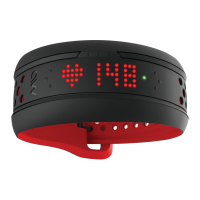
WWhat should I do if my FUSE is stuck on the ‘M’hat should I do if my FUSE is stuck on the ‘M’
screen after a software update?screen after a software update?
Last updated: 2018-03-12T18:01:26.000Z | Online Version
*Please note in this state, FUSE bluetooth signal will only appear in the Mio GO firmware update screen.
Follow the step-by-step instructions below if your FUSE is stuck with an "M" after the firmware update:


 To Next Page