129
7521
7521
Plus / N N/B MAINTENANCE
Plus / N N/B MAINTENANCE
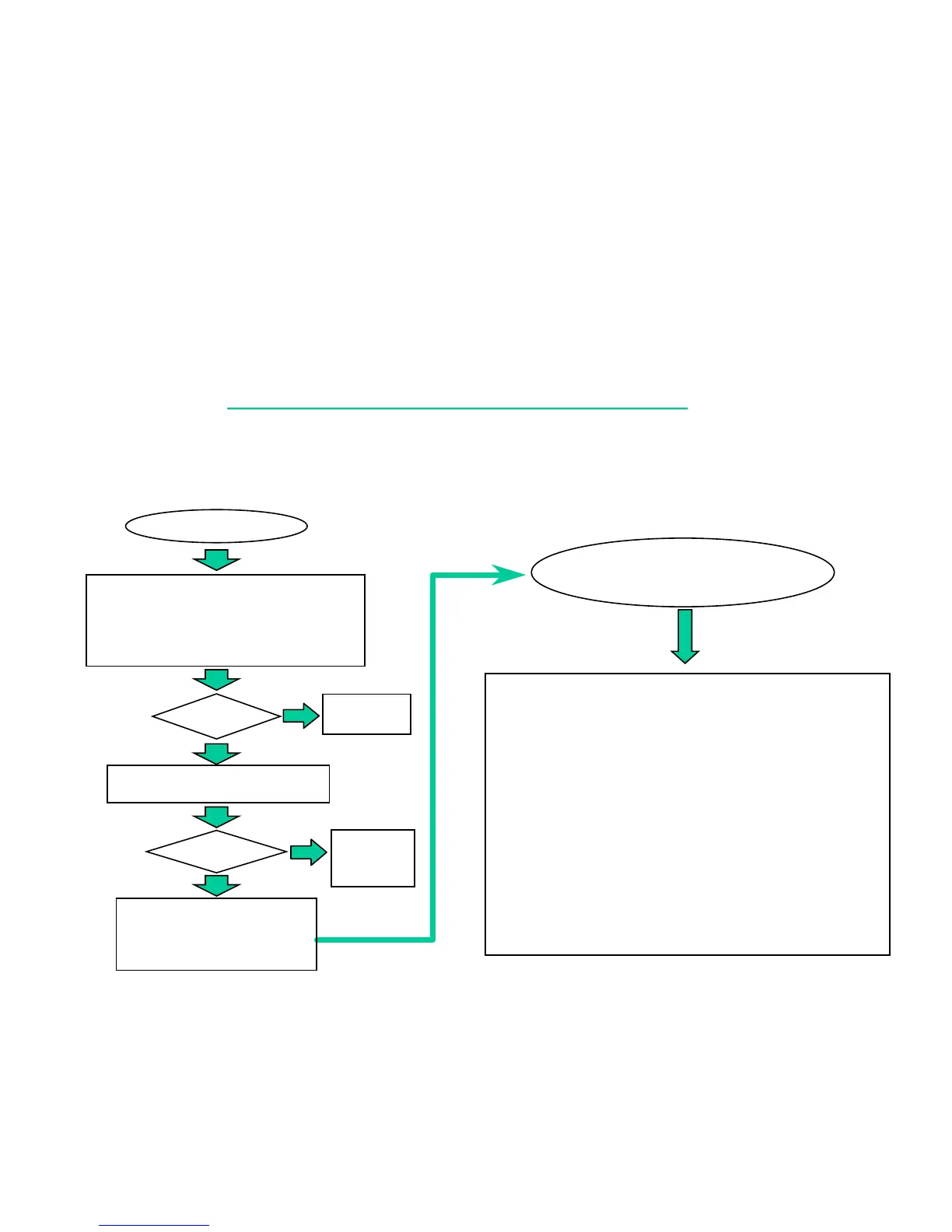
8.11 SIO PORT TEST ERROR
An error occurs when a mouse or other I/O device is installed.
SIO TEST ERROR
1. Check if the mouse or others I/O device are
installed (J507) properly.
(Including driver)
2. Check if CMOS COM port setting correctly.
Test
OK?
Re-test
OK?
Change M/B or go
into board-level
Troubleshooting.
NO
YES
Correct
it and end.
YES
NO
Change the
faulty part
and end.
Board-level
Troubleshooting for
SIO test error.
Check the following parts for cold solder or one of the following
parts on the mother-board may be defective, use an oscilloscope
to check the following signal or replace the parts one at a time and
test after each replacement.
Parts:
U27,U1
Q1,R1
J507
Signals:
ISA_IRQ4
RS232_OFF#
D/RI#
D/DTR#
D/CTS#
D/TXD
D/RTS#
D/RXD
D/DSR#
Try another known good I/O device.
D/DCD#
COM1DCD#
COM1DSR#
COM1RXD
COM1CTS#
COM1RTS#
COM1TXD
COM1DTR#


 To Next Page