56
7521
7521
Plus / N N/B MAINTENANCE
Plus / N N/B MAINTENANCE
2.2.1 Battery Pack
Disassembly
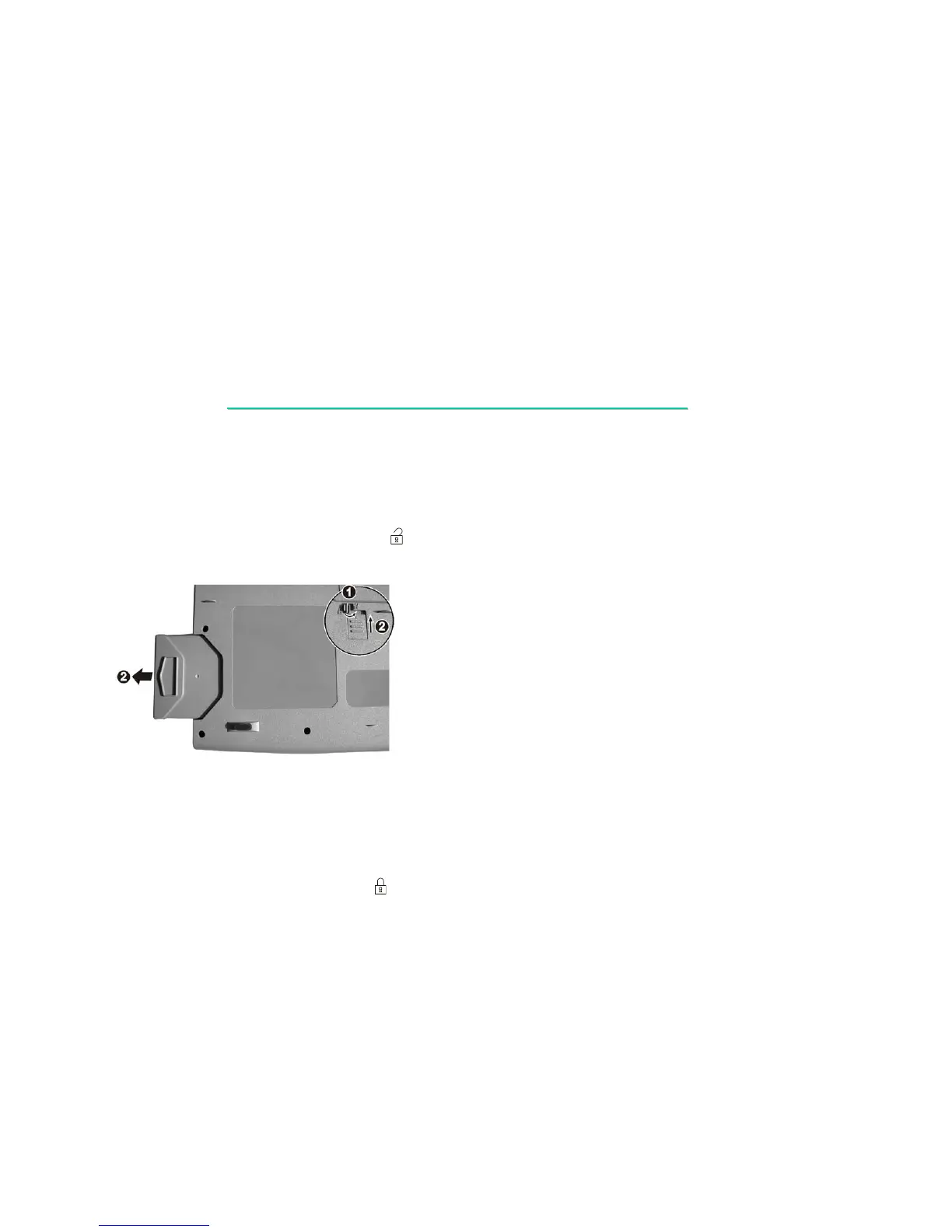
1. Carefully put the notebook upside down.
2. Turn the locking button to the "unlock” ( ) position (n), then slide and hold the latch in the
unlock position and pull the battery pack out of the compartment (o).(figure 2-1)
Figure 2-1
Reassembly
1. Push the battery pack into the compartment. The battery pack should be correctly connected
when you hear a clicking sound.
2. Turn the locking button to the "lock” ( ) position.


 To Next Page