64
7521
7521
Plus / N N/B MAINTENANCE
Plus / N N/B MAINTENANCE
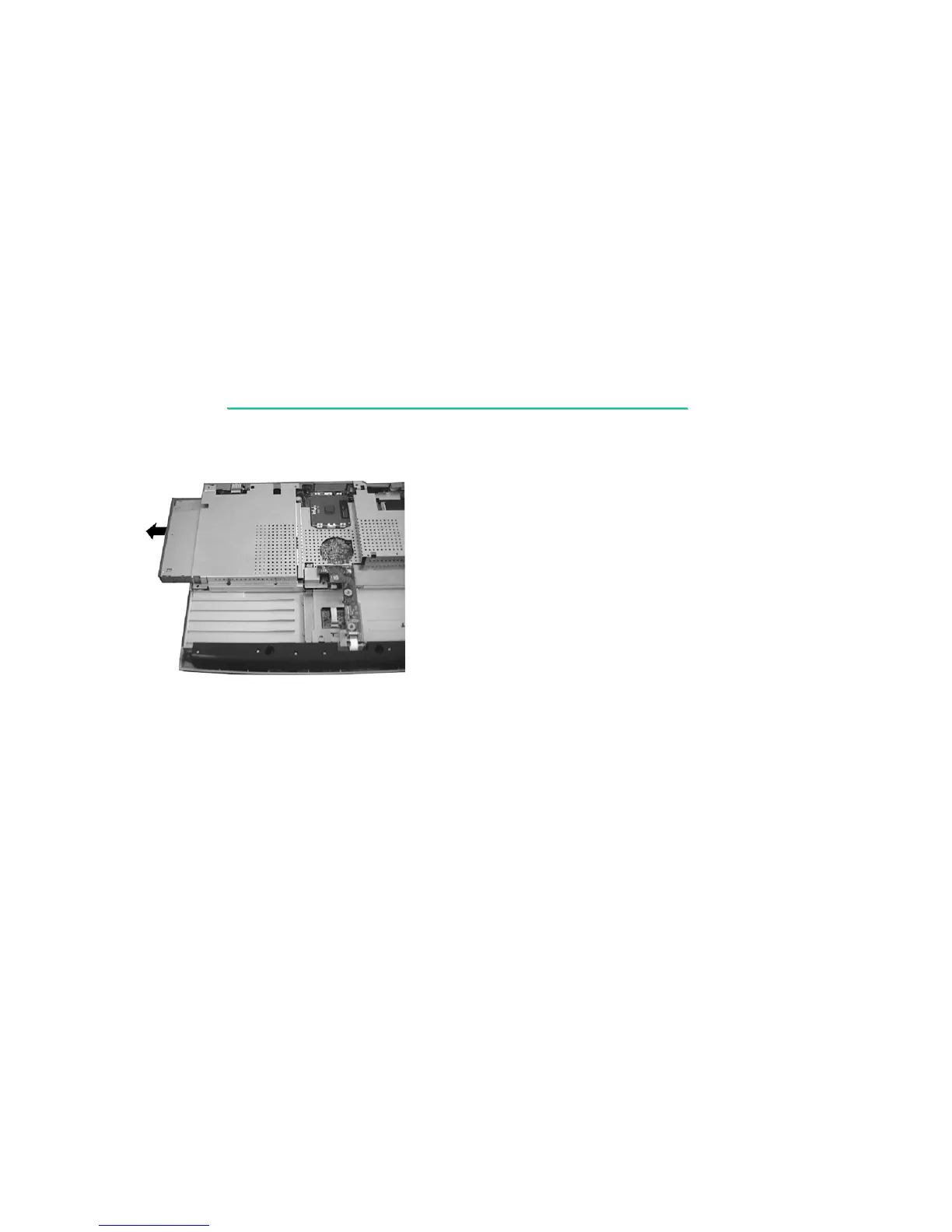
6. Hold the CD-ROM drive and slide it outward carefully. (figure 2-12).
Figure 2-12
Reassembly
1. Push the CD-ROM drive into the compartment.
2. Replace the base unit frame and secure with thirteen screws (includes one locking the CD-ROM drive).
3. Replace the FDD/HDD module. (See section 2.2.4 Reassembly.)
4. Replace the modem card. (See section 2.2.3 Reassembly.)
5. Replace the modem card. (See section 2.2.3 Reassembly.)
6. Replace the battery pack. (See section 2.2.1 Reassembly.)


 To Next Page