Using the Voice Mail System
1) To retrieve voice mail messages at the office:
A) If the MSG Key is blinking
-Lift the handset or press SPKR
-Press the flashing MSG key
-Follow voice mail prompts
B) If the MSG button is not blinking
OR to retrieve messages from any phone:
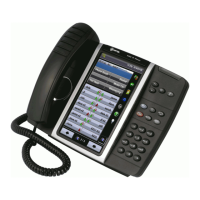
- Dial 2500 or Press VMS button
- Press *
-Follow voice mail prompts (enter mailbox number, enter password)
2) To retrieve voice mail outside the office through an auto-attendant:
Dial main number
1. Dial the main number
2. -When auto attendant picks up press *
3. -Follow prompts (enter mailbox number, enter password)
3) To transfer an outside caller directly into a specific voice mailbox:
1. -Press transfer key
2. –Dial 2500 or Press VMS button
3. -Dial mailbox number
4. -Hang up
4) To transfer an employee into voice mail from the outside:
1. - Press transfer key
2. –Dial 2500 or Press VMS button
3. -Hang up
5) To leave voice mail if an extension dialed internally is busy, no
answer or in DND:
1. -Press MSG key on your phone to be connected to the person’s voicemail.
6) To leave a voice mail message without ringing the person‟s
extension:
1. – Dial 2500 or Press VMS button
2. -Enter mailbox number
3. -Leave voice mail message
Note: To bypass the greeting, press the pound (#) sign.
Employee must press the * key to
get subscriber prompts
*
Y
O
U
R
D
I
S
P
L
A
Y
W
I
L
L
A
L
W
A
Y
S
R
E
A
D
:
“
Y
O
U
H
A
V
E
1
M
E
S
S
A
G
E
”












 To Previous Page