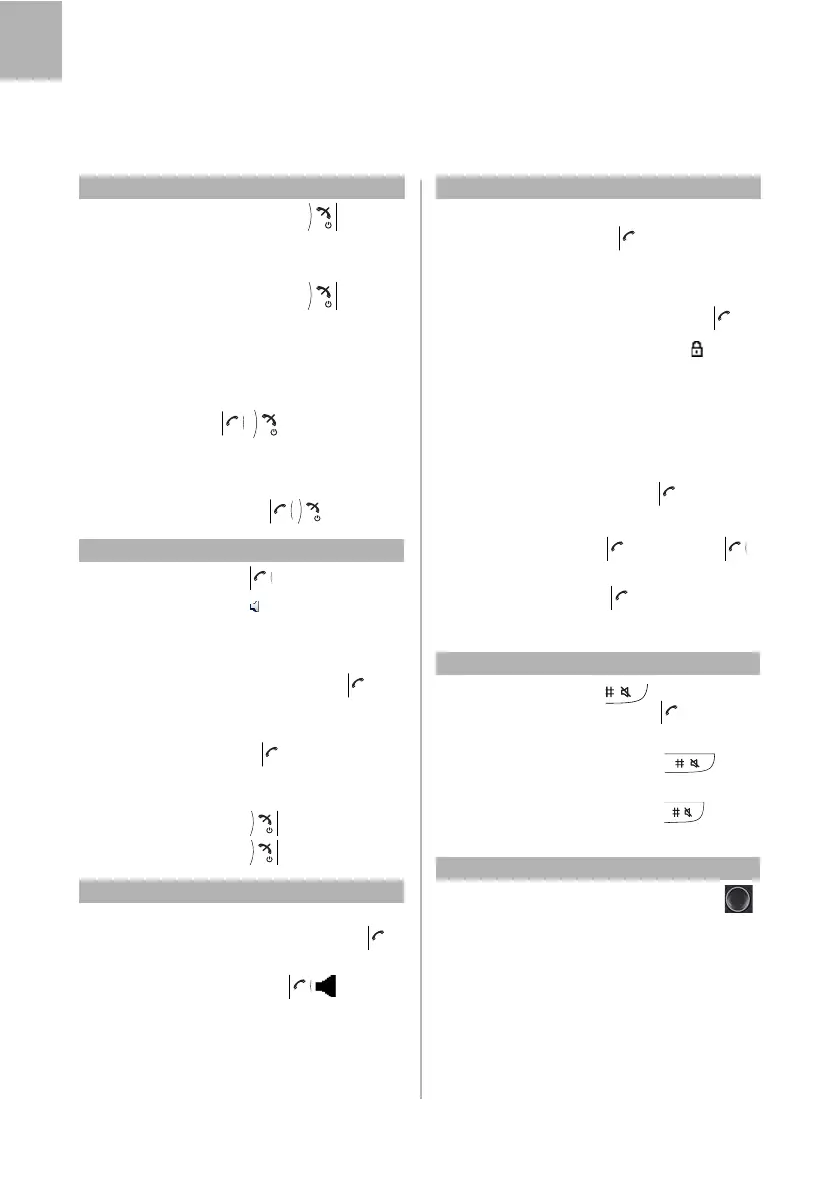
MITEL 5613 CORDLESS PHONE QUICK REFERENCE GUIDE
12
English
Switch On and Off
Switch on: Press and hold (Until
display lights up)
Yes (confirm)
Switch off: Press and hold
Yes (confirm)
Free seating
Log on: *11* Authorization code *
Own extension number
#
Note: Free seating is not supported by IP
DECT.
Log off: #11#
Answer Calls
Answer: Press
Handsfree: Press
Headset: Press the answering button on
the headset.
Call pick-up: Call ringing extension
8
France and New Zealand: Press 4;
Sweden: Press
6
Group call pick-up:
* 8 #
Finland and Sweden: Press *0#;
U.S.A. and Canada: Press
*59#
End call: Press
Reject call: Press
Make Calls
Dial: Dial extension number or
external line and number
Handsfree: Dial number
Common speed
dialing number:
Dial common speed dialing
number
Dial by contact: Press Menu - Contacts - Call
contact, select contact
Note: Contacts marked with cannot be
modified.
Search and dial a
contact:
Press Menu - Contacts -
Central phonebook- Search
by name (or Search by
number), enter name (or
number) and press Search.
Select contact
Dial by call list: Press select number
Redial last
external number:
***
Finland and Sweden: Press **0
Silent Ringing and Mute
Mute ringing
telephone:
Press to suppress the
ringing. (Press to answer.)
Switch ring
signal off: Press and hold
Mute microphone
during call: Press and hold during
call
Volume
Adjust speaker
Volume:
Press the navigation key
(up and down) to adjust
speaker volume during a call.
Adjust ringing
volume:
Press Menu - Settings -
Sound & Alerts - Volume and
adjust with navigation keys.
Make Calls
MITEL 5613 CORDLESS_QRG_MX-ONE.book Page 12 Thursday, March 1, 2018 2:52 PM



 To Next Page