15
MITEL 5613 CORDLESS PHONE QUICK REFERENCE GUIDE
English
General Deactivation
Cancel all
features:
# 001 #
U.S.A. and Canada: Press *0#
Display Language
Change display
language:
Press Menu - Settings -
Language and select one of
the languages from the list.
Time and Date
Set time format: Press Menu - Settings - Time
& Date - Time format and
select the desired option.
Set date format: Press Menu - Settings - Time
& Date - Date format and
select the desired option.
Charging the Battery
To charge the battery, place the phone in a desk
charger or a rack charger.
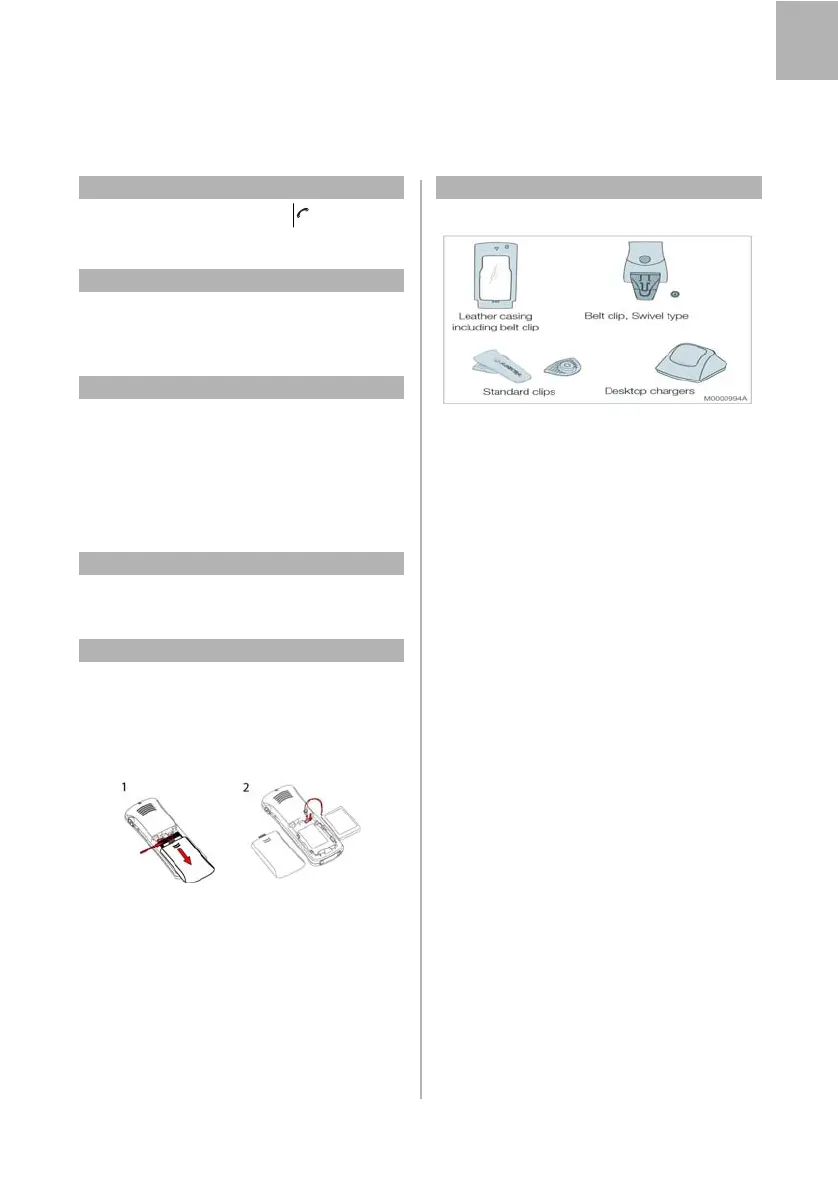
Replacing the Battery
To replace the battery, do the following:
1. Switch off the phone, open the battery
compartment, and remove the battery.
2. Disconnect the battery cable, and replace with a
new battery.
Accessories
The following accessories are available:
Also available:
• Security string
• Rack charger
MITEL 5613 CORDLESS_QRG_MX-ONE.book Page 15 Thursday, March 1, 2018 2:52 PM



 To Next Page