Mitel MiVoice 6930 IP Phone User Guide
To disable
Call Forward Always
:
1.
Press the key that you have programmed with
Call Forward Always
functionality.
When Call Forward Always is disabled, a (
Call Forward Always
) icon is removed from
the status bar.
2.
Press the
Deactivate
softkey.
Do Not Disturb
When you program and enable a
Do Not Disturb
key, callers may get a busy tone and an on-screen
text message indicating that you do not wish to be disturbed, depending on the setting in the System
Administrator Tool.
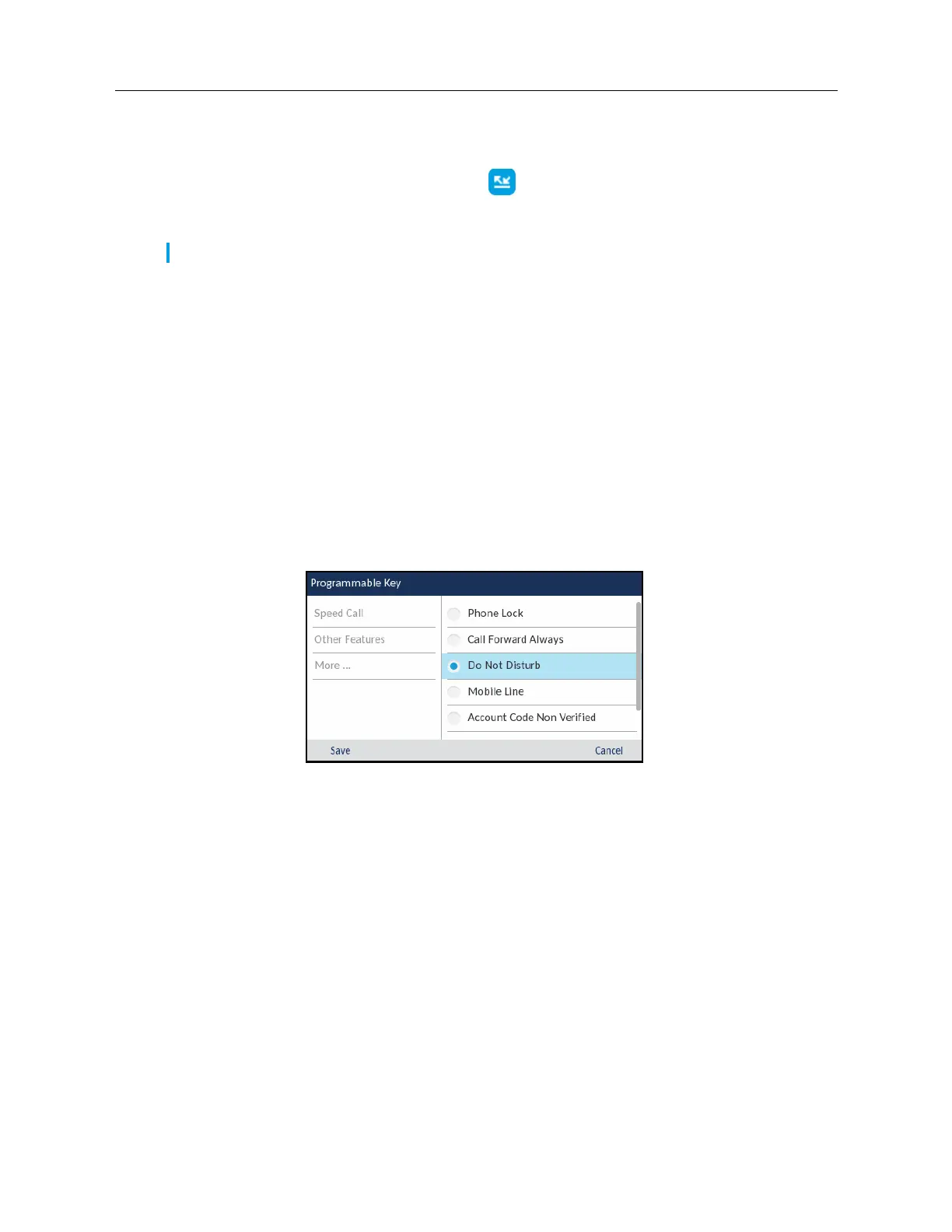
To program a
Do Not Disturb
key:
1.
Press and hold the applicable programmable key for the configured duration.
2.
Press the left navigation key to move to the feature category column.
3.
Press the down navigation key to highlight
Other Features
.
4.
Press the right navigation key to move to the
Other Features
selection column.
5.
Navigate to
Do Not Disturb
using the down navigation key.
6.
With
Do Not Disturb
highlighted, press the
Save
softkey.
To enable
Do Not Disturb
:
Note:
When
Call Forward Always
is disabled, the default call forwarding settings are active.














 To Next Page