Voicemail
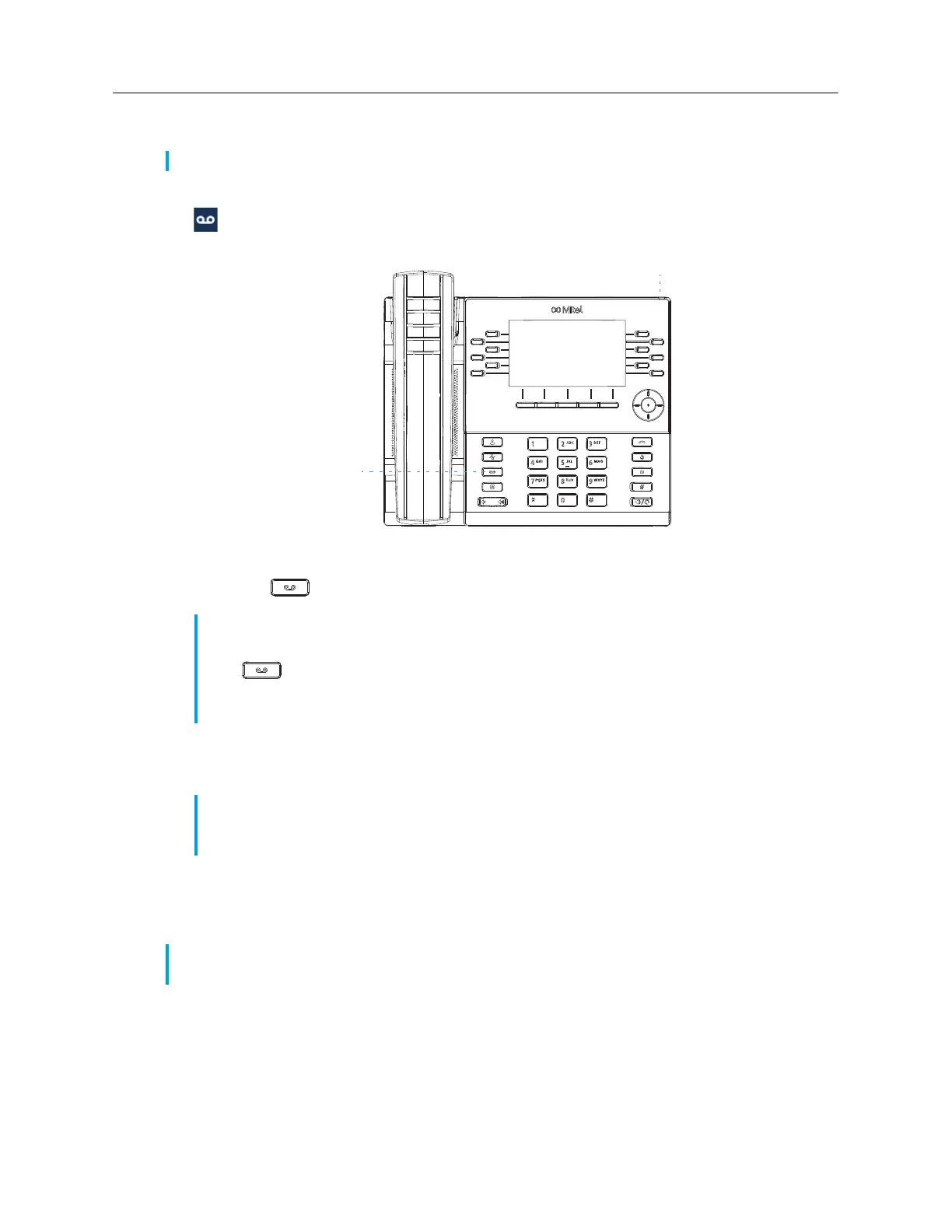
When voicemail functionality is enabled, the MWI LED on the Mitel MiVoice 6930 flashes red and
the (
Voicemail
) icon displays on the status bar indicating that voicemail messages are available.
You can access your voicemail service by pressing the
Voicemail
key.
To access your voicemail:
1.
Press the (
Voicemail
) key.
2.
((Optional) If your phone is idle, press the
More
softkey to view the date and time of the last
voicemail message received.
3.
If your phone is on idle, press the
Call
softkey.
4.
When you are connected to your message center, follow the audio prompts to perform any
applicable actions.
Note:
Voicemail functionality must be configured by your System Administrator.
Notes:
1.
If the handset is offhook or if the phone is in speakerphone or headset mode, pressing the
(
Voicemail
) key will call your message center directly.
2.
The call to your message center is placed regardless of whether or not a message is
pending.
Note:
Pressing the
Erase
key clears the current message indicators on the phone (i.e. MWI
LED and last voicemail message received history). It does not delete the messages contained
in your voicemail account.
Note:
For more detailed information on voicemail features and functionality, see the
Mitel MiVoice
Business Voice Mail User Guide
.














 To Next Page