Chapter
3
Operation
GENERAL OPERATION
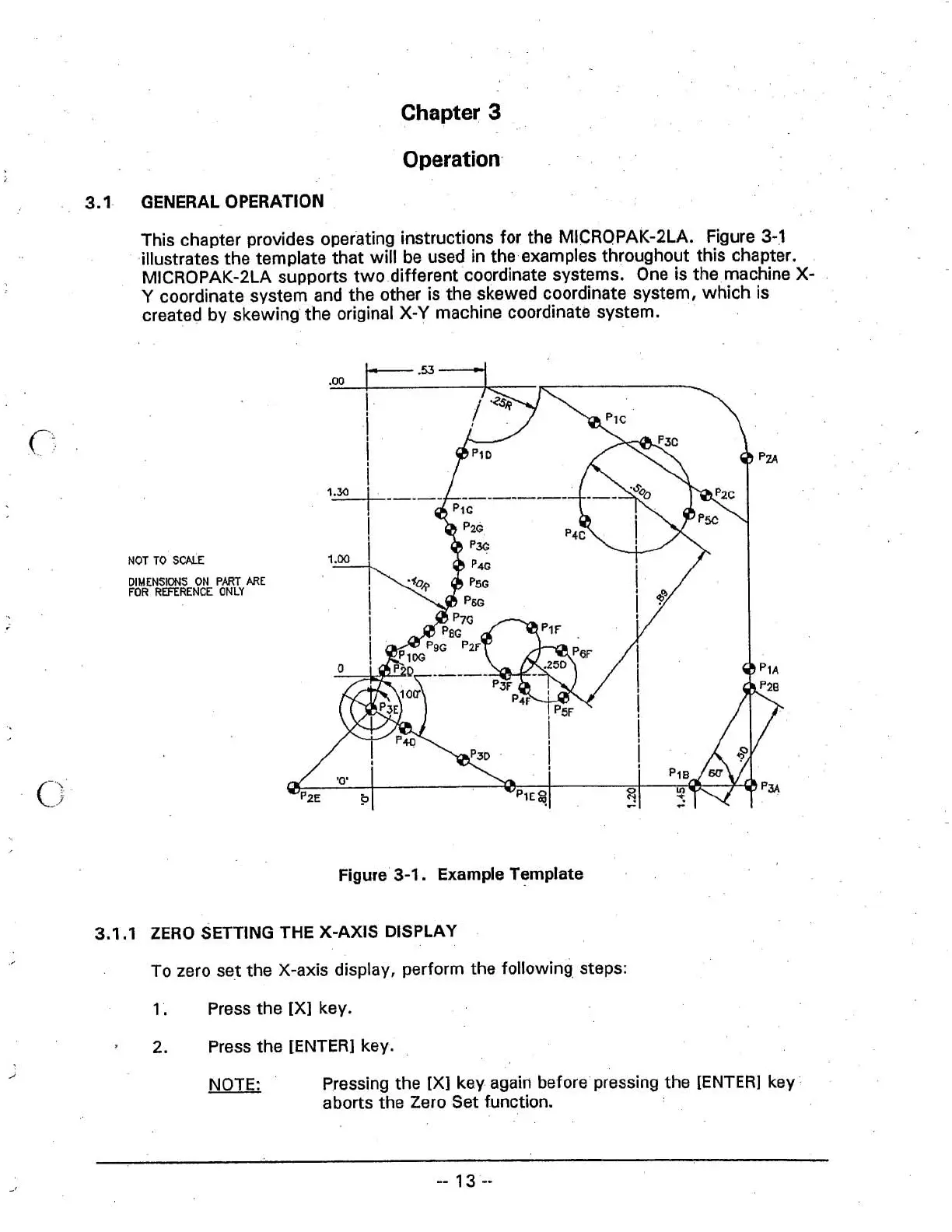
This chapter provides operating instructions for the MICROPAK-2LA. Figure
3-1
illustrates the template that will be used in the examples throughout this chapter.
MICROPAK-2LA supports two different coordinate systems. One is the machine
X-
Y
coordinate system and the other is the skewed coordinate system, which is
created by skewing the original X-Y machine coordinate system.
NOT
TO
SCALE
DlMENSlMJS
ON
PART
ARE
FOR
REFERENCE
ONLY
Figure 3-1. Example Template
. .
3.1
.I
ZERO
SETTING THE
X-AXIS
DISPLAY
To zero set the X-axis display, perform the following steps:
1.
Press the [XI key.
2.
Press the [ENTER] key.
i
NOTE:
Pressing the
[XI key again before pressing the [ENTER] key
aborts the Zero Set function.



 To Next Page