3.1.9
USING THE ORTHOGONAL FUNCTION
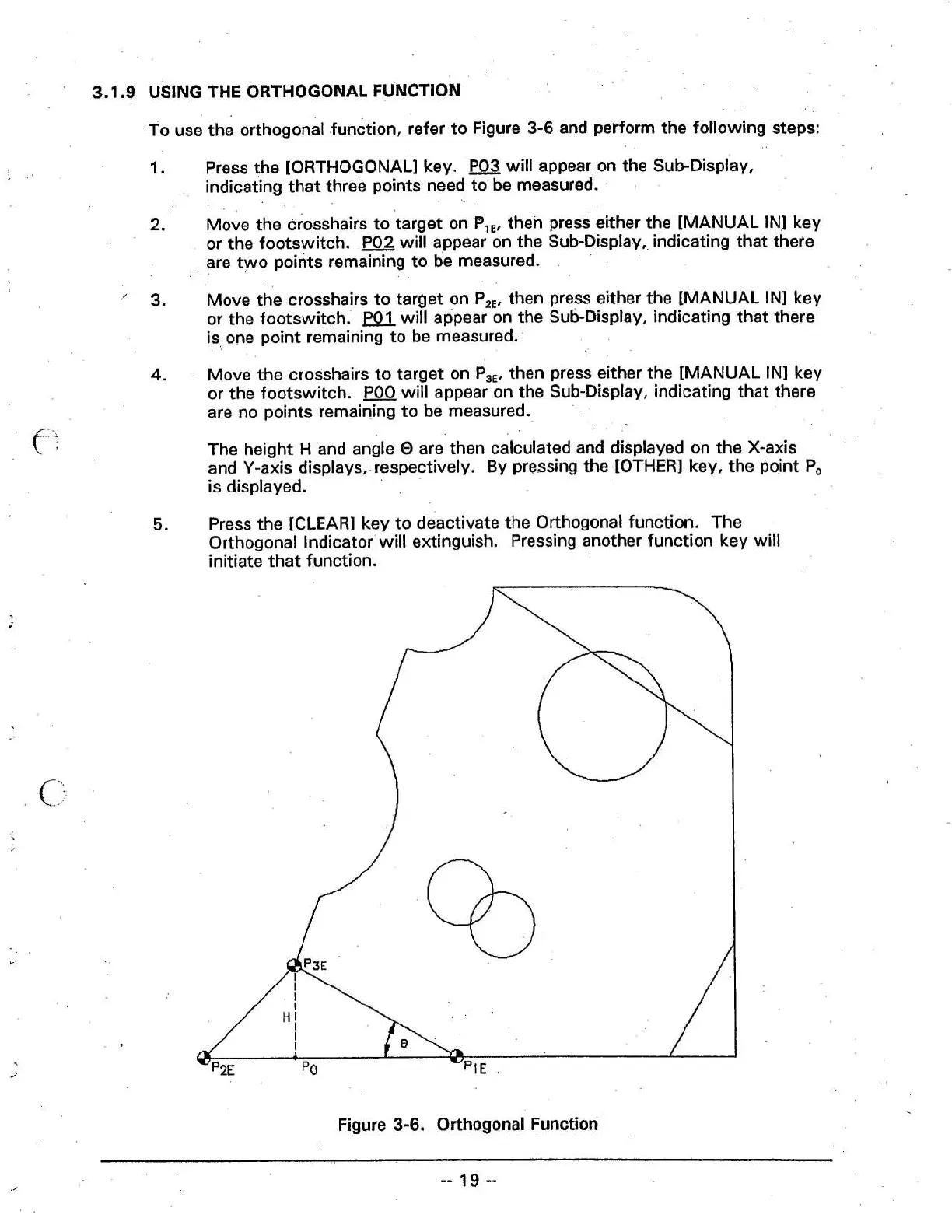
To use the orthogonal function, refer to Figure
3-6
and perform the following steps:
1.
Press the [ORTHOGONAL] key.
P03
will appear
on
the Sub-Display,
indicating that three points need to be measured.
2.
Move the crosshairs totarget on
B,,,
then press either the [MANUAL IN] key
or the footswitch.
P02
will appear on the Sub-Display, indicating that there
are two points remaining to be measured.
.'
3.
Move the crosshairs to target on P,,, then press either the [MANUAL IN] key
or the footswitch.
will appear on the Sub-Display, indicating that there
is, one point remaining to be measured.
4.
Move the crosshairs to target on P,,, then press either the [MANUAL IN] key
or the footswitch.
will appear on the Sub-Display, indicating that there
are no points remaining to be measured.
The height
H
and angle
O
are then calculated and displayed on the X-axis
and Y-axis displays,-respectively. By pressing the [OTHER] key, the point
Po
is displayed.
5.
Press the [CLEAR] key to deactivate the Orthogonal function. The
Orthogonal
Indicator will extinguish. Pressing another function key will
initiate that function.
Figure
3-6.
Orthogonal Function



 To Next Page