6.
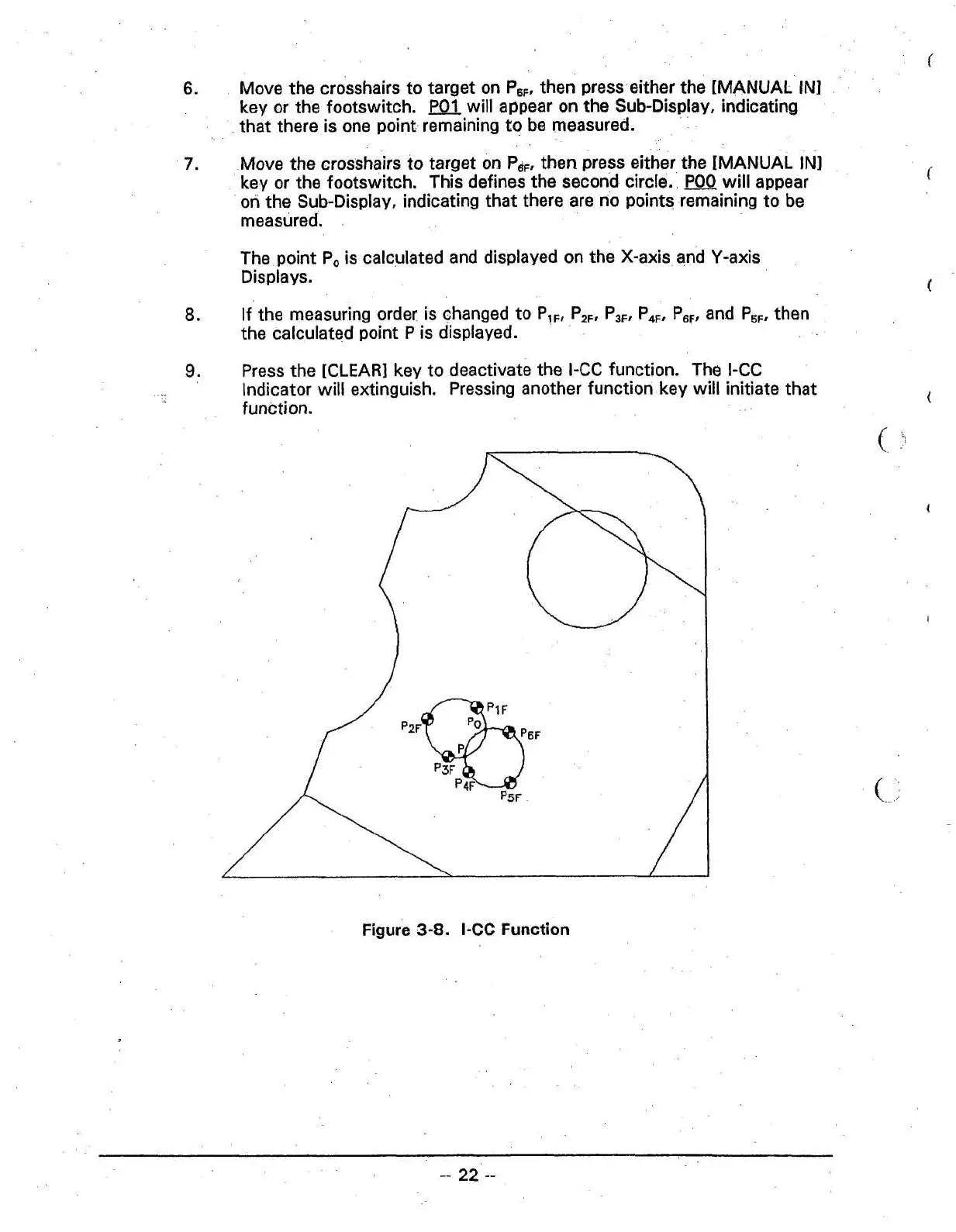
Move the crosshairs to target on
P,,,
then press either the [MANUAL IN]
key or the footswitch.
will appear on the Sub-Display, indicating
that there is one point remaining to be measured.
7.
Move the crosshairs to target on
P,,,
then press either the [MANUAL IN]
key or the footswitch. This defines the second circle.
will appear
on the Sub-Display, indicating that there are no points remaining to be
measured.
The point
Po is calculated and displayed on the X-axis and Y-axis
Displays.
8.
If the measuring order is changed to P,,,
P,,,
P,,, P,,, P,,, and P,,, then
the calculated point
P
is displayed.
9.
Press the [CLEAR] key to deactivate the I-CC function. The I-CC
Indicator will extinguish. Pressing another function key will initiate that
function.
C
-'
Figure
3-8.
I-CC
Function



 To Next Page