12.
Press the [STORE] key. The Store lndicator will illuminate.
13.
Press the number of the memory location to store the data
in.
In
this
example, press
[2]. The Sub-Display will display
02.
14.
Press the [ENTER] key to complete the operation. The Store lndicator will
extinguish,
QQ
will be displayed on the Sub-Display and the coordinates of
Po, will be stored in memory location 2.
15.
Press the [DISTANCE] key. The Distance lndicator will illuminate and
P02
will appear on the Sub-Display, indicating that two points need to be
identified.
16.
Press the [RECALL] key. The Recall lndicator will illuminate.
17.
Press the number of the memory location to recall the data from.
In this
example, press
[I].
The Sub-Display will display
01.
18.
Press the [ENTER] key and then the [MANUAL IN1 key to complete the
operation. The Recall lndicator will extinguish and
will appear on the
Sub-Display, indicating that there is one point remaining to be identified.
19. Press the
[RECALL] key. The Recall, lndicator will illuminate.
20.
Press the number of the memory location to recall the data from. In this
example, press
[2]. The Sub-Display will display
02.
21.
Press the [ENTER] key and then the [MANUAL
IN1 key to complete the
operation. The Recall lndicator will extinguish and
will appear
on
the
Sub-Display, indicating that there are no points remaining to be identified.
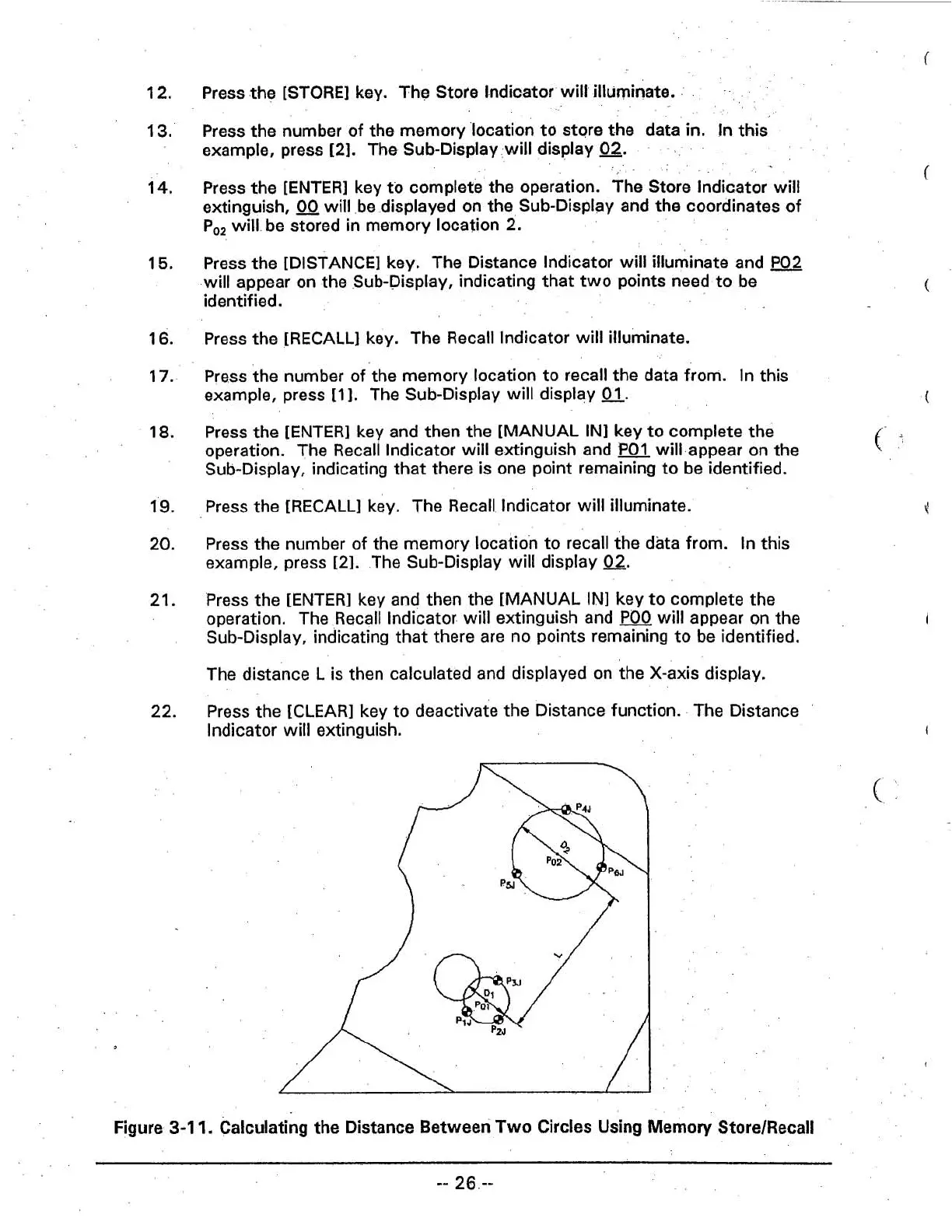
The distance
L
is then calculated and displayed on the X-axis display.
22.
Press the
[CLEAR]
key to deactivate the Distance function. The Distance
lndicator will extinguish.
Figure
3-1
1.
Calculating the Distance Between Two Circles Using Memory StoreIRecall



 To Next Page